Connecting Codex in the ChatGPT app
The ChatGPT app works only with OpenAI models and auto.
Anthropic models are available in Codex CLI.
-
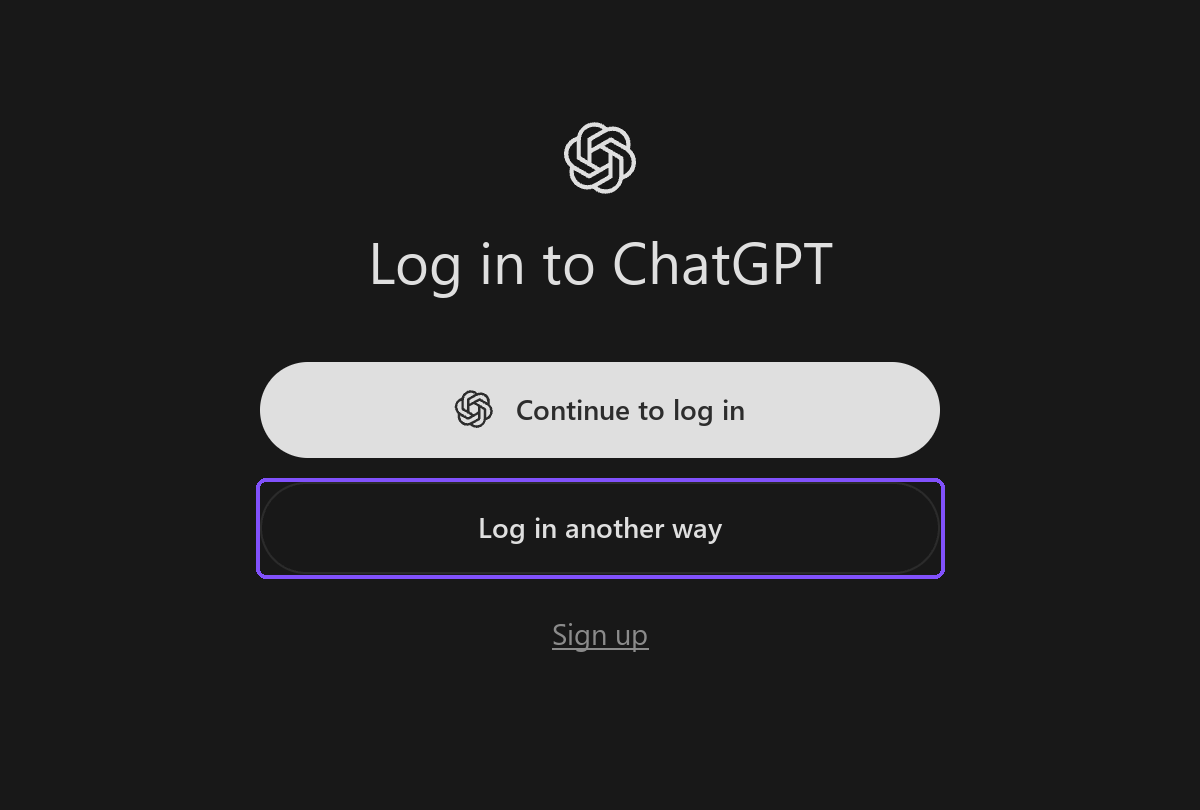
On the sign-in screen, click Sign in another way
- Do not click Continue to sign in: this signs you in through a ChatGPT account, and requests to the gateway will be rejected
- If you are already signed in through a ChatGPT account, sign out and sign in again
-
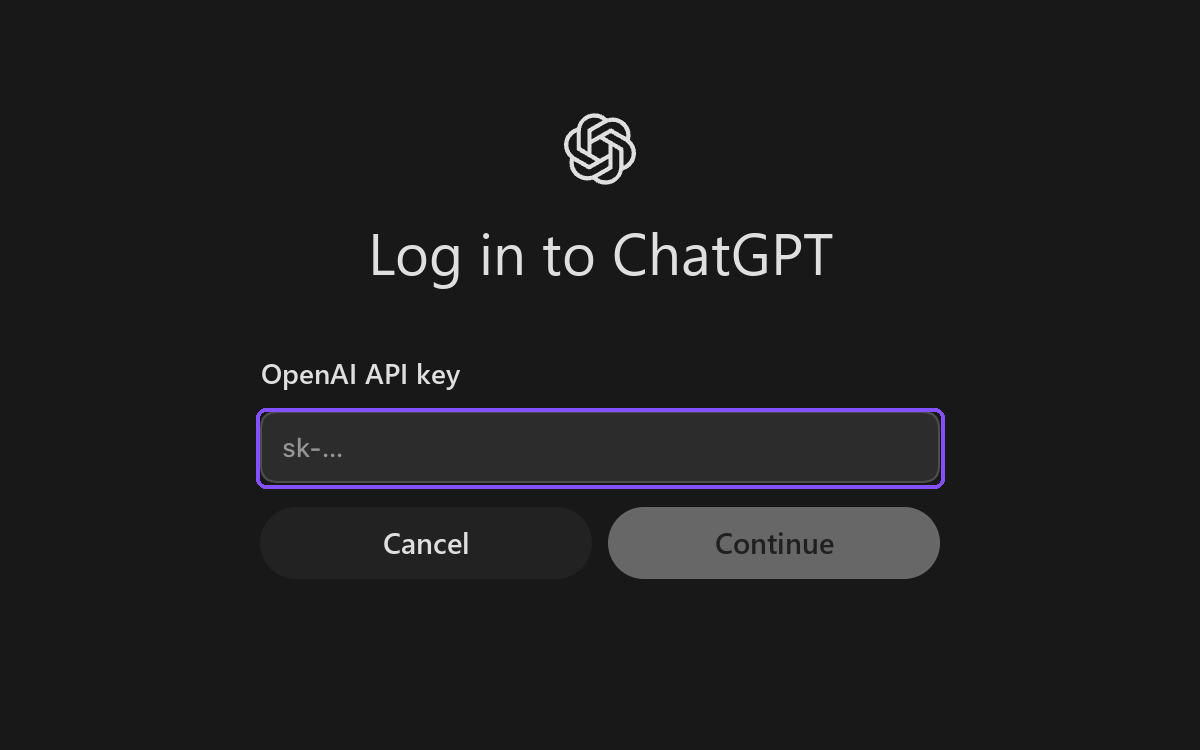
Paste the API key from your personal account into the OpenAI API key field and click Continue
- The key is in the Connect to Explyt block of your personal account, the Copy key button. Details: where to get the URL and key
- No OpenAI account is needed: the key is used only for requests to the Explyt gateway
-
Open the app settings (
Cmd/Ctrl + ,) → the Configuration section → click Open config.toml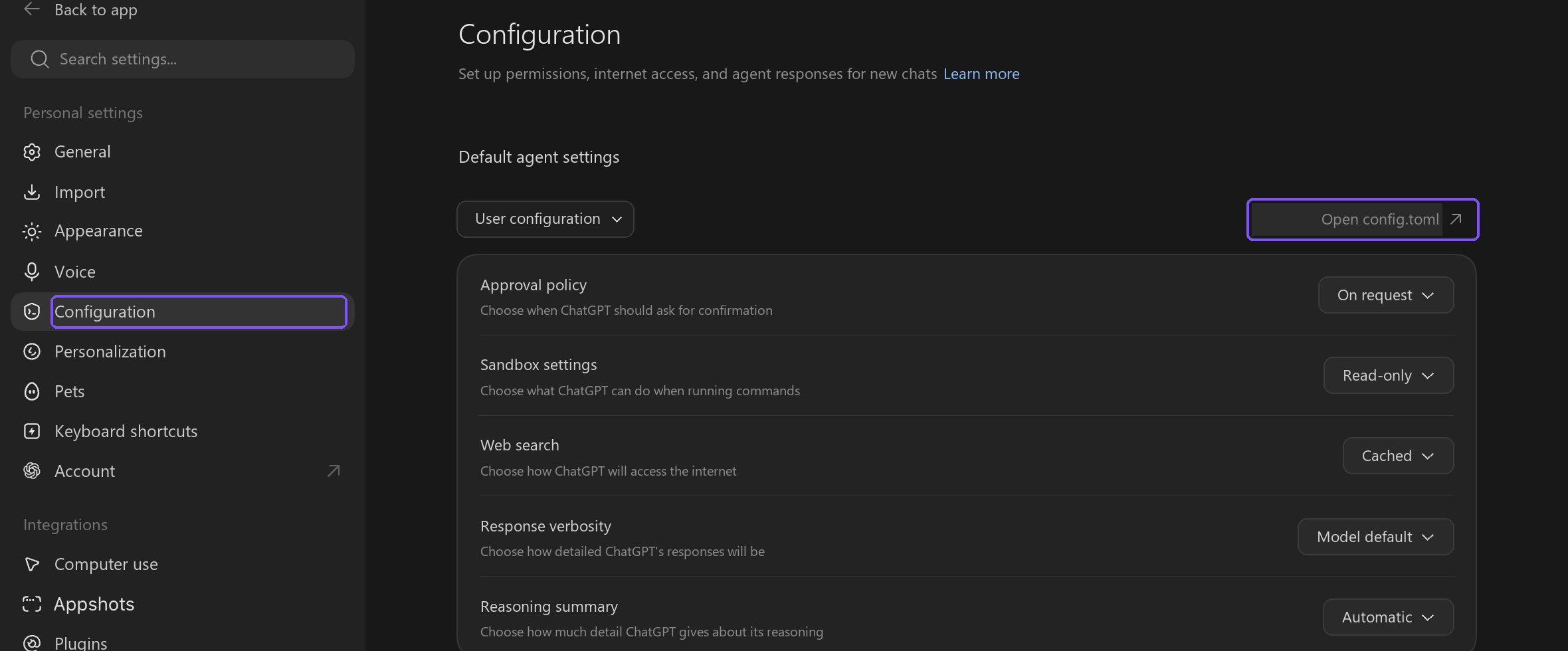
-
The file that opens already contains the app's own settings — do not delete them. Add three lines to the very beginning of the file:
model = "auto"
model_provider = "explyt"
model_catalog_json = "./model-catalog.json" -
Add the block below to the very end of the same file:
[model_providers.explyt]
name = "explyt"
base_url = "https://api.explyt.ai/openai/api"
wire_api = "responses"
requires_openai_auth = true- The
base_urlfield already contains the OpenAI-compatible URLhttps://api.explyt.ai/openai/api
- The
-
Next to
config.toml, create the filemodel-catalog.jsonwith the list of Explyt modelsDownload the ready-made
model-catalog.jsonfile — or copy its contents manually:Contents of
model-catalog.json{
"models": [
{
"slug": "auto",
"id": "auto",
"display_name": "Explyt Auto",
"description": "Automatic model selection: high quality with maximum availability",
"context_window": 372000,
"max_output_tokens": 32768,
"base_instructions": "default",
"shell_type": "default",
"visibility": "list",
"supported_in_api": true,
"priority": 1,
"support_verbosity": false,
"truncation_policy": {
"mode": "bytes",
"limit": 10000
},
"experimental_supported_tools": [],
"supported_reasoning_levels": [
{
"effort": "low",
"description": "low"
},
{
"effort": "medium",
"description": "medium"
},
{
"effort": "high",
"description": "high"
},
{
"effort": "xhigh",
"description": "xhigh"
}
]
},
{
"slug": "OpenAI/gpt-5.6-sol",
"id": "OpenAI/gpt-5.6-sol",
"display_name": "OpenAI GPT-5.6 Sol",
"description": "The highest quality among OpenAI models",
"context_window": 372000,
"max_output_tokens": 32768,
"base_instructions": "default",
"shell_type": "default",
"visibility": "list",
"supported_in_api": true,
"priority": 2,
"support_verbosity": false,
"truncation_policy": {
"mode": "bytes",
"limit": 10000
},
"experimental_supported_tools": [],
"supported_reasoning_levels": [
{
"effort": "low",
"description": "low"
},
{
"effort": "medium",
"description": "medium"
},
{
"effort": "high",
"description": "high"
},
{
"effort": "xhigh",
"description": "xhigh"
}
]
},
{
"slug": "OpenAI/gpt-5.6-terra",
"id": "OpenAI/gpt-5.6-terra",
"display_name": "OpenAI GPT-5.6 Terra",
"description": "Balance of quality and speed among OpenAI models",
"context_window": 372000,
"max_output_tokens": 32768,
"base_instructions": "default",
"shell_type": "default",
"visibility": "list",
"supported_in_api": true,
"priority": 3,
"support_verbosity": false,
"truncation_policy": {
"mode": "bytes",
"limit": 10000
},
"experimental_supported_tools": [],
"supported_reasoning_levels": [
{
"effort": "low",
"description": "low"
},
{
"effort": "medium",
"description": "medium"
},
{
"effort": "high",
"description": "high"
},
{
"effort": "xhigh",
"description": "xhigh"
}
]
},
{
"slug": "OpenAI/gpt-5.6-luna",
"id": "OpenAI/gpt-5.6-luna",
"display_name": "OpenAI GPT-5.6 Luna",
"description": "The fastest and cheapest among OpenAI models",
"context_window": 372000,
"max_output_tokens": 32768,
"base_instructions": "default",
"shell_type": "default",
"visibility": "list",
"supported_in_api": true,
"priority": 4,
"support_verbosity": false,
"truncation_policy": {
"mode": "bytes",
"limit": 10000
},
"experimental_supported_tools": [],
"supported_reasoning_levels": [
{
"effort": "low",
"description": "low"
},
{
"effort": "medium",
"description": "medium"
},
{
"effort": "high",
"description": "high"
},
{
"effort": "xhigh",
"description": "xhigh"
}
]
},
{
"slug": "OpenAI/gpt-5.5",
"id": "OpenAI/gpt-5.5",
"display_name": "OpenAI GPT-5.5",
"description": "Previous-generation OpenAI model",
"context_window": 272000,
"max_output_tokens": 16384,
"base_instructions": "default",
"shell_type": "default",
"visibility": "list",
"supported_in_api": true,
"priority": 5,
"support_verbosity": false,
"truncation_policy": {
"mode": "bytes",
"limit": 10000
},
"experimental_supported_tools": [],
"supported_reasoning_levels": [
{
"effort": "low",
"description": "low"
},
{
"effort": "medium",
"description": "medium"
},
{
"effort": "high",
"description": "high"
},
{
"effort": "xhigh",
"description": "xhigh"
}
]
}
]
}To add a model, copy any block and put your own
slugvalue in it.- The
priorityfield sets the order in the model picker: the lower the number, the higher the model in the list - Full list of models:
https://api.explyt.ai/openai/api/models - If the error
failed to parse model_catalog_jsonappears after a Codex update, add the field named in the error message to every model
- The
-
Fully close and reopen the app
- The settings are read only at startup
-
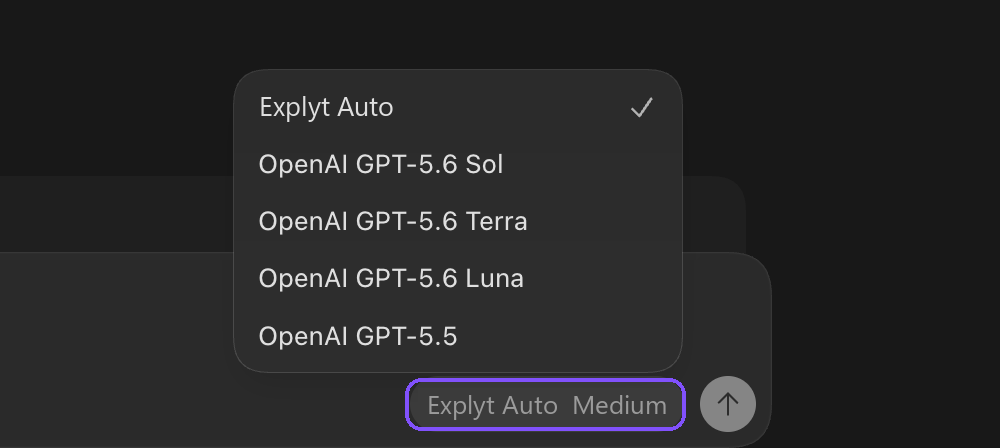
In the bottom-right corner of the input field, click the button with the model name, then the row with the model name and the
›arrow in the window that appears
-
Choose a model from the list
Explyt Auto– automatic model selection: high quality with maximum availabilityOpenAI GPT-5.6 Sol– the highest quality among OpenAI modelsOpenAI GPT-5.6 Terra– balance of quality and speed among OpenAI modelsOpenAI GPT-5.6 Luna– the fastest and cheapest among OpenAI modelsOpenAI GPT-5.5– previous-generation OpenAI model- If there are no Explyt models in the list, Codex did not read the catalog: check that the lines from step 4 are at the beginning of the file and the lines from step 5 are at the end of the file
-
Send any message and make sure the model responds
- If the error
404 Not Foundappears, the key is wrong or revoked. Check that you signed in with the API key and not through a ChatGPT account. If that does not help, reissue the key in your personal account (the Reissue link in the Connect to Explyt block) and paste the new one
- If the error
Requests from Codex spend Explyt subscription minutes the same way as requests from the plugin. The balance is shown in your personal account.
For errors, see Error messages.