Stop Paying Tokens for Context Your IDE Already Knows.
Let AI Drive Your IDE Tools Directly.

An agent that works like a senior developer

Explyt uses the facts your JetBrains IDE already knows.

That means fewer guesses, fewer tokens and safer changes.

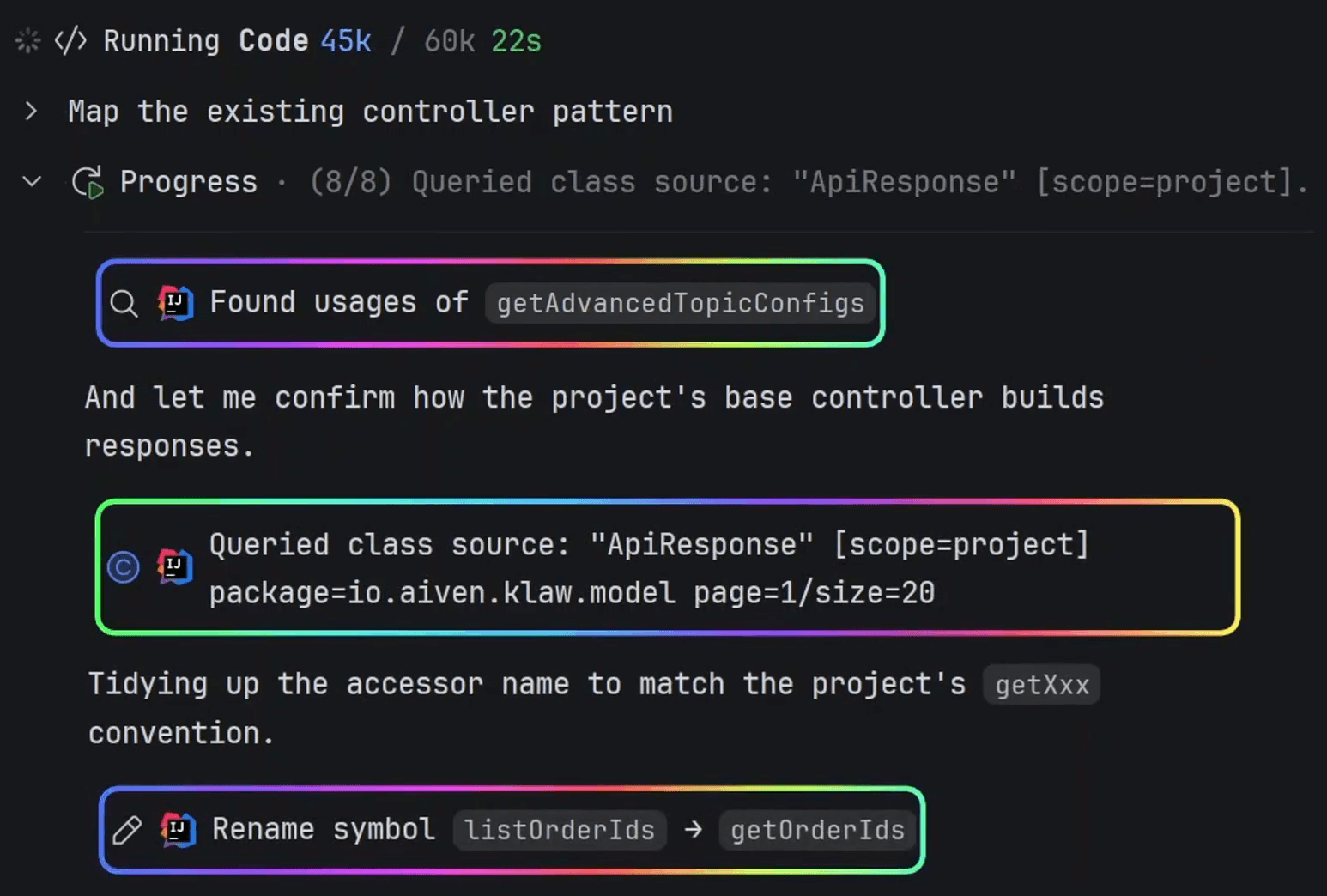
IDE screenshot showing real symbol usages, resolved dependency source, and safe refactoring tools

01

Understands the code and changes it with precision

Builds a precise picture of the codebase before the first edit and uses precise IDE refactorings.

Find real symbol usages, implementations and call hierarchies through the IDE

Inspect the exact dependency version, including source and decompiled code

Rename, move, and safely delete with IDE refactorings
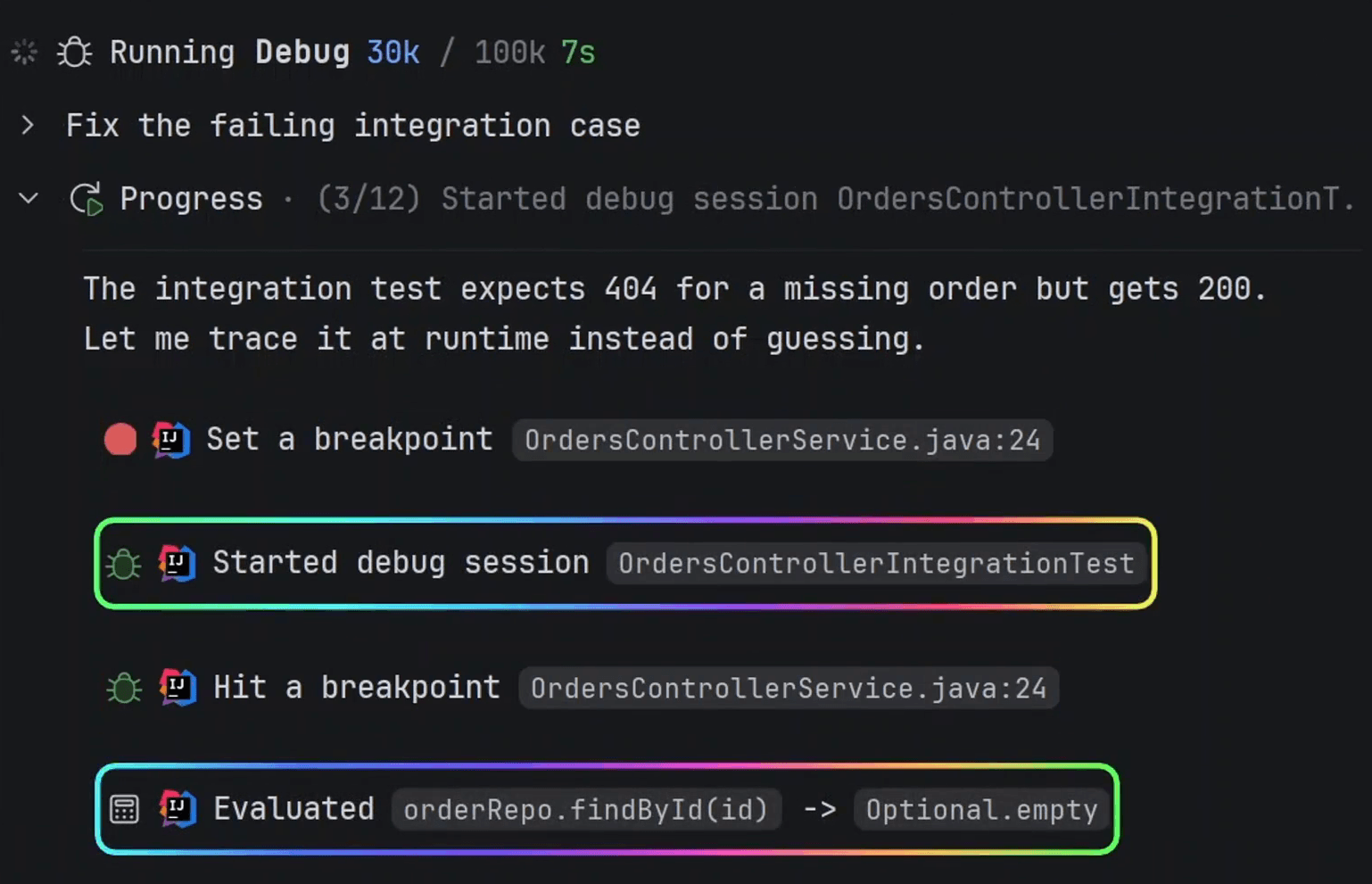
IDE debugger showing breakpoints, live variables, and the call stack

02

Finds the real cause

Uses your environment and debugger to investigate real behavior instead of hallucinations.

Set and hit breakpoints in the configured application

Inspect live variable values

Follow the call stack back to the cause

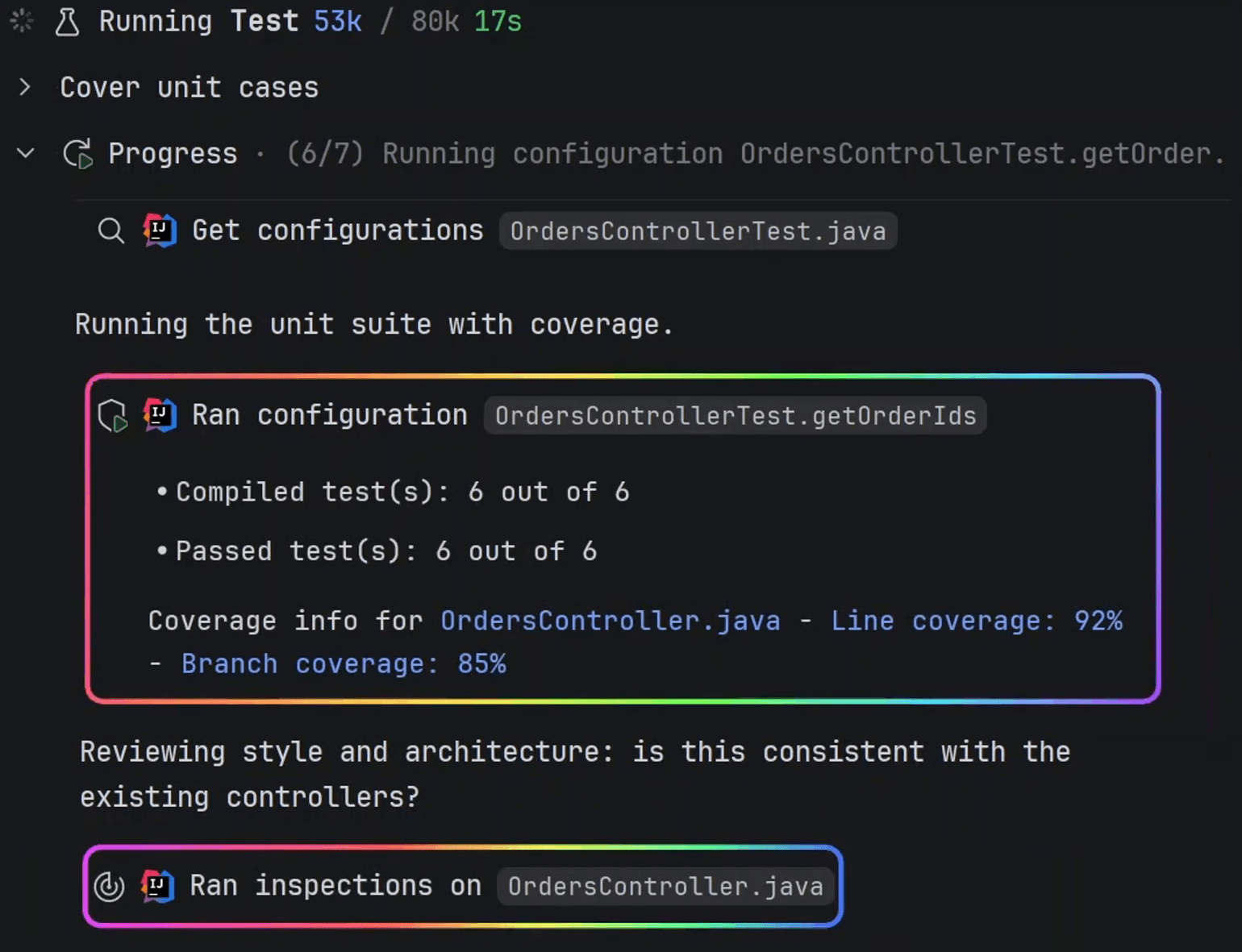
IDE showing linter results, test runs, and line and branch coverage

03

Makes changes that preserve the codebase

Turn the diagnosis into a change keeping the project maintainable.

Catch style issues with JetBrains IDE linter

Run the project's configured tests, builds and applications

Generate tests for uncovered lines and branches, then check coverage after each guided iteration

Turn AI-generated changes into production-ready code

Stay in control of the technical debt before, during and after the agent changes your project.

Every edit is scoped, reviewable and verified with the tools of your IDE.

01

Bound the work

Control which parts of the codebase the agent can read and modify.

Block sensitive paths with .readignore and .writeignore

Limit modifications to selected files and folders with Edit Scope

IDE screenshot showing chat changes and navigable review findings

02

Control changes

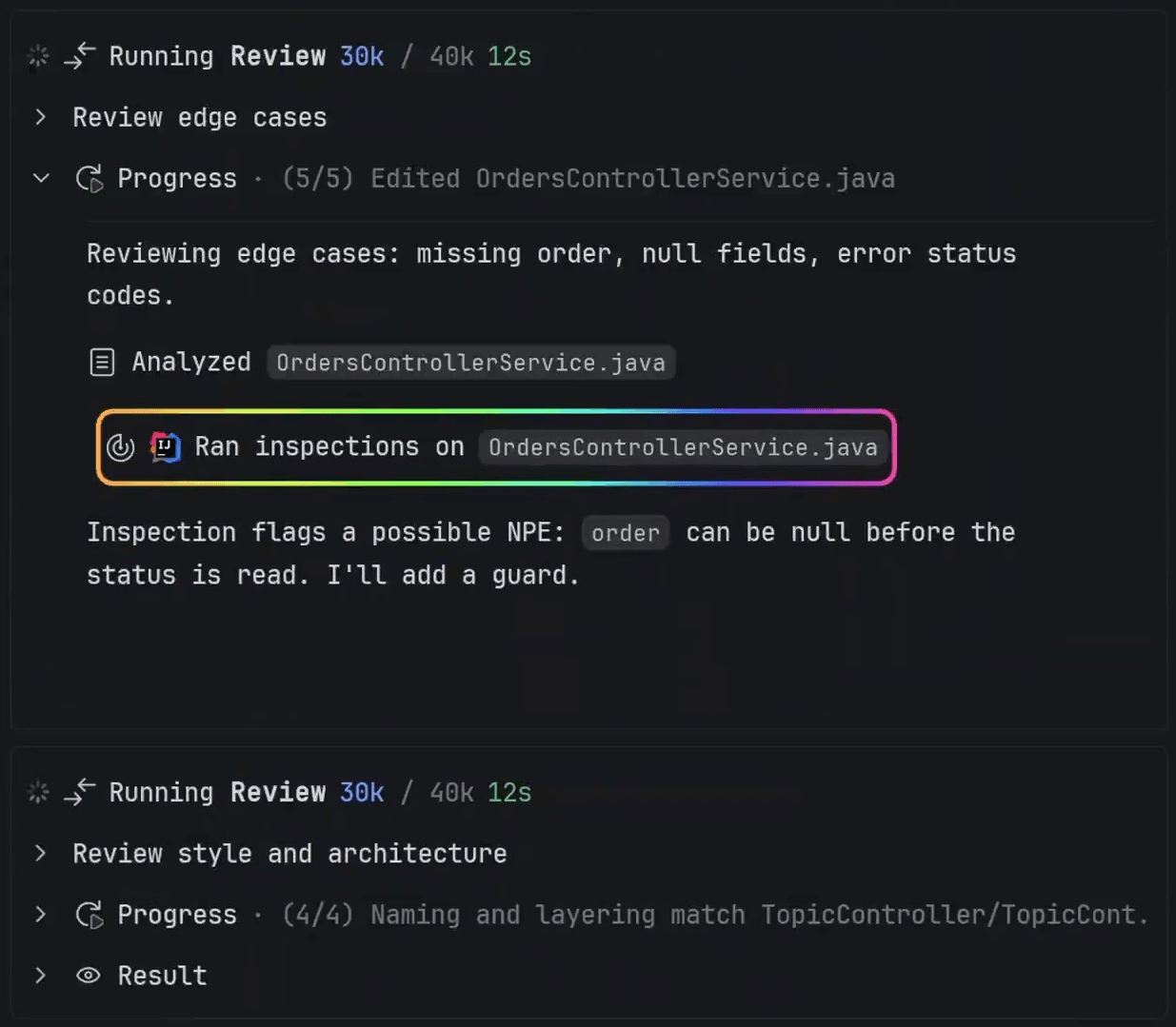
Catch blind spots with independent adversarial reviews, and let AI fix them instantly.

Inspect, accept, or reject every change from the active chat

Run an independent Review subagent over the result

Navigate from review findings to code and hand issues back to the agent

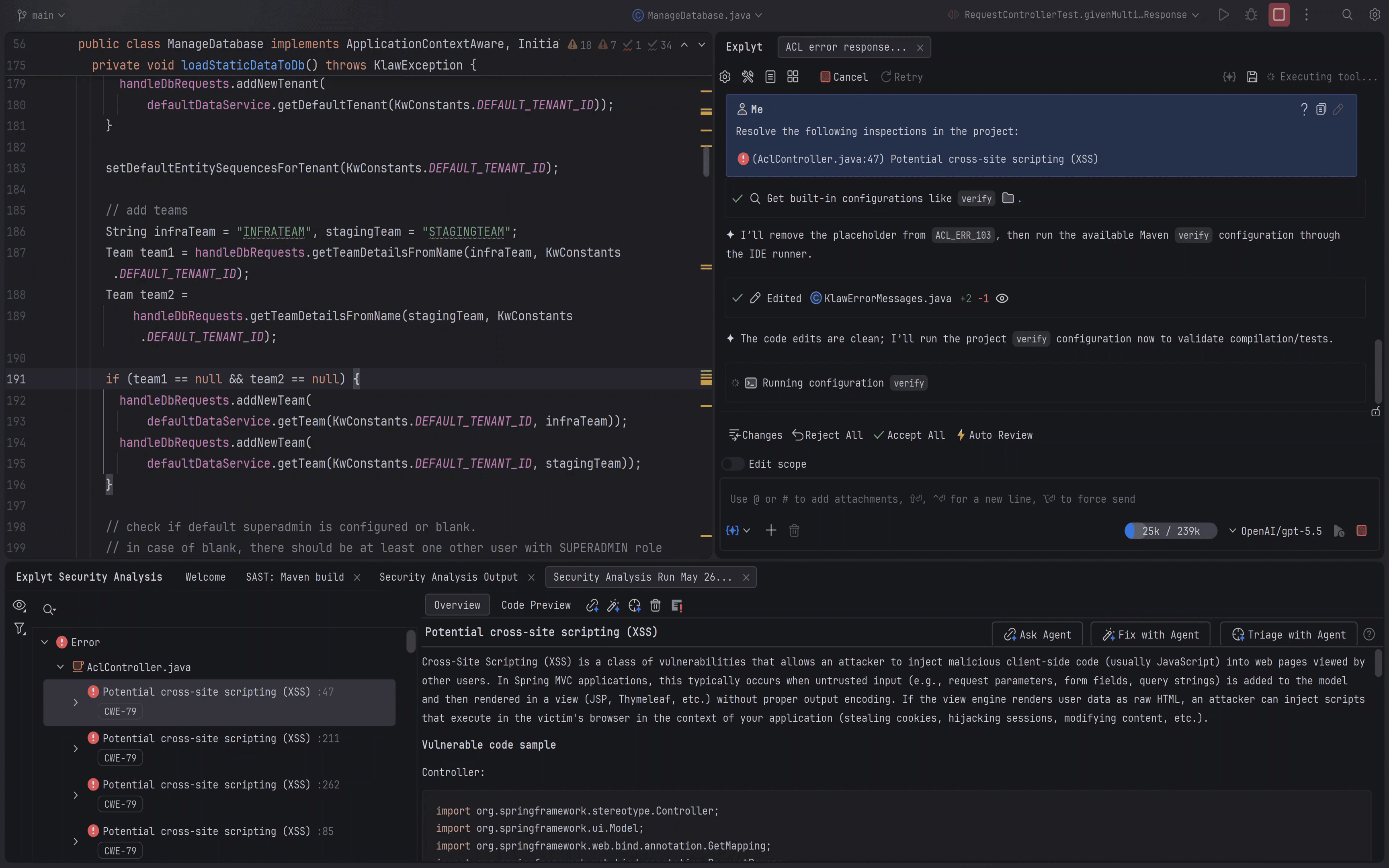
IDE screenshot showing an interprocedural source-to-sink vulnerability trace

03

Prove the result before shipping

Replace "the agent says it works" with evidence from your project. Limit vulnerabilities, lint errors, and test gaps before they become technical debt.

Trace vulnerabilities from untrusted input to dangerous operations

Run the tests and builds configured in your JetBrains IDE

Read IDE linter errors and static-analysis results

Check line and branch coverage after each guided iteration

Evidence over assumptions

Benchmarked against Claude Code on real legacy code

SAME

model

SAME

prompts

SAME

execution conditions

Quality

Explyt AI Agent

81.5

QI

Claude Code

76.2

QI

Median time per task

Explyt AI Agent

256

seconds

Claude Code

312

seconds

Generated tokens per task

Explyt AI Agent

15,621

tokens

Claude Code

16,534

tokens

Read about benchmarks

How the benchmark works

Real tasks in large legacy applications

  • Mature codebases

  • Complex maintenance tasks

  • Not synthetic code exercises

Formal evaluation

  • Test coverage and verification results

  • Compilation and build success

  • IDE linting and static-analysis results

Semantic evaluation

  • Code maintainability

  • Business-logic coverage

  • Instruction compliance and pitfalls avoided

Why choose Explyt?

Feature

Debugger

Yes

Ultimate only

No

No

No

No

SAST vulnerability scanner

Yes

No

No

No

No

No

IDE refactorings (Rename, Change Signature…)

Yes

No

No

No

No

No

Test coverage guarantees

Yes

Coverage gates

No

No

No

No

No

Semantic code model (types, find-usages)

Yes

Full code model

Yes

LSP

No

LSP

No

Reads dependency source

Yes

No

LSP

No

No

No

Auto-review of generated code

Yes

Via verify

/review

PR only

No

No

Context compression

Yes

No

Yes

No

No

Yes

Multi-IDE support

JB only

JB only

Yes

Yes

Yes

Yes

Pricing (all top models)

$15-200/mo

Credit-based

$20–200/mo

$20–60/mo

$10–39/mo

BYOK

Explyt supports

IDE

IntelliJ IDEA 2025.1+

PyCharm 2025.1+

GoLand 2025.1+

Rider 2025.1+

PhpStorm 2025.1+

WebStorm 2025.1+

Android Studio

Works with your stack

Java

Kotlin

Spring Boot

JUnit

Gradle

Maven

Python

virtualenv

JavaScript

TypeScript

npm

Jest

Vitest

Cypress

Playwright

.NET

C#

PHP

Go

Works with your agent setup

AGENTS.md

Skills

Rules

.agentignore files

MCP

Subagents

Web Search

Explyt 5.16

Explyt 5.16: ask questions while the agent works and keep rules in focus

What IDE-native AI feels like

What impressed me most is how well the agent understands the existing project. Its plans fit naturally into what is already built, even when I am working outside my usual tech stack.

Mariya Remenyuk
Mariya Remenyuk

Senior Analyst Developer · DXC Technology

LSP gives an agent coordinates; the full IDE gives it the project model. That native IDE context makes all the difference on real Java code.

Akiner Alkan
Akiner Alkan

Software Architect & AI Board Lead · Siemens

IDE-native stepping makes the difference on stateful Java applications.

Masaood
Masaood

Software Engineer

Pricing

Choose the plan that fits your workflow

Community

Your own API key or local model

Use Explyt with your own API key.

  • All features of the Explyt AI Agent

  • BYOK: Use any providers with your own API keys

  • Use with local models

  • Support with basic SLA

Free

Personal

Access to all top models

Built-in access to leading models for individual developers.

  • All features of the Explyt AI Agent

  • Choose between Claude, GPT, Gemini, GLM, DeepSeek, Kimi, MiniMax, Qwen

  • Support with basic SLA

$15 per month

Pro

Priority access

For intensive agent workloads that need priority access.

  • 20x Personal

  • All Personal models with priority access

  • Support with extended SLA

$200 per month

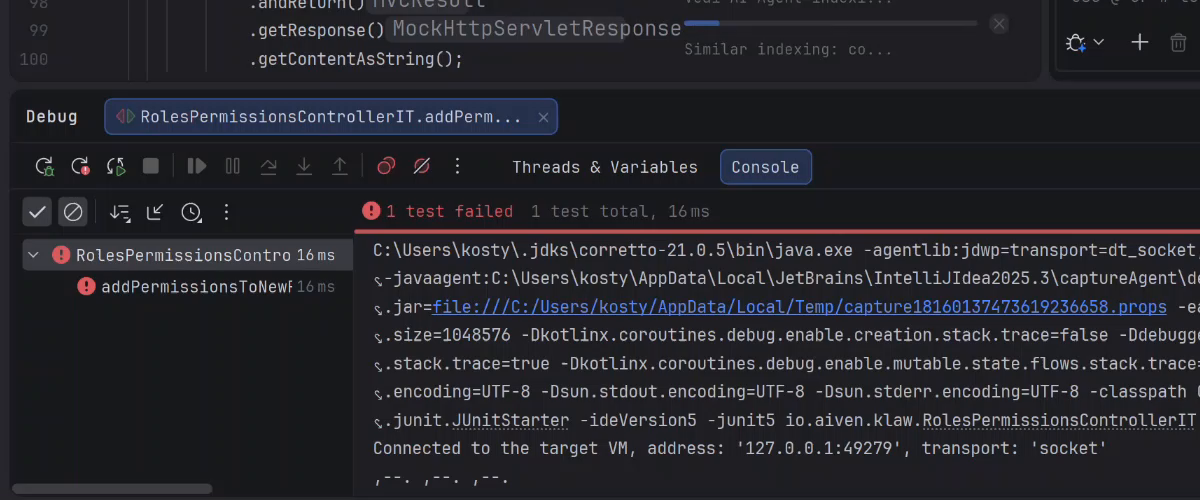
Give Explyt one failing test

Watch it break, inspect, and fix — then compare with the agent you use today

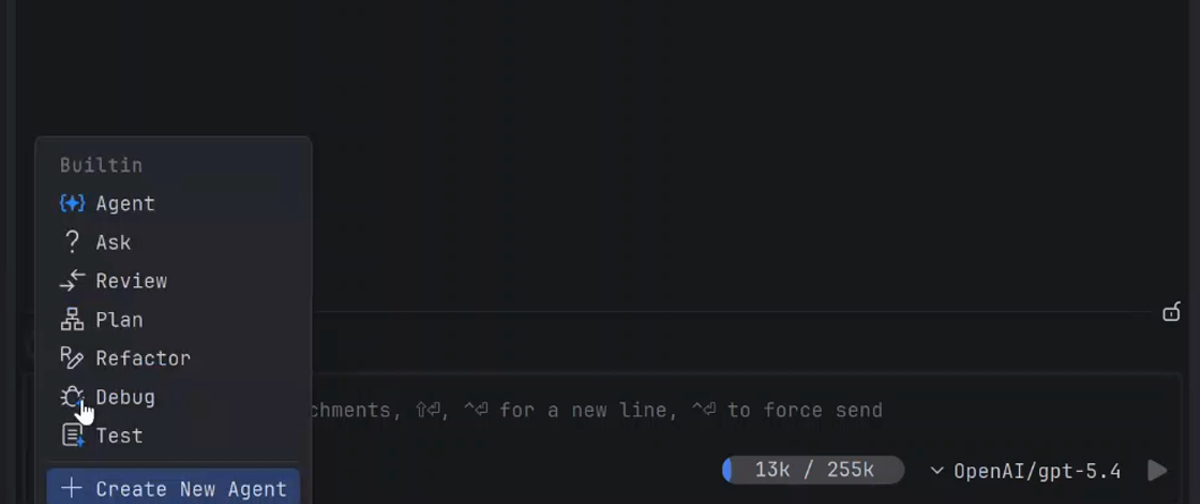
Explyt mode menu with Debug selected inside a JetBrains IDE
2

Choose Debug mode

Switch the agent to Debug in IDEA.

A failing test shown in the JetBrains IDE test runner
3

Give it the bug

Point it at one failing test.

Explyt News

Which Development Tasks Are Worth Delegating to an AI Agent?
ARTICLE
25.08.2026
Claude Code Refactored Your Repo. Is the Diff Safe to Merge?
ARTICLE
25.08.2026
Give Claude Code your JetBrains IDE tools for free
ARTICLE
20.08.2026
Read all news

Frequently Asked Questions

Getting Started

IDE Integration & Workflow

How Explyt Compares

Models & BYOK

Pricing & Billing

Privacy & Security