Safe refactoring
Explyt can rename symbols, files, and directories, move files and directories, and safely delete entities. For these operations the agent uses the IDE's refactoring mechanisms and updates the references and imports it finds.
When it's useful
- Rename a class, method, field, variable, or parameter across the whole project.
- Move a file or directory and keep imports and references correct.
- Delete a file, directory, or symbol after checking its usages.
- Bring entity names to a consistent style while refactoring several files.
Prerequisites
- Open the project and wait for indexing to finish.
- Allow the agent to modify the required files. If Edit Scope is used, add the affected directories to it.
- Specify the exact entities and the desired result. Don't combine unrelated operations in a single request.
Example: rename, move, and delete
In the image, the agent renames a method, moves a file with constants, and deletes a trace file.
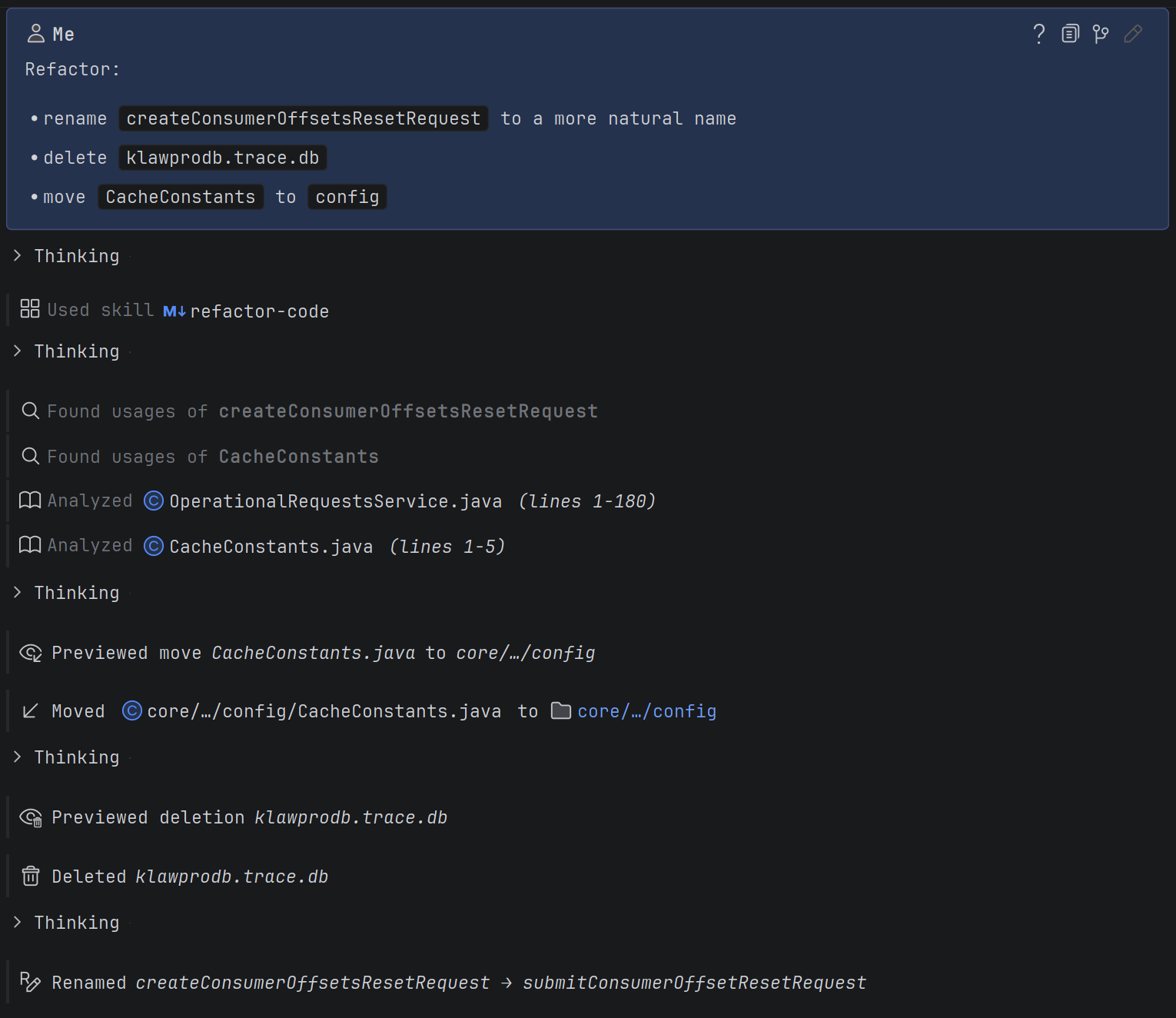
- Open the Explyt chat and describe each action as a separate item. Give the current method name, the target directory for the file, and the path to the file being deleted.
- Send the request. The agent finds the declarations and usages of the specified entities.
- Check the move and delete preview. It lists the operation targets and the conflicts found.
- If the preview matches the request, the agent repeats the same operations in apply mode.
- Check the tool cards in the chat. They show the moved and deleted files, as well as the old and new names of the renamed method.
- Review the final changes in Agent Changes and run suitable tests or a build.
After a successful run, declarations, references, and imports should point to the new names and paths. A deleted entity should leave no references to non-existent code.
How the operations protect the project
Renaming
Renaming updates the declarations and usages of a symbol. By default the agent also considers related entities, such as a class with the same name as the file, test classes, inheritors, getters, and setters. Mentions in comments and strings are not changed automatically.
Moving
Before moving, the agent shows which files will be moved, which references will change, and whether there are conflicts. Applying only happens after a preview of the same operation. A name collision, moving a directory into itself, going outside the project, or a read-only file blocks the whole operation.
For binary files and other resources the IDE cannot refactor, Explyt can perform a plain move. In this case the agent warns that references to the file were not checked.
Safe delete
Before deleting, the agent shows the targets, the files being changed, and the conflicts found. A code reference that would break after the deletion blocks the operation. Mentions in comments and strings appear in the report but do not block it. Multiple targets are deleted as a single operation: if there is a conflict, nothing from the set is deleted.
If an operation doesn't run
- Wait for indexing to finish and repeat the request if the agent reports that the IDE is still indexing the project.
- Resolve the name conflict or choose another target directory if the move is blocked.
- Remove or change the usages found if safe delete reports dependencies.
- Repeat the preview if the project has changed since it was made.
- Specify the file and the declaration line if one file contains several entities with the same name.