Connecting in Kilo Code
-
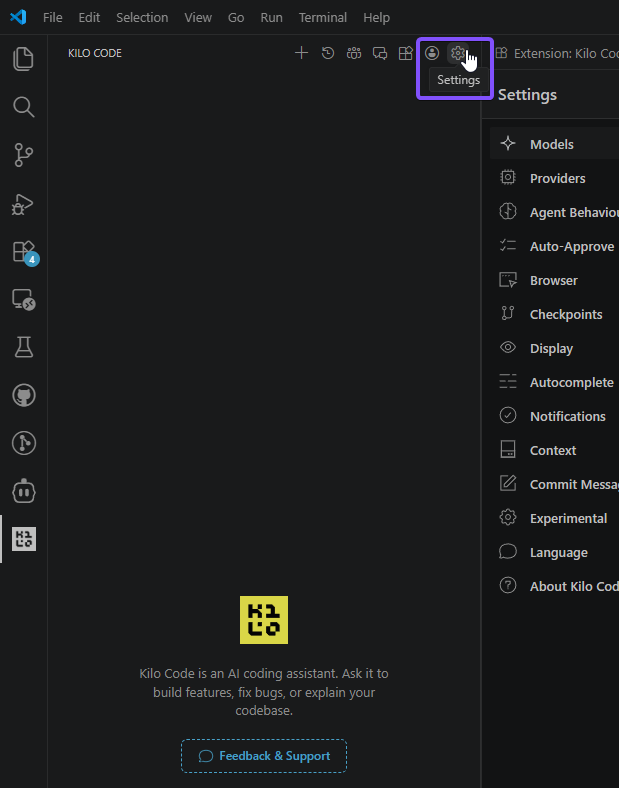
Open the Kilo Code settings
-
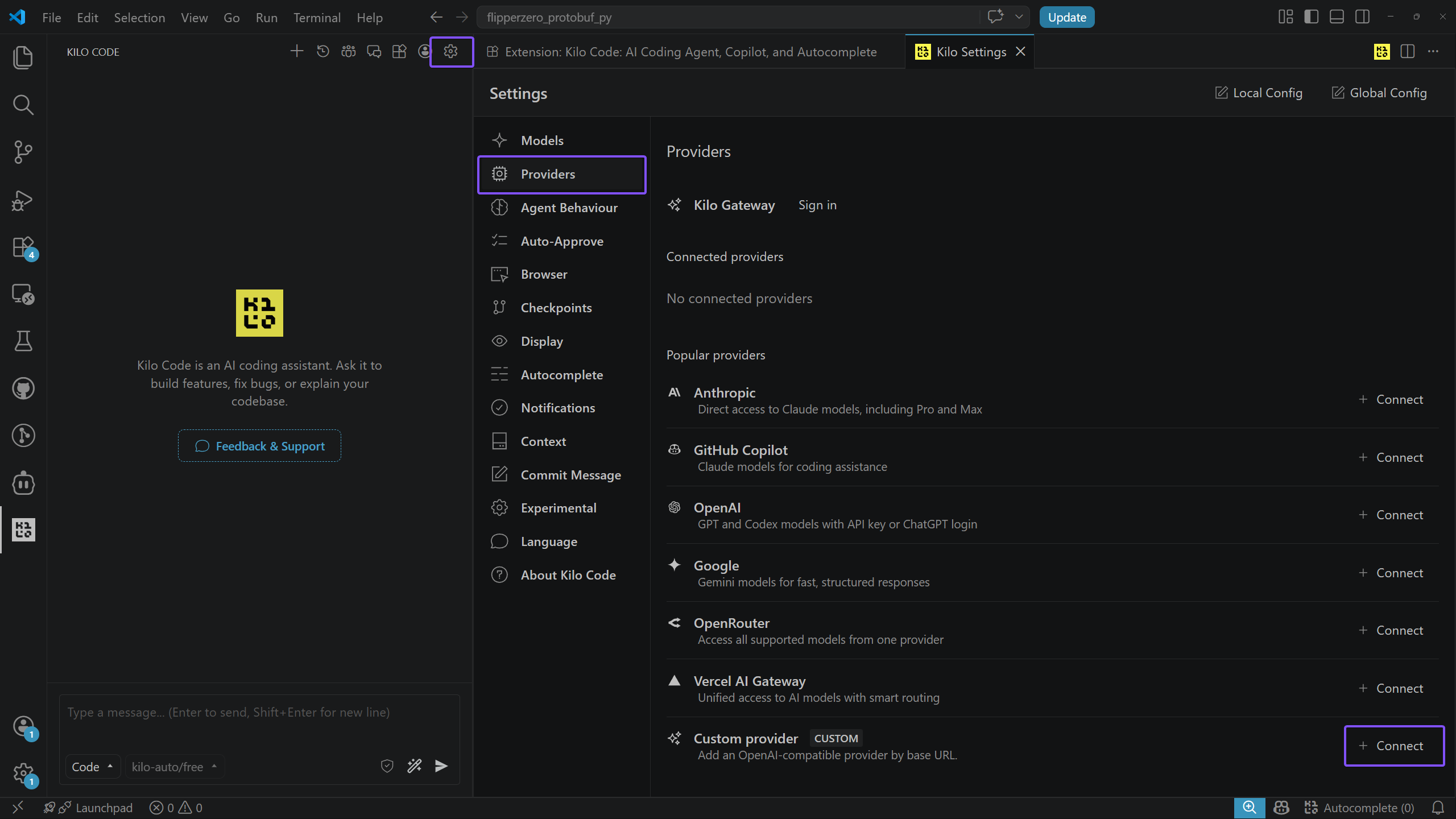
In the settings, find Providers, then Custom Provider, and click Connect
-
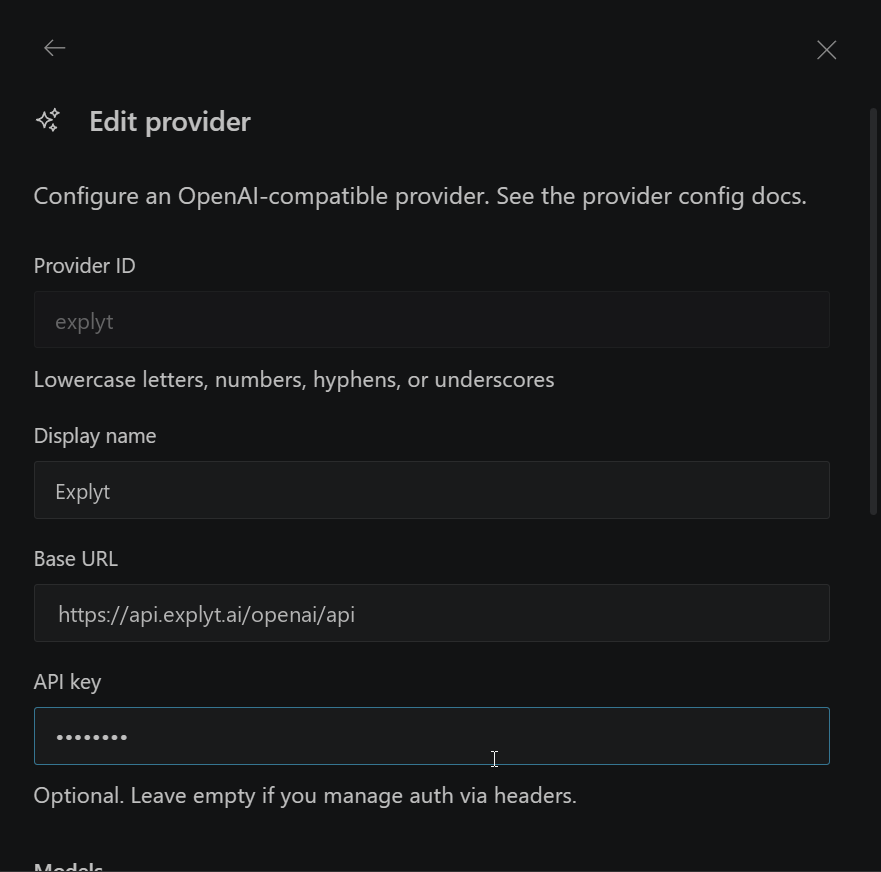
Fill in the provider settings:
- Display name — any name you like
- Base URL — the OpenAI-compatible URL
https://api.explyt.ai/openai/api - API Key — the API key from your personal account. The key is in the Connect to Explyt block of your personal account, the Copy key button. Details: where to get the URL and key
-
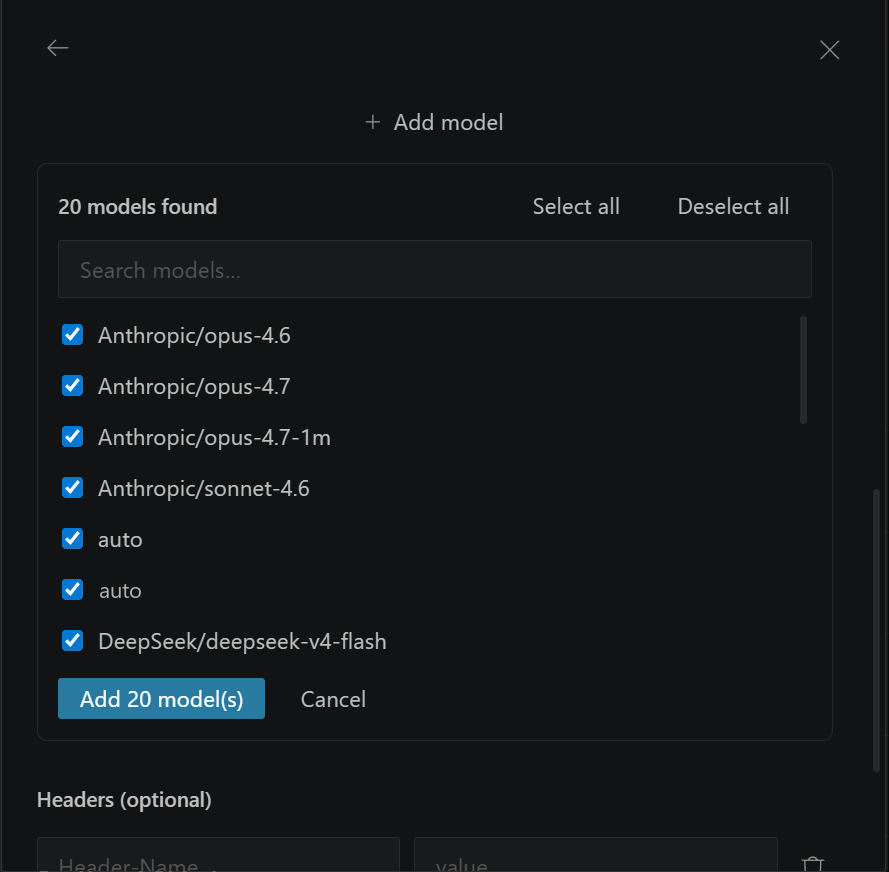
Choose the models you want to use. Kilo Code loads the list of available models automatically; you can turn off the ones you do not need. Click Add X model(s)
-
Click Submit. The setup is complete
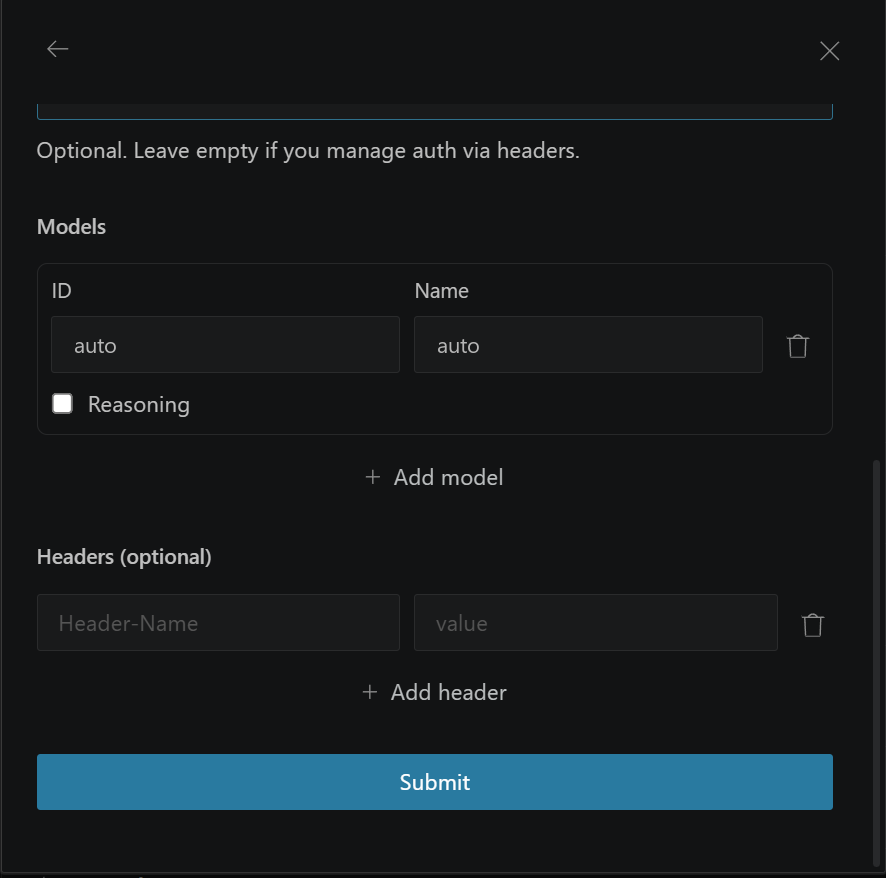
-
Choose a model from the added list
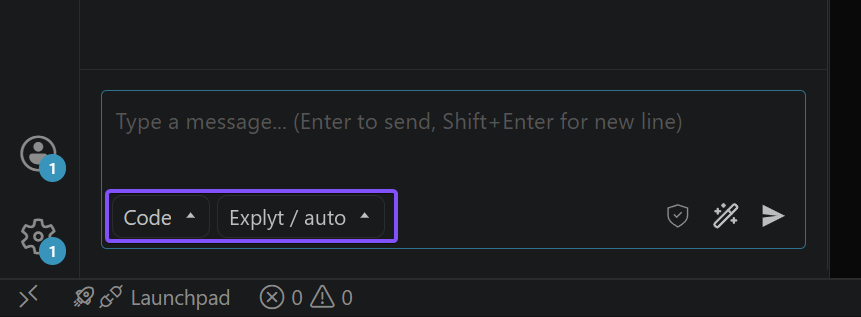
Requests from Kilo Code spend Explyt subscription minutes the same way as requests from the plugin. The balance is shown in your personal account.
For errors, see Error messages.