Connecting in Cline
-
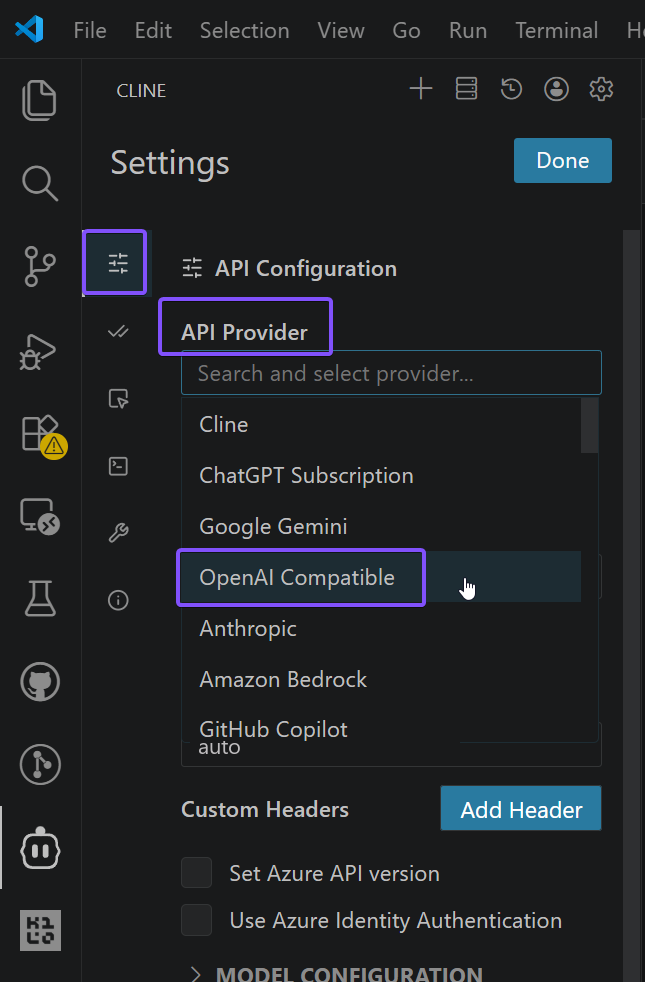
Open the Cline settings
-
Choose API provider, then OpenAI compatible
-
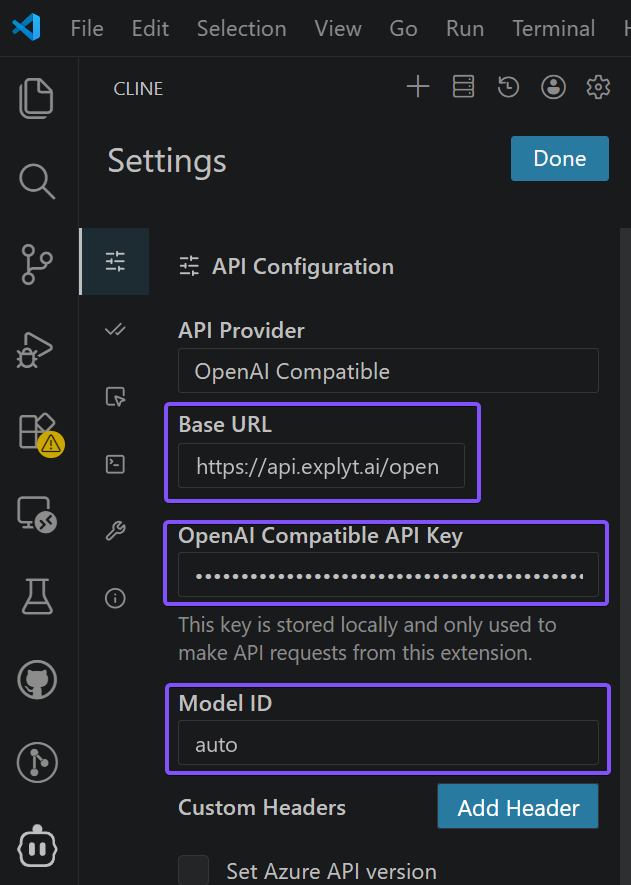
Fill in the fields:
- Base URL — the OpenAI-compatible URL
https://api.explyt.ai/openai/api - OpenAI Compatible API Key — the API key from your personal account. The key is in the Connect to Explyt block of your personal account, the Copy key button. Details: where to get the URL and key
- Model ID —
autoor another supported model. Full list of models:https://api.explyt.ai/openai/api/models. Cline does not show a list of models: to switch the model, change the value of this field
- Base URL — the OpenAI-compatible URL
-
Check that the model works
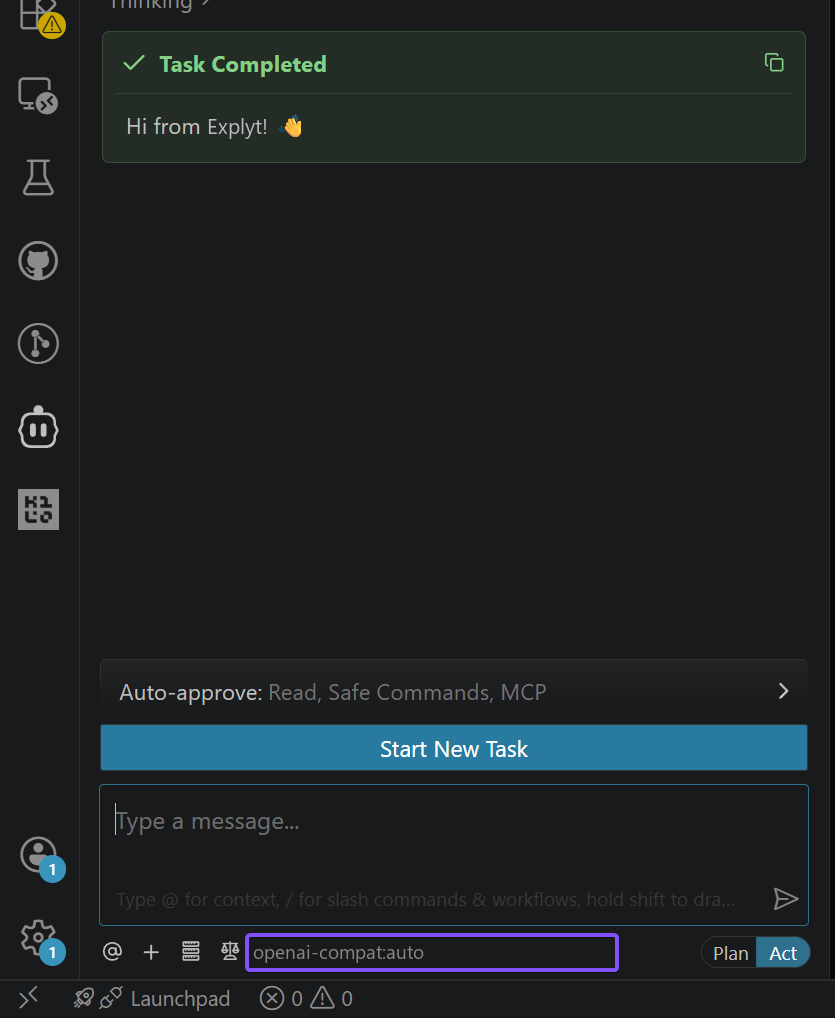
Requests from Cline spend Explyt subscription minutes the same way as requests from the plugin. The balance is shown in your personal account.
For errors, see Error messages.