Running IDE configurations
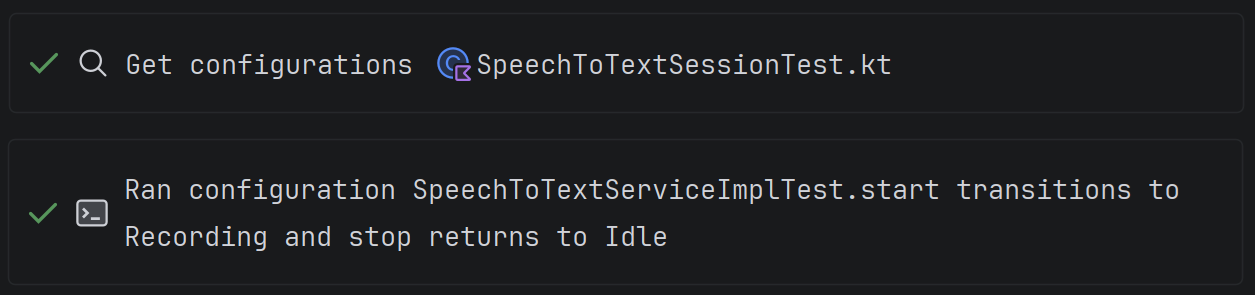
The agent can find and run project configurations (tests, builds, applications) through the IDE. This works just like pressing the Run or Build button in the IDE.
IDE support
In Java-based IDEs, such as IntelliJ IDEA and Android Studio, and in PyCharm, the agent finds and runs project configurations: tests, builds, and applications. It can get configurations for a file, a package, or the whole project, including Gradle/Maven tasks and custom configurations.
In Rider, the agent works with global configurations from the Run menu and with unit tests. For test runs, it returns stdout, test statuses, and error details with stack traces. Rider currently does not build the project through this tool, does not accept run arguments, and does not collect coverage.
In WebStorm, npm, Jest, Vitest, Cypress, and Playwright are available. For supported test configurations, the agent can also collect coverage.
Get Configuration
The tool gets a list of available configurations for a file, a package, or the entire project (including Gradle/Maven tasks and custom configurations).
Run Configuration
The tool runs the selected configuration and returns the result to the agent: console output, test results, compilation errors.
Advantages over the terminal
This is more efficient than building or running a project via the terminal, which is what all AI tools rely on:
- it saves token consumption (the model receives a structured run result);
- it uses the SDK configured in the project.
The agent doesn't need to guess which command to run or which SDK to use. It works with configurations that are already set up in the project.
When it's useful
- You ask the agent to write code and want it to run the tests itself to make sure everything works.
- You need to build the project and analyze build errors without switching to the terminal.
- You work in a C#, .NET, or JS/TS project and want the agent to run tests in the right module on its own.