What's new in Explyt 5.15
In 5.15, it's easier to follow what the agent is doing. Tool cards are more compact, some actions include short explanations, and the chat shows how many minutes and tokens the session has used. Large pastes no longer take over the input field. Terminal commands and IDE run configurations can keep working in the background while the agent continues with the task.
A new look for tool cards
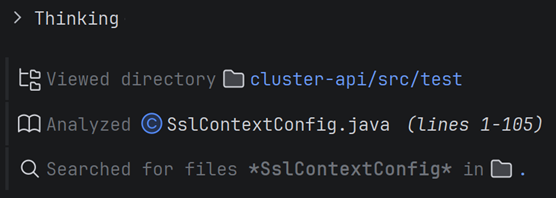
Tool cards take up less space in the chat. We removed extra borders, tightened the spacing between tool calls, and replaced the hard-to-read read icon.
The difference is most noticeable during long tasks, when the agent reads many files, runs commands, or calls helper tools. Chat history is easier to scan and no longer feels like a stack of separate blocks.
The agent explains why it is running a tool
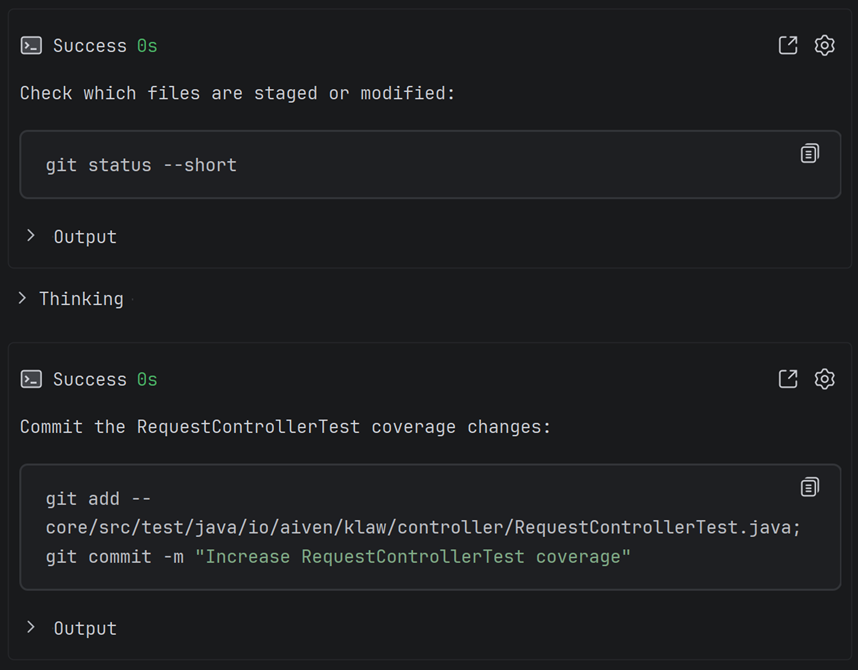
For terminal commands and background processes, the agent can now show a short explanation directly in the tool card. Before a command runs, you can see not only the command itself, but also what it is for.
This makes the agent's progress easier to follow, especially when it starts something that takes time or produces a lot of output, such as tests, a server, a build script, or an environment check. The explanations are short and are not included in the compact chat history, so they do not use additional context.
Large pastes become attachments
When you paste a large block of text into the chat, Explyt turns it into an attachment with a short preview of the first line instead of putting the whole block in the input field.
This is useful for logs, reports, long code snippets, and documents. The chat stays readable, while the agent still receives the complete text. Click the attachment to open the full content and switch line wrapping on or off.
This behavior is enabled by default for large text pastes. You can change the threshold in the agent settings.
Minutes and tokens in the chat
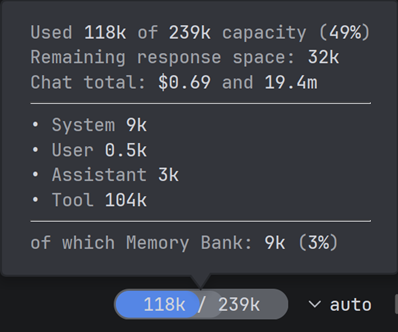
The chat now shows how many minutes remain on your personal plan and how many resources the current session has used. You no longer need to open the settings just to check your remaining balance.
Explyt also shows token usage. This is useful during long conversations: when the chat grows too large, you can start a new one before the context becomes unwieldy.
Performance improvements
Large assistant responses now appear faster, and updating sub-agent timers requires less work. We also fixed heavy command-line highlighting in the chat, which could make the IDE slow down or even crash.
UI fixes
We fixed several issues in the chat and tool cards. Attachments now stay inside pinned messages more reliably, the attachment close button is hidden correctly on Windows, and the file-editing tool no longer shows an unwanted double border. Background terminal commands and IDE run configurations are no longer limited to a one-minute timeout. You can start several local services, and when they finish, the agent receives a notification and can read their output. Long output no longer stretches cards with empty blocks, and the anchor color and interface widths are more consistent.
Bug fixes
We fixed authorization problems after switching environments, a chat-title generation failure when no model is selected, and an input-field crash when an action is cancelled during a bulk document update. Explyt is also more tolerant of imperfect JSON in tool calls from smaller models and synchronizes files with the disk more reliably before reading them.
For feedback, contact us at support@explyt.com or use the chat with the team.