What's New in Explyt 5.12
Explyt 5.12 adds the General agent, makes prompt attachments easier to use, expands Test mode and dependency code reading, and gives you a cleaner way to review agent edits. It also adds Simple mode for the chat and fixes several issues around long tasks, MCP, and agent stability.
General: one agent for mixed tasks
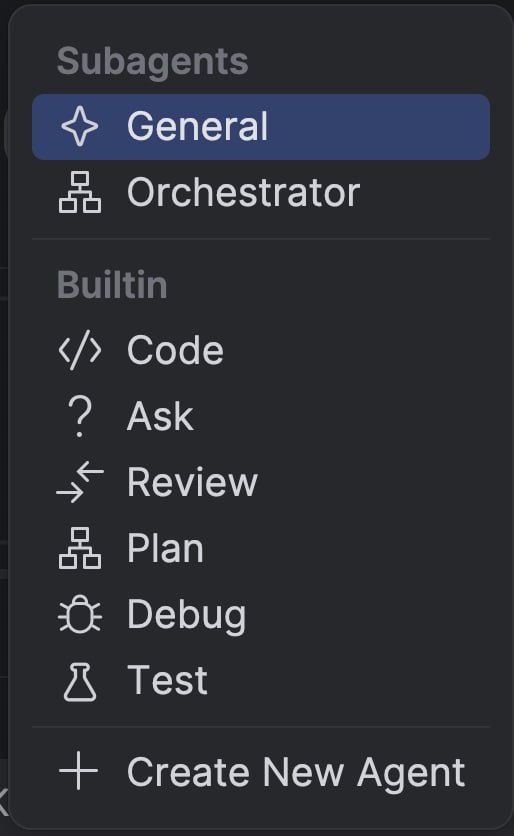
Explyt now has a General agent mode. The existing Code, Ask, Test, Plan, Review, and Debug modes are still available, but General is for cases where you do not want to decide upfront which mode fits best.
It handles simple tasks itself. For bigger work, it can call subagents: one can inspect the project, another can write code, and another can review the result or prepare tests.
When it helps: a small change turns into a larger task. You need to find several places in the project, change code, write tests, and check the result. General can keep that work moving without manual mode switching.
Attachments right in the input field
Discussing a specific piece of code is easier now. Select a fragment in the editor and switch to the chat, and Explyt adds the selection to your message as context. You no longer need to open a context menu and attach the selection with a separate click.
Attachments now appear as objects inside the input field. You can remove them, and you can type before or after an attachment. That makes prompts easier to assemble: attach a file or code fragment, then write what you want the agent to do with it.
When it helps: you want to ask about a method, a suspicious code block, or an error in a small fragment without explaining where the agent should look.
More options in Rider, WebStorm, and PyCharm
In 5.12, several existing features are available in more IDEs.
Test mode used to work only in IntelliJ IDEA for Java and Kotlin. You can now use it in Rider, WebStorm, and PyCharm as well, so you can ask Explyt to generate or improve tests in the IDE where you already write code.
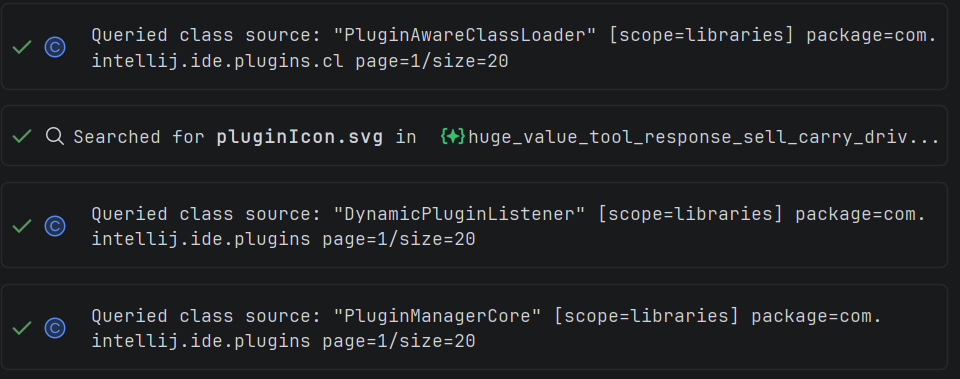
Dependency code reading also works in more mixed setups. Explyt could already read libraries in IntelliJ IDEA for JVM code, in PyCharm for Python, and in Rider for .NET. Now the agent can better handle projects with extra language plugins. For example, if the Python plugin is installed in IntelliJ IDEA, it can look up Python symbols next to Java code. Python lookup also works better with partial names.
When it helps: you work in a C#, JavaScript, TypeScript, or Python project and want the agent to prepare tests or inspect a library without switching IDEs.
Easier review of agent changes
You could already accept or reject agent edits. In 5.12, the review flow is clearer: edits now open in a separate Agent Changes window, similar to the changes list before a commit.
The window shows files from the active chat, lets you open a diff, jump to the next changed file, and accept or reject edits in batches. Changes from different chats stay separate.
When it helps: the agent changed several files, and you want to review them like a commit: see what changed, accept the useful parts, reject anything extra, and move to the next file quickly.
Simple interface mode
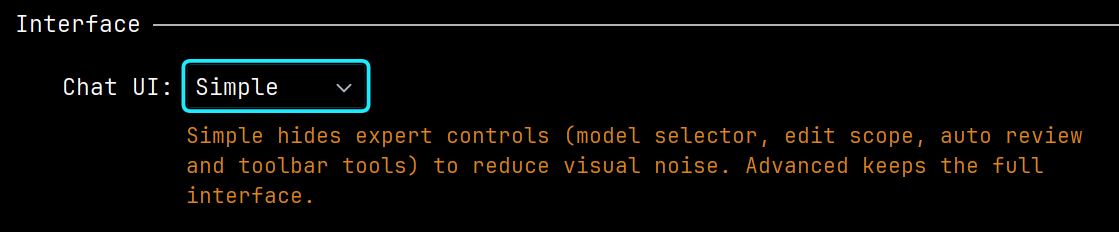
The chat now has Simple mode. It keeps only the controls you need most: the agent selector, the input field, and the send button. Extra panels and settings stay hidden so the chat does not feel overloaded.
Message action buttons appear only when you hover over a message. If you need the full toolset, switch back to Advanced in chat settings.
When it helps: you are new to Explyt or keep the chat in a narrow window and do not want advanced settings in the way.
Performance fixes
The chat freezes less often in long conversations. We fixed a UI freeze during automatic retry and made checks for files ignored through agent access settings faster.
Long tasks with subagents also continue faster. If a subagent has already inspected the project and found the right files, Explyt rereads less of the same context on the next step. This matters in larger changes: the agent studies the project, edits code, then returns to details after review.
Interface fixes
We fixed several annoying chat issues. Assistant messages should no longer be cut off while the response is being generated or right at the end. The editor window no longer jumps visually in one common case, and tool output links to files again instead of showing an endless "Loading...".
We also fixed the model setup screen and the progress hint shown while subagents are working.
Skill creation now happens through the agent in chat. You no longer need to fill in every field by hand: the agent asks for details and prepares the necessary Markdown files in the right folder.
Agent and stability fixes

The agent now uses connected Skills more reliably, works better with project run settings, and stops operations more cleanly. If subagents were stopped or the chat was reloaded, continuing a long task is easier.
If the built-in JetBrains MCP server is already enabled in the IDE, Explyt can connect to it automatically. You do not need to copy the server address and add it manually to the MCP server list.
When a tool returns several files or images, Explyt saves them as separate files and leaves links in the main response. This helps when an MCP server works with a browser, the file system, or other external tools: the agent gets separate files instead of a huge block of text.
We also fixed several account initialization and balance issues.
Contact us at support@explyt.com to share feedback or submit a feature request.