Work with a large or legacy project
In a large project, do not start with "study everything and fix it". First give Explyt persistent context, choose a small entry point, and split the work into verifiable steps.
Prepare the project
- Go through the Prepare Explyt to work with your project scenario.
- Record in AGENTS.md only stable information: the purpose of the modules, the commands for checks, and the team's conventions.
- Shield secrets and unnecessary directories with
.readignore. - Before making changes, set an Edit Scope for the target module or set of files.
- Check the active configuration: the mode, the model, Rules, Skills, Memory Bank, permissions, and the connected tools.
- Decide whether to continue the current history or start a separate chat. For long work, read about context and sessions and chat compression in advance.
Do not load the whole repository into the chat by hand. Start with the class, method, test, stack trace, or run configuration related to your task. If you are on the Personal plan, estimate usage from a small stage and check the figure below the chat from time to time. The details are in the managing your usage section.
Map the area you need
Use Ask mode and ask the agent to explore only the path that relates to your task:
Analyze this part of the project for an upcoming change. Find the entry point,
the main calls, the implementations, and the related tests. Show the module
boundaries and list the places where a change could affect behavior.
Do not change anything.
Check the declarations and usages it found through the IDE. If the behavior depends on an external library, go through the checking a dependency API scenario so the agent studies the linked version instead of relying on memory.
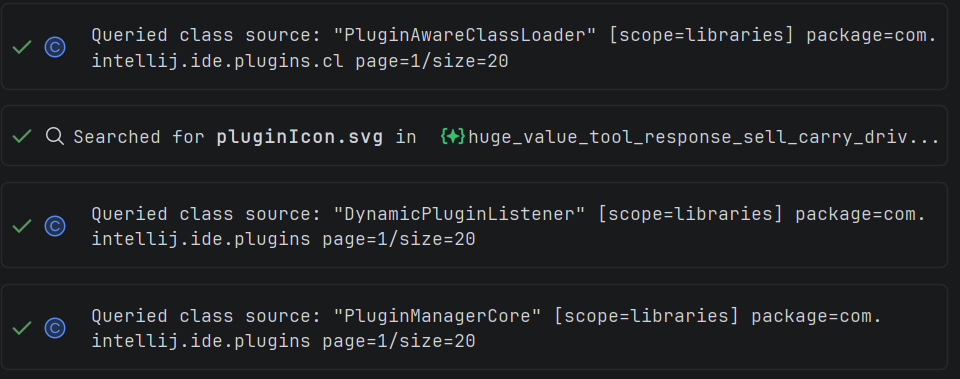
In a legacy project it is especially important to check the actual versions of internal and external libraries.
Split the change into steps
For a task that touches several components, use Plan mode. Ask the agent to state for each step:
- which files and contracts it will touch;
- which behavior must be preserved;
- which narrow check needs to be run;
- what the stopping criterion is;
- which steps can be done independently.
Do not mix new functionality, refactoring, dependency updates, and mass reformatting into one step. If you need to improve the structure of the code first, use the separate refactoring scenario.
Execute and verify piece by piece
- Limit the Edit Scope to the files of the current step.
- Ask the agent to make only the change you agreed on.
- Run the narrowest suitable test or build configuration.
- Review the diff in Agent Changes.
- Move on to the next step only after the check succeeds.
Once all the steps are done, run a broader test suite and Auto Review. Check that the intermediate decisions did not create duplication or break the module boundaries.
Definition of done
The work is complete when:
- only the relevant area was explored, and the conclusions are backed by files and symbols;
- the change was made in small steps;
- every step passed its own check;
- the final diff contains no unrelated edits;
- the broad build or test suite passes;
- the project's persistent context was updated only where a new stable agreement appeared.
Related pages: