Create a test from a real execution
This scenario suits cases where the behavior is hard to reproduce by hand in a unit test. Explyt records a real method call and builds a self-contained test from it, with the input data, the result, and mocks for external dependencies.
When to use it
- the scenario you need is easier to run in a live application than to assemble by hand;
- you need to lock in the behavior of a complex method before making changes;
- the error has already shown up during a run or in a failing test;
- the test needs realistic arguments and dependency responses.
The feature is aimed primarily at Spring projects, but it can be used with other Java and Kotlin code.
What to prepare
- the method whose behavior you want to lock in;
- a reproducible user or test scenario;
- a run configuration for the application or the test, or access to a running JVM process;
- a test class as a style reference, if you need to follow your project's conventions.
How to create the test
-
Start the feature from the method you want a test for. If you have a stack trace from a failing test, you can start with the Explyt: Reproduce command next to a method in the stack trace.
-
Choose whether to create a new test class or add the test to an existing one.
-
Specify whether to record successful calls, calls that threw an exception, or only executions that passed through the breakpoint you selected.
-
Choose the execution source: a run configuration, a local process, or a remote JVM.
If you chose a local process, Explyt shows the available JVM processes:
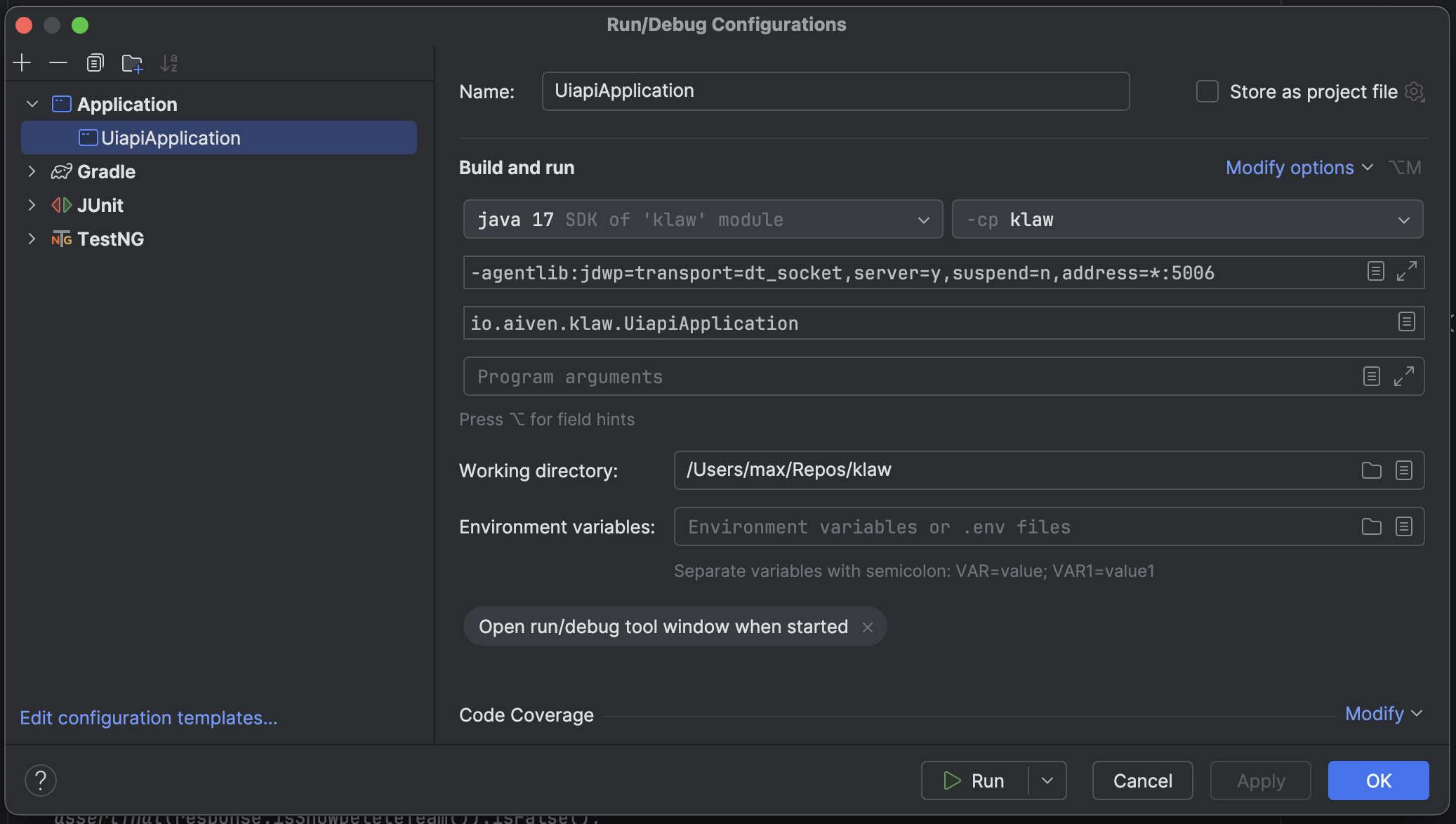
To attach, start the JVM with the debug port enabled.
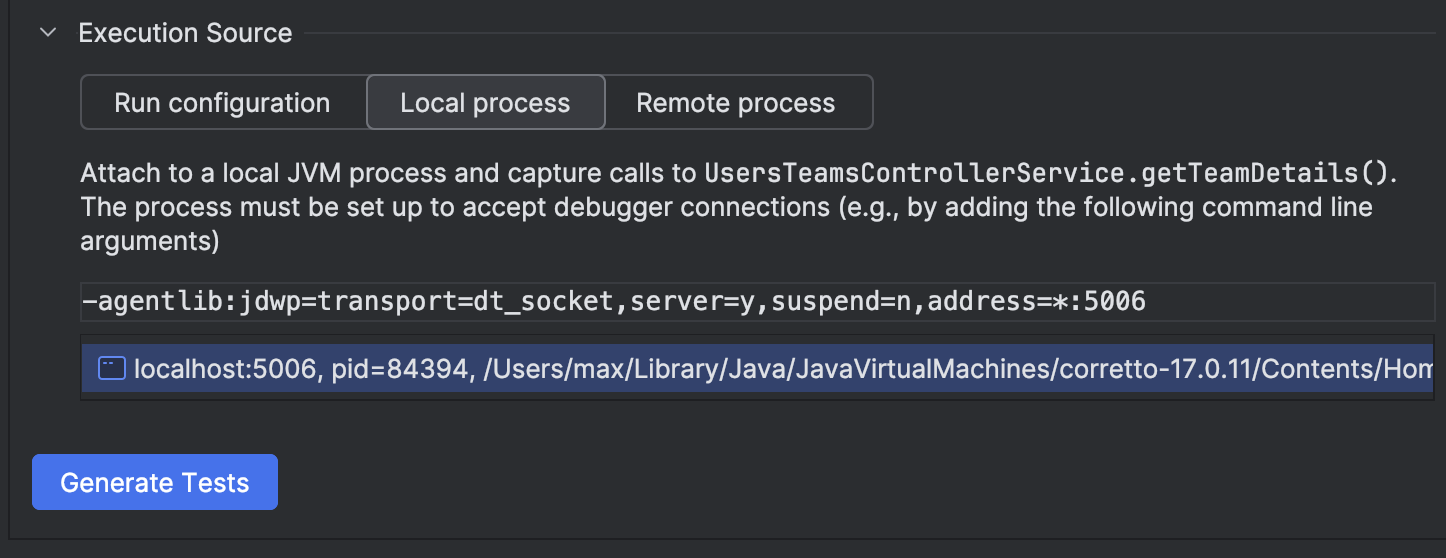
Once started, the process appears in the list of available execution sources.
-
Run the scenario you need in the application and wait for the target method to be called.
-
Finish the recording and start test generation.
-
Review the generated test: the input data, the mocks, the method call, and the assertions.
-
Simplify the test if needed, without changing the behavior it captures.
How to verify the result
- run the generated test on its own;
- check that it reproduces the successful result or the exception you expect;
- make sure the test does not depend on a real database, the network, or other external systems if those are supposed to be mocked;
- run the related test suite;
- review the changes in Agent Changes.
Definition of done
The test is ready when it runs reproducibly on its own, checks the behavior you need, uses understandable input data, and does not require the original application or external dependencies to run again.
Limitations
Java and Kotlin are supported. Only unit tests are generated so far. Native resources, deep mock chains, and some external dependencies may require manual work. Recording an execution is slower than a normal run.
When attaching to a remote process, use only an approved test environment and take your project's network policies into account.