Background tasks and subagents
The agent can run long work in the background: builds, tests, a development server, subagents. While it runs, you keep chatting.
Background tasks: the Tasks tab
While the chat has running tasks, a Tasks tab with a counter is shown above the prompt field. When expanded, it shows a row for each task: its kind, name, status and running time.
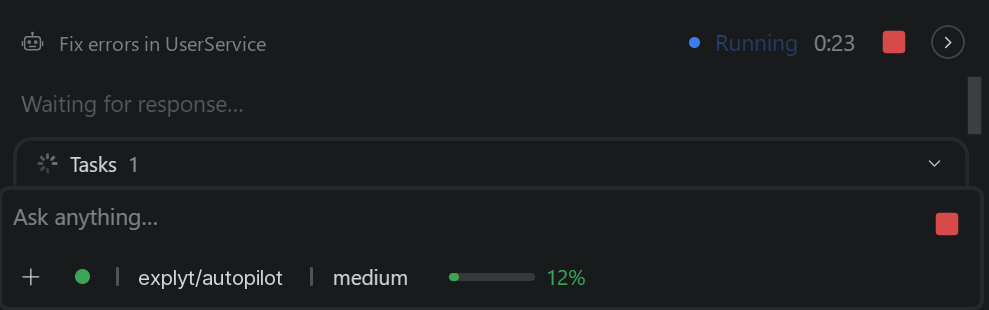
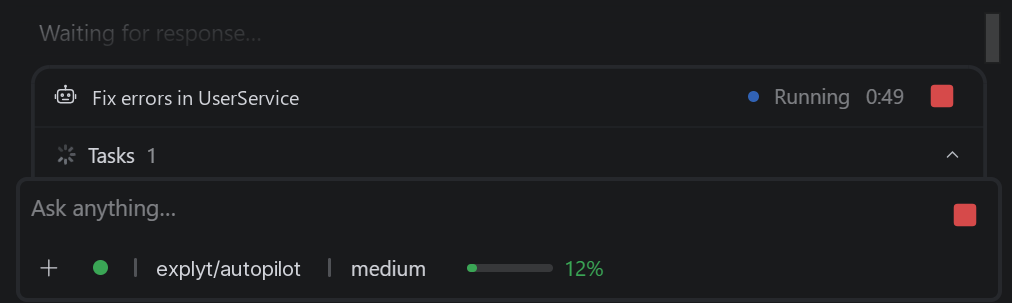
- A subagent row opens the details of its work.
- A background command row scrolls the chat to its card and expands the output.
- You can stop the work right from the list.
Finished tasks disappear from the list, and their results stay in the chat.
What depends on the agent
The agent decides which tasks run in the background: to send a command to the background, ask for it in the chat, for example "start the server in the background". The Explyt agent runs terminal commands and subagents in the background — see Terminal and background tasks and Subagents. Claude Code shows its own background commands and subagents here.
Subagents
A subagent is a helper that the main agent hands part of the task to: finding the right places in the code, checking changes, doing an independent step. A subagent works in its own context, so the main chat is not cluttered with intermediate results, and independent parts of the task run in parallel.
How it looks in the chat
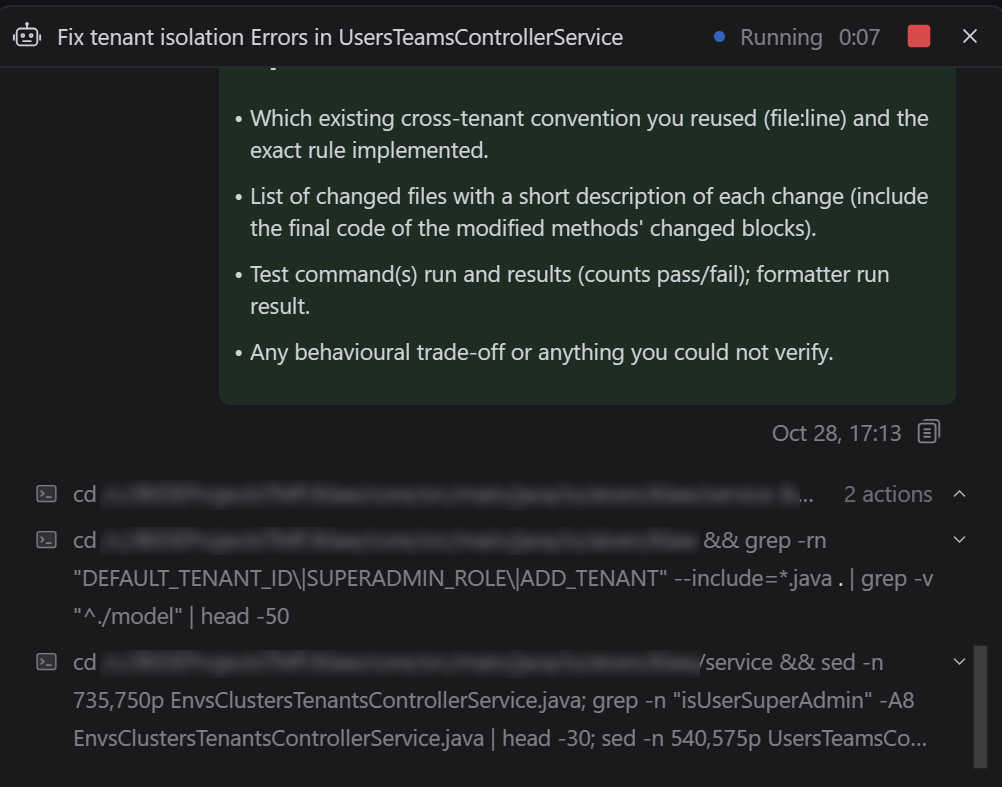
Each subagent run is shown in the chat as a card: the task, the status and the running time. The arrow button opens the details — what the subagent did and how it finished. Running subagents are also visible on the Tasks tab, where you can stop them.
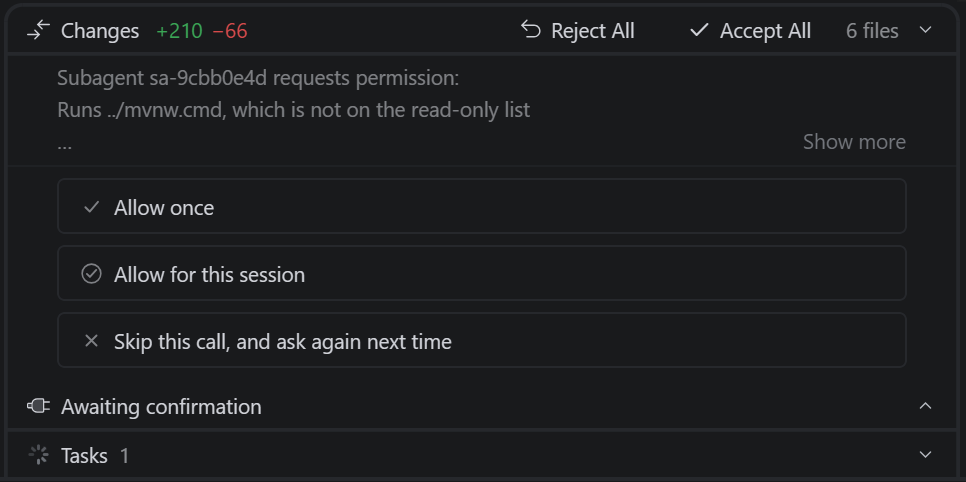
Permission requests from a subagent come to the shared panel above the prompt field; the header shows which call requested them.
Who starts subagents
The agent creates subagents; the plugin only shows their work.
- The Explyt agent decides on its own when to delegate. You can also ask explicitly: "split the module checks between subagents". Built-in helpers, your own agents and model profiles for them are described on the Subagents page of the Explyt CLI section. Profiles are defined in
.explyt/models/*.mdfiles; the plugin has no separate settings window for them. - Claude Code starts its own subagents, and the plugin shows them as cards natively.
- For other agents, cards appear if the agent reports subagents over the protocol.