Subagents
A subagent is a helper to which the main agent hands a separate part of the task. While the subagent runs tests or studies the code, you and the main agent keep working.
Why it matters
- Parallel work. For example:
Run the tests and explain the PR in parallel. - Clean context. Side work doesn't clutter the main chat: only the result comes back to it.
- Independent review. A separate agent checks the changes without relying on the author's reasoning.
Two kinds of helpers
| Kind | How it works | When it helps |
|---|---|---|
| Fork | A branch of the current chat: inherits the context and reuses the provider's cache | Parallel parts of a task that need the accumulated context |
| Independent subagent | Starts with an empty context and gets the whole task | An independent view, a review, a role with its own instructions |
The main agent decides which kind to use. You can ask for one explicitly: Review my changes with a separate subagent.
Forks and the prompt cache
A fork is created from the main agent's last completed turn. It has the same system prompt, the same tools in the same order, the same model, and the same reasoning level. So the fork's first request reads the chat history from the provider's cache instead of paying for it again. With an Explyt model, cached tokens cost fewer credits, so the fork's first request spends less; with your own key, it saves money directly.
This leads to two limitations:
- A fork takes the model and reasoning level from the main agent. You can't set them separately for a fork. If you need another model, use an independent subagent with a model profile.
- If you've just switched models, the cache doesn't have the history for the new model yet, and the fork's first request pays for the cache write.
Example: tests in three modules
Let's ask the agent to run the tests in a three-module project and fix the failures. The agent starts three forks, one per module. A panel with their status appears under the chat.
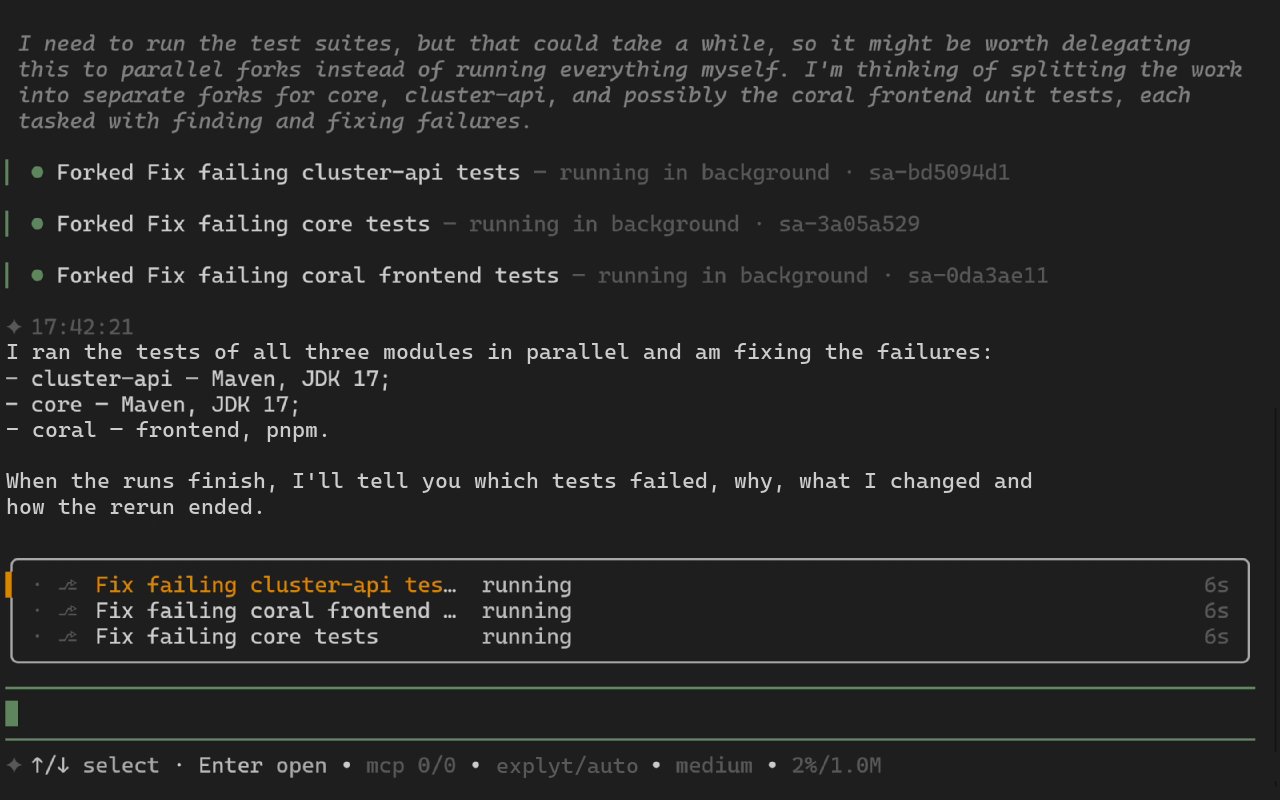
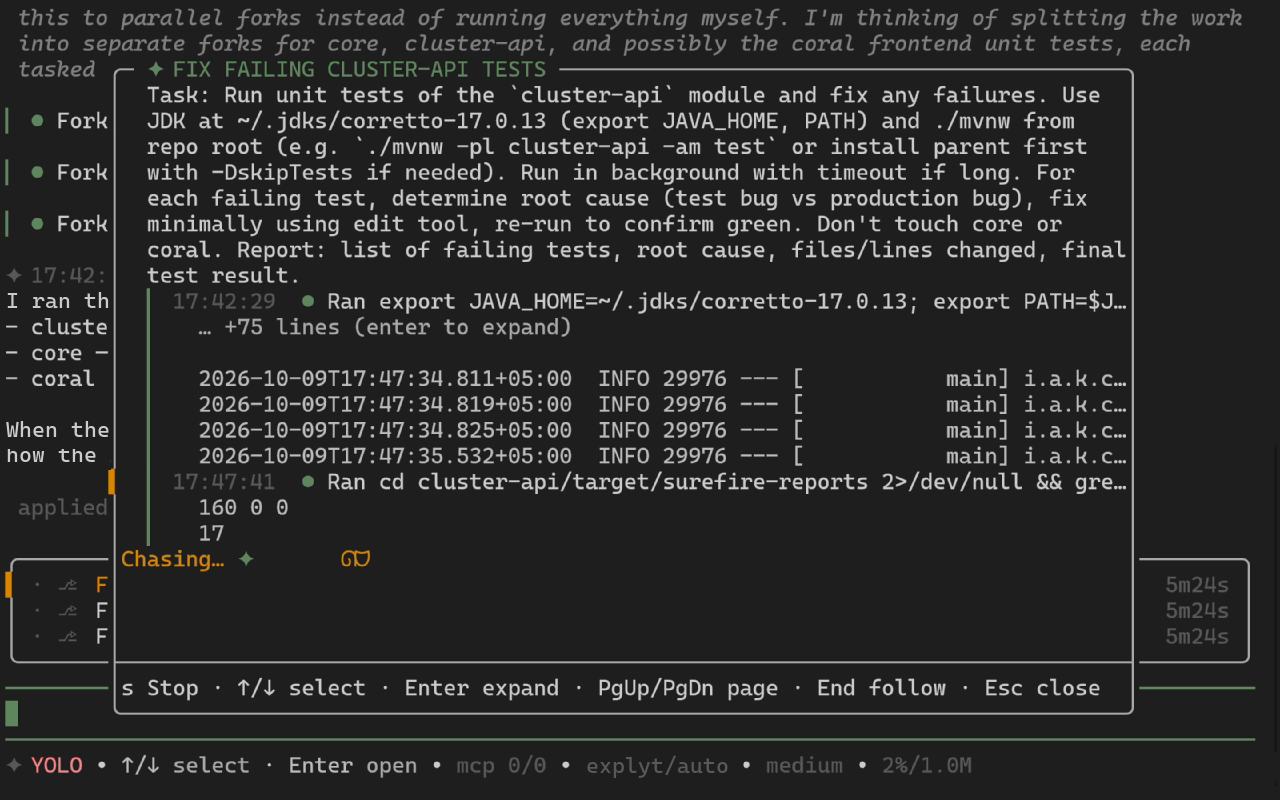
You can open any fork and see what it's doing right now: what task the main agent gave it, which tools it calls, and what the commands print.
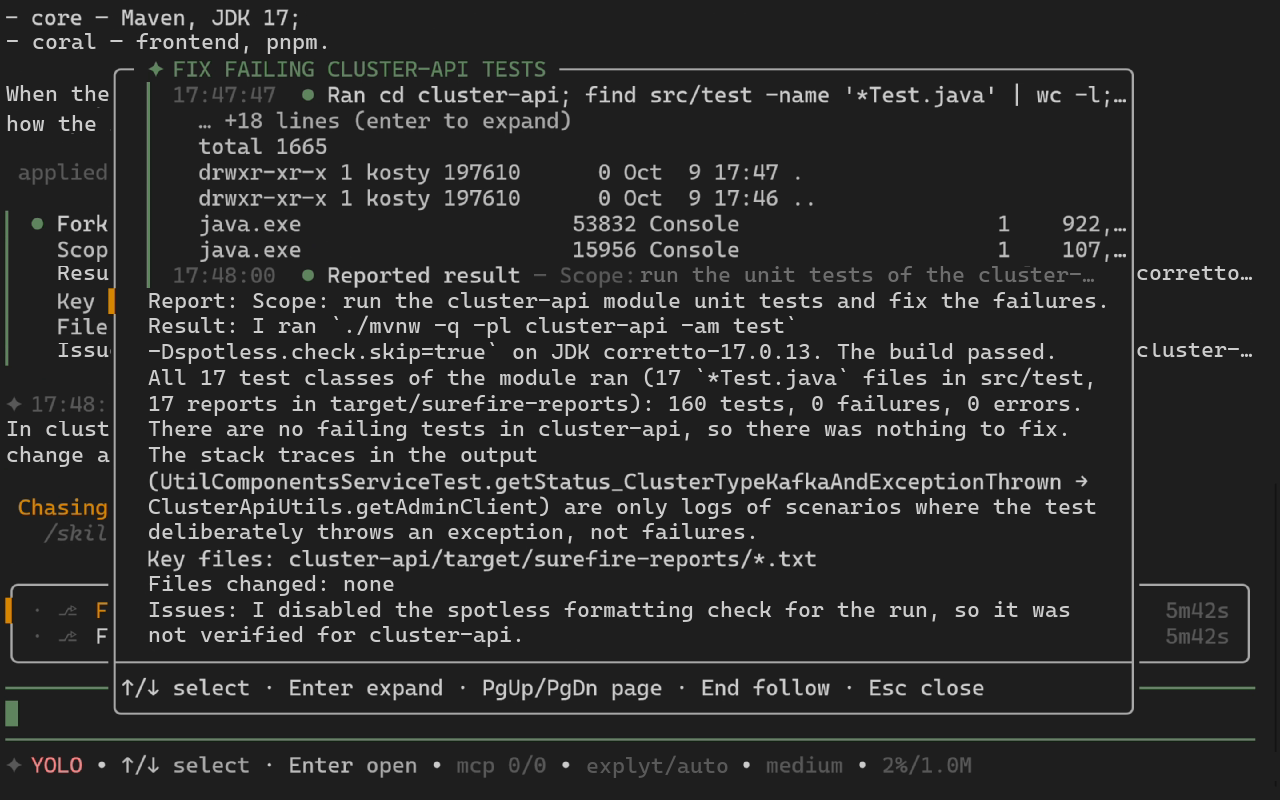
When done, the fork sends the main agent a report: what it did, which files it touched, and what is left unchecked.
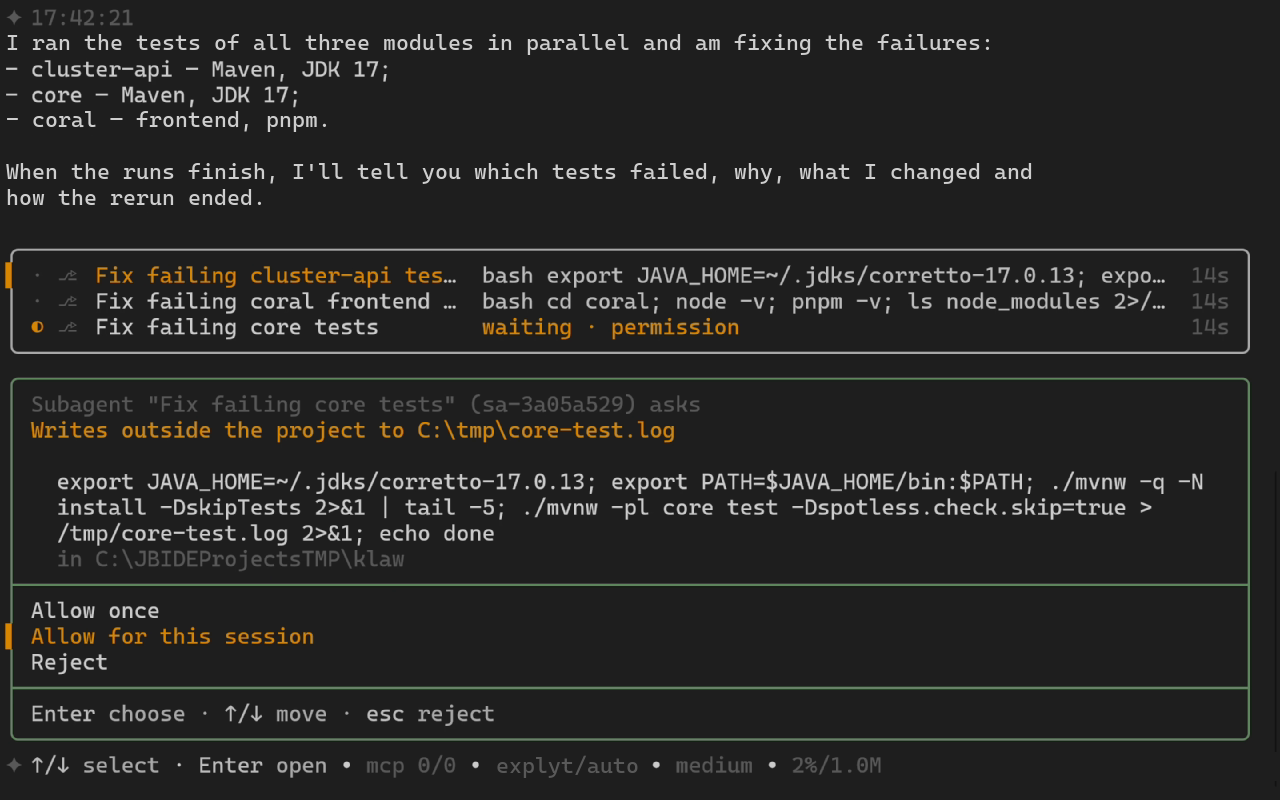
If a fork needs permission for a command, the request appears in the main window. It shows which fork is asking and why.
Built-in agents
| Agent | Role | Tools |
|---|---|---|
workhorse | Implements a clearly scoped change and reports what it changed | Standard set |
hawkeye | Checks a change against its task and reports defects with file and line | Read-only |
retriever | Finds files, entry points, and data flow, and suggests where to start | Read-only |
How to follow subagents
Running subagents are shown in the work panel in the terminal.
- Press
Enteron a subagent to follow it live. - In a subagent's history, the
bkey sends it to the background andsstops it.
A subagent can work in the background while you keep chatting. Its result comes back to the main agent automatically.
Your own agents and model profiles
Agents are defined by Markdown files:
| What | For all projects | For one project |
|---|---|---|
| Agent (role, instructions, tools, skills) | ~/.explyt/agents/*.md | <project>/.explyt/agents/*.md |
| Model profile (model and reasoning level) | ~/.explyt/models/*.md | <project>/.explyt/models/*.md |
Agents and profiles combine: one reviewer agent can run on a cheap model for a small diff and on a strong one for a large diff. If no profile is given, the subagent runs on the main agent's model.
An example agent, <project>/.explyt/agents/reviewer.md:
---
name: reviewer
description: Independent review of a finished change. Read-only.
tools: [read, grep, find, ls]
---
Check the change against its task. Report defects with file and line. Don't edit anything.
The easiest way is to ask the agent to create the file: Create a reviewer agent that only reads code. The /agents command shows all agents, their source and state, and lets you turn them on and off.
Settings
In settings.json:
| Key | Default | What it sets |
|---|---|---|
subagents.maxConcurrency | 20 | How many subagents can run or wait at the same time |
subagents.disabledAgents | [] | Disabled agents, including built-in ones |
subagents.disabledProfiles | [] | Disabled model profiles |
See Settings.
Limitations
- There are no nested subagents: a subagent or a fork can't start its own subagents.
- If the parallel subagent limit (
subagents.maxConcurrency) is reached, a new start is refused. The main agent gets the refusal and decides what to stop. - If a subagent finishes without sending a report, the CLI reminds it. After several reminders, the subagent ends with an error.
- Each fork and subagent spends credits on its own: three parallel forks spend credits three times as fast as one.
- A subagent starts in the main agent's permission mode and follows its changes.
- A subagent doesn't switch models while it works. If the model from the profile isn't available, the start fails: the CLI doesn't silently substitute another model.
- The
modelfield in agents from other tools (for example,.claude/agents/) has no effect. The model is set only through a profile.