MCP servers
MCP servers give the agent extra tools: access to a browser, a knowledge base, an issue tracker, a test management system or the IDE itself.
Connecting a server
The easiest way is to ask the agent: "Connect the context7 MCP server". It adds an entry to the right file.
The Explyt agent reads servers from two files:
~/.explyt/mcp.json— for all projects;<project>/.explyt/mcp.json— for one project.
{
  "mcpServers": {
    "local-tool": { "command": "npx", "args": ["-y", "some-mcp-server"] },
    "remote-tool": {
      "url": "https://mcp.example.com/mcp",
      "headers": { "Authorization": "Bearer ${DOCS_TOKEN}" }
    }
  }
}
Do not write tokens into the file — refer to environment variables. The full format and how to disable servers and individual tools are described on the Explyt CLI MCP servers page.
Environment variables come from the environment the IDE was started in. If the IDE was started from the Dock or the application menu (macOS, Linux), variables from ~/.zshrc or ~/.bashrc may be missing: start the IDE from a terminal or set the values in the server's own env block.
Changes apply in a new chat.
If you still have the .explyt/mcp_servers.json file from the legacy plugin, the agent reads it but does not change it. Add new servers to mcp.json.
Where to see the status
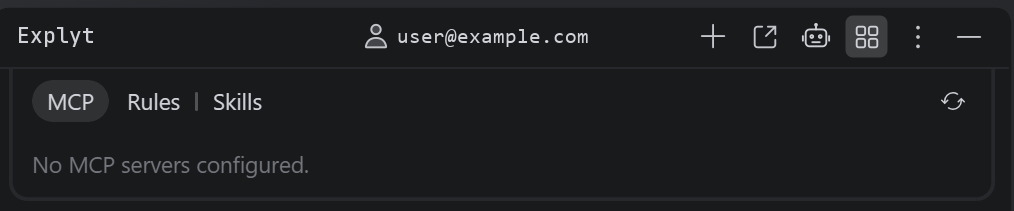
Agent context → the MCP tab shows the servers and their status: Connected, Failed, Unauthorized, Disabled, Unknown. For the Explyt agent the list comes from the explyt mcp list command; for Claude Code and Codex, from their own tools. You cannot add servers in the panel.
Useful servers
IDE tools
The plugin does not give the agent IDE tools: the debugger, refactorings, run configurations. The built-in JetBrains MCP server provides them. In Agent context → MCP there is a JetBrains MCP row with an Install button:
- Click
Install. The plugin enables the MCP Server plugin, starts the server and registers it with the agent. - Reopen the chat: the
Reopen the chat to use ithint appears next to the row.
Possible row states: Setup failed — the installation failed, retry it and check Settings | Tools | MCP Server; MCP Server plugin missing — install the MCP Server plugin; Not supported in this IDE version — this IDE version does not support the MCP server.
See the JetBrains documentation.
Semgrep — vulnerability search
{ "mcpServers": { "semgrep": { "command": "semgrep", "args": ["mcp"] } } }
You need Semgrep installed (python3 -m pip install semgrep). See the security check guide.
Allure TestOps
Allure TestOps provides its own MCP server — with it, the agent finds failed tests and launches, analyzes the causes and fixes automated tests. The setup is described in the Connect an external tool guide.
Troubleshooting
If a server is missing from the list or has the Failed, Unauthorized or Unknown status:
- Open a new chat: changes to
mcp.jsonapply only there. - Check that the JSON is valid and the server is described under
mcpServersin the right file:~/.explyt/mcp.jsonor<project>/.explyt/mcp.json. - For a server with
command, run that command in a terminal outside the IDE. Ifnpxor another launcher is not found, install it and restart the IDE. Unauthorizedmeans the token did not work: check the environment variable fromheadersorenv(see the note about starting the IDE above).- You can see the status and the list of tools with the
/mcpcommand in the Explyt CLI terminal; it also turns servers on and off. - If nothing helps, attach the
Export Debug Infodiagnostics to your support request.
Disabling servers you do not need
Add "disabled": true to the server entry or remove it from mcp.json; a new chat picks up the change. Individual tools are hidden with excludeTools — see Explyt CLI MCP servers.
Other agents
Claude Code and Codex use their own MCP settings. Add servers with claude mcp add and codex mcp add or according to their documentation.