Rules and AGENTS.md
There are two ways to give the agent persistent instructions: the AGENTS.md file with general project context, and rules — separate Markdown files that can be tied to files or directories.
AGENTS.md
AGENTS.md is an open standard for project context for AI tools. The file helps the agent understand the domain, the repository structure and the working rules.
It usually describes:
- the product and its domain;
- the key modules and entry points;
- build and test commands;
- code conventions and constraints, for example "do not touch migrations without confirmation".
Where the file lives
Put AGENTS.md in the project root and commit it so that the whole team shares one context. The Explyt agent reads it in full in every chat, together with CLAUDE.md if there is one. Codex also reads AGENTS.md, and Claude Code reads CLAUDE.md, so it is convenient to keep shared rules in one file.
The file is shown in the Agent context panel on the Rules tab.
How to create it
Create the file manually or ask the agent:
Study the project and propose a draft AGENTS.md: structure, build and test commands,
code style. Do not save the file until I have reviewed it.
Review the draft and remove inaccurate and quickly outdated details. Write only what the agent needs in most tasks: every line goes into the context of every request.
For instructions that are not always needed, use conditional rules (below) or skills.
Rules
A rule is a Markdown file with instructions the agent receives automatically: the answer language, code style, libraries used in the project. You do not have to repeat the same requirements in every chat.
Where the Explyt agent's rules live
~/.explyt/rules/**/*.md— global rules for all projects;<project>/.explyt/rules/**/*.md— project rules that you can commit;AGENTS.md,CLAUDE.md,.claude/CLAUDE.md,CLAUDE.local.mdin the project root and~/.claude/CLAUDE.md— read as is, for the whole session.
In a rule's frontmatter you can specify when to pass it to the agent: the filePattern field (the rule fires when a matching file is read) and strictness. The format, examples and disabling rules through settings.json are described on the Explyt CLI Rules page — the files are shared by the CLI and the plugin.
A rule for Kotlin files, <project>/.explyt/rules/kotlin.md:
---
filePattern: "**/*.kt"
---
The project uses Kotlin 2.0. Prefer data classes.
A rule repeated with each of your messages:
---
strictness: user-message
---
Answer in English and write code comments in English.
strictness takes system (the default), user-message and tool-call; the more often a rule is repeated, the more tokens it uses. If filePattern is set, strictness is ignored. A file without frontmatter applies to the whole session.
Ask the agent: "Create a rule: this project uses Kotlin 2.0 and data classes instead of records". It creates the file with the right frontmatter.
A new or changed rule applies in a new chat.
How to check which rules the agent sees
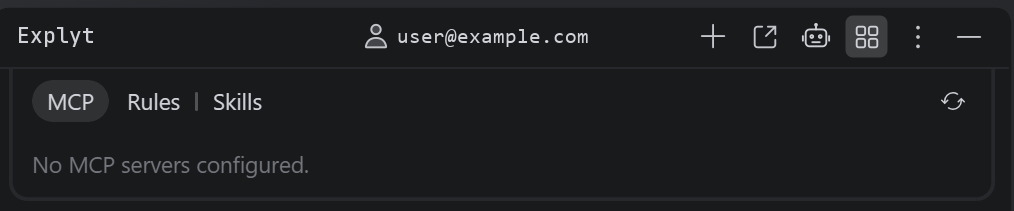
Open Agent context in the chat header → the Rules tab. For each rule it shows the file name, the path and the condition, if the rule does not always apply: (when <globs>) — by file pattern, (inside <dir>) — inside a directory, (imported from <file>) — the rule is included from another file. Open in editor opens the file.
Rules from the legacy plugin
The Explyt agent picks up files from the legacy plugin's .explyt/rules on its own, and the filePattern field works. The strictness values of the legacy plugin and the Explyt agent do not fully match — compare them with the CLI rules page.
Other agents
Claude Code reads CLAUDE.md and .claude/rules, Codex reads AGENTS.md. Their rules are also shown on the Rules tab, but you configure them according to those agents' documentation.