Connecting in Cline
-
Open the Cline settings
-
Choose API provider, then OpenAI compatible
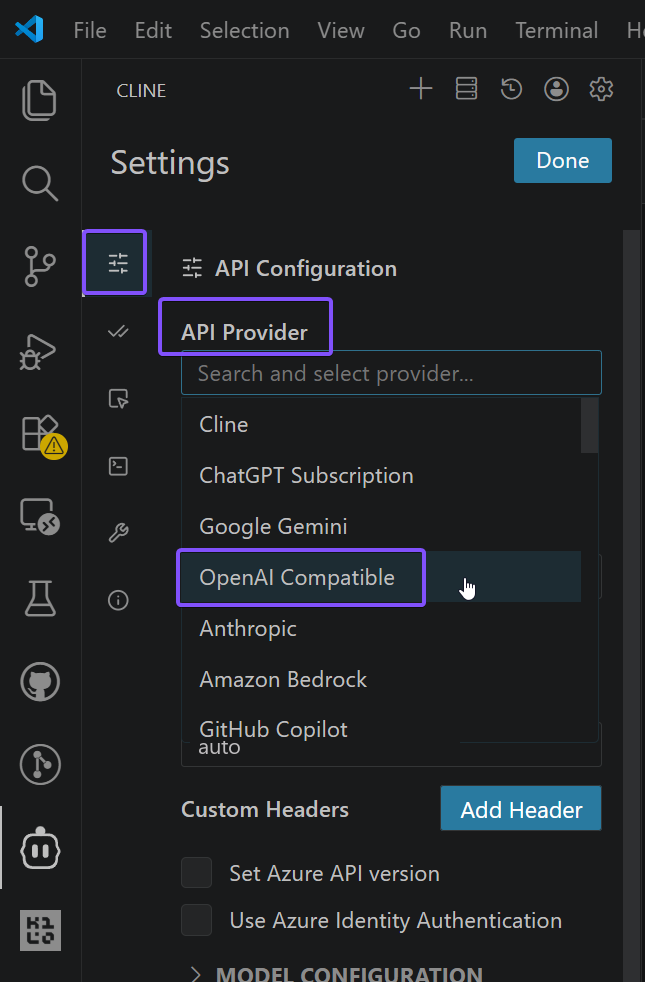
-
Fill in the fields:
- Base URL — the OpenAI-compatible URL issued to you
- If you see these instructions but do not have an OpenAI-compatible URL, contact your organization's administrator
- OpenAI Compatible API Key — the API key issued to you
- If you see these instructions but do not have an API key, contact your organization's administrator
- Model ID —
autoor another supported model (the full list is available from your organization's administrator or at<YOUR_URL>/models). Cline does not show a list of models: to switch the model, change the value of this field
- Base URL — the OpenAI-compatible URL issued to you
-
Check that your model works!
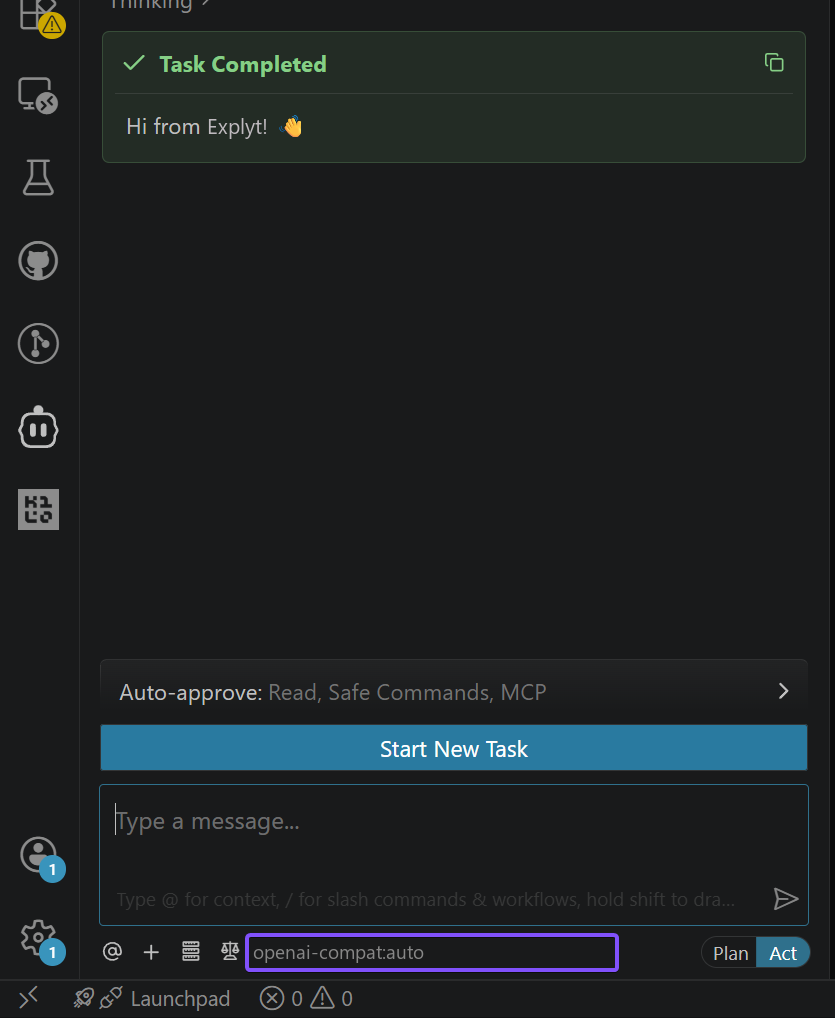
For errors, see Error messages.