How to install Explyt plugin
Compatible with IntelliJ IDEA, PyCharm, GoLand, Rider, WebStorm, and PhpStorm 2025.1+
Install Explyt plugin
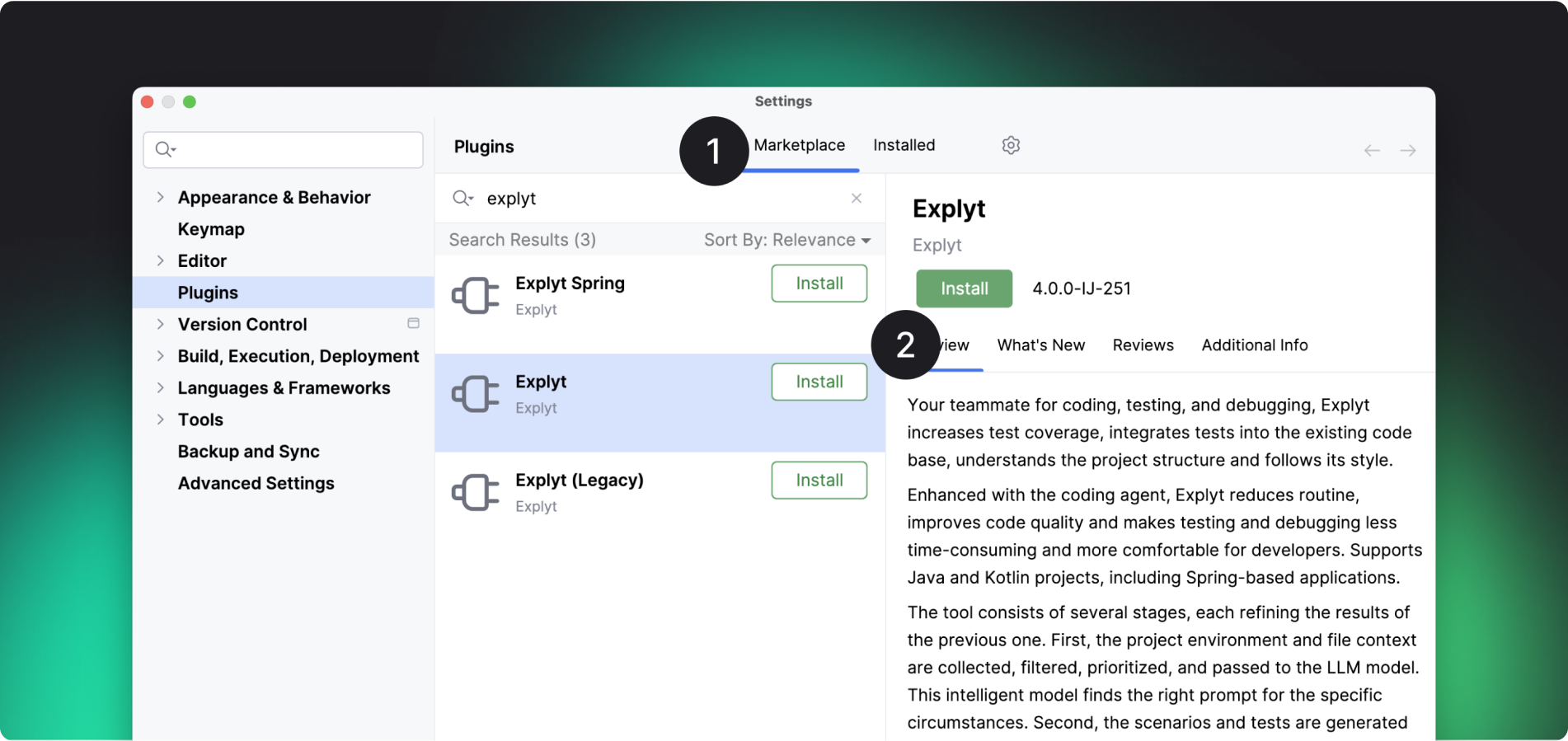
The legacy plugin is published on JetBrains Marketplace as Explyt AI Agent (Legacy):
- In
Settings (Preferences), switch toPluginsand open theMarketplacetab. - Enter
Explyt AI Agent (Legacy)and pressInstall.
⚠️ If you don't see the plugin in the search results in your IDE, please ensure that you are using IntelliJ IDEA 2025.1+, PyCharm 2025.1+, GoLand 2025.1+, Rider 2025.1+, WebStorm 2025.1+ or PhpStorm 2025.1+.
- Press
Restart IDEand confirm your choice.
The first launch and plan selection
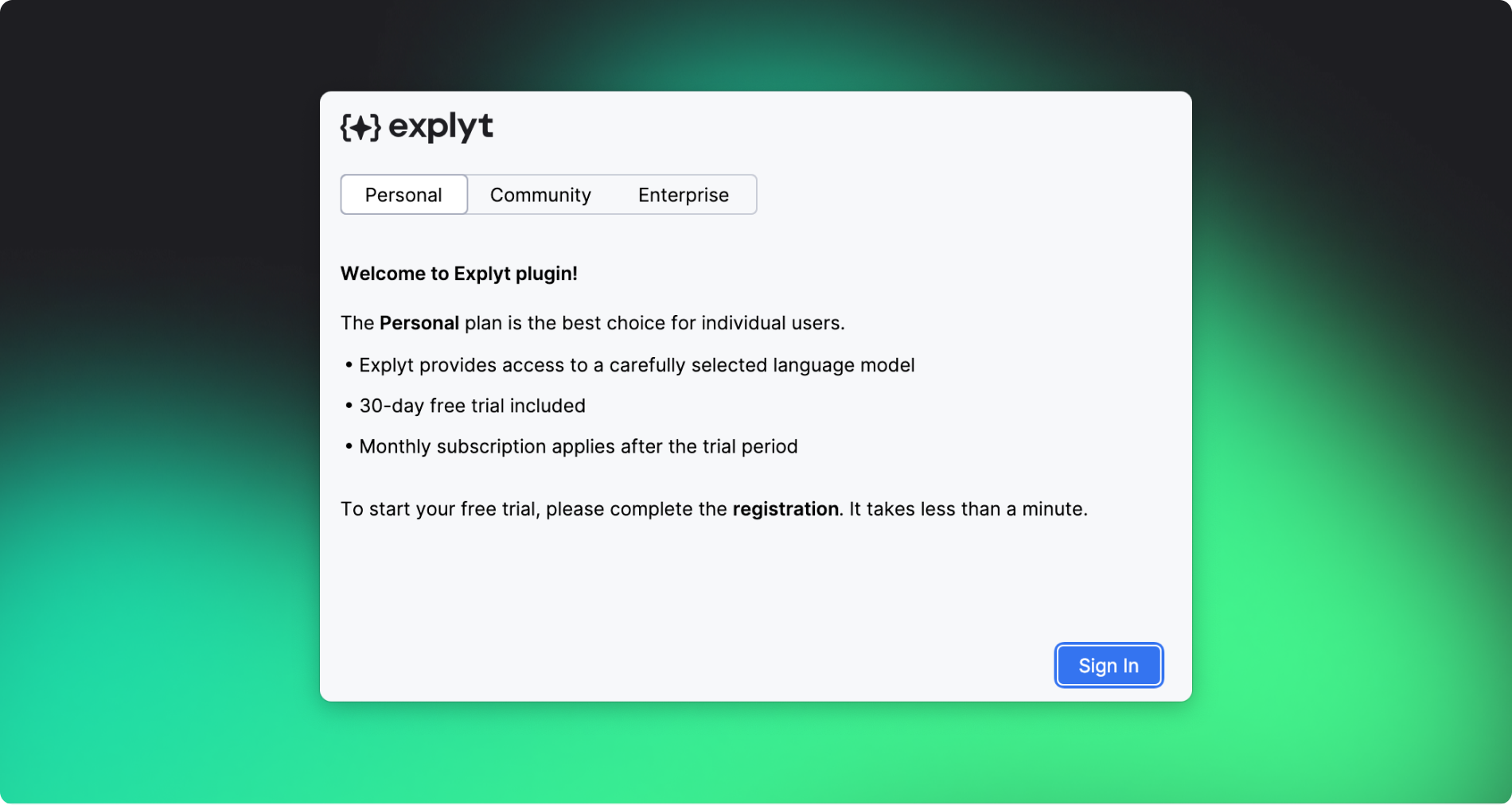
When launching the plugin for the first time, you can choose between the Personal and Enterprise versions. If you choose the Personal plan, the first 30 days will be free for you and you will receive 80 minutes.
After the trial period ends, or if you run out of minutes, you can activate a subscription or purchase Flex minutes.
Minutes, subscription, and switching between versions
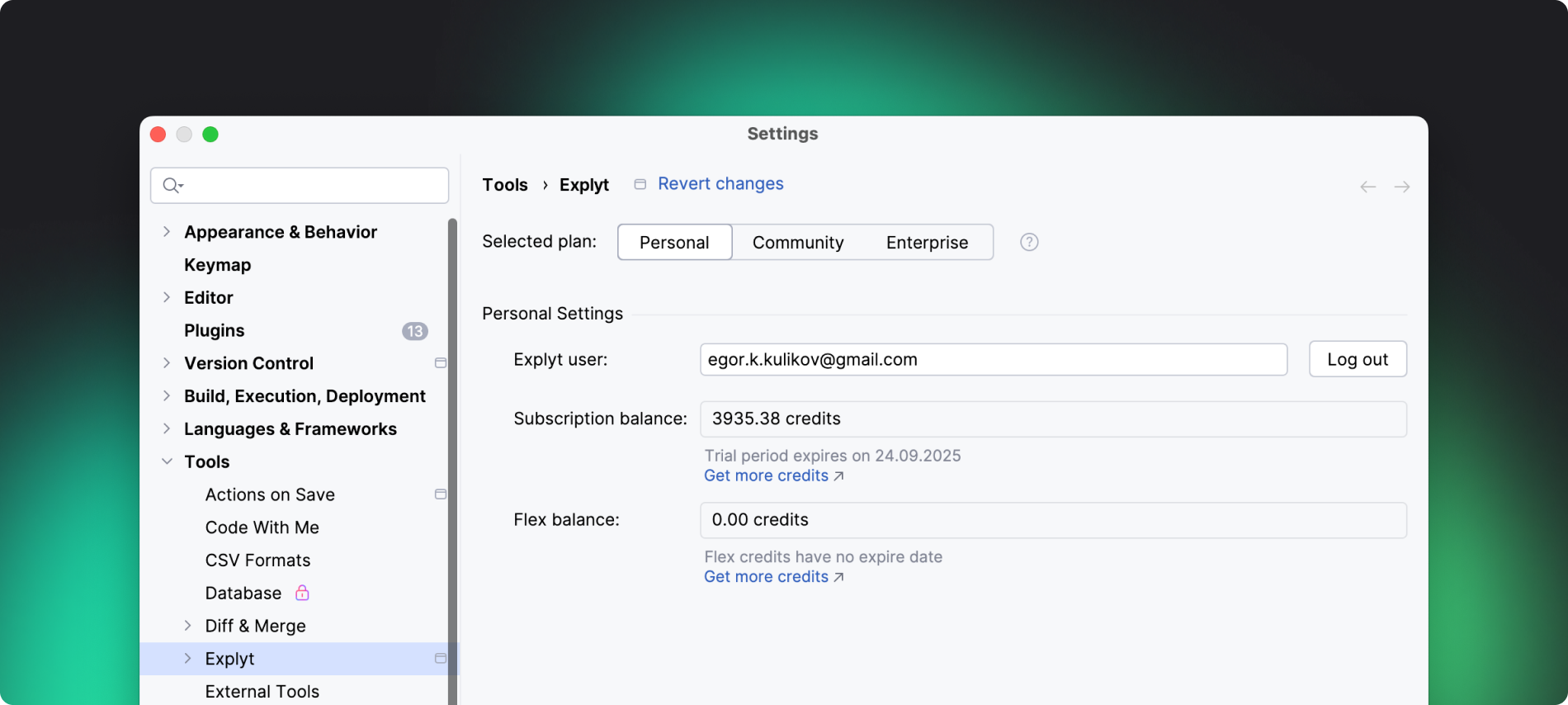
When you activate the trial on the Personal plan, the Settings show the number of available minutes and the trial expiration date.
If your trial period ends or you run out of minutes, you can activate a subscription or buy Flex minutes, which do not expire. To do this, go to your personal account via the Get more credits button or the app.explyt.ai link and top up your minute balance. At the end of the 30-day period, unused subscription minutes are converted to Flex minutes.
In Settings, you can always switch from the Personal version to the Enterprise or Community version.
How to top up balance?

- Sign in to your account at app.explyt.ai.
- Activate your subscription and get a
50% discount. - Top up your
Flex minutesbalance by choosing one of the packages:40,350, or1000minutes.
How does the subscription work, and what does it include?
- When the subscription is activated,
80 minutesare added. Every thirty days, the number of minutes is reset to 140. At the end of the 30-day period, unused subscription minutes are converted to Flex minutes. - If the subscription is canceled, it remains active until the end of the paid 30-day period.
- If all minutes are used before the end of the subscription period, you can purchase a
Flex minutespackage.
How are requests billed?
According to our statistics, a developer completes around 180 requests to an LLM during a working day on average. With an average duration of about 10 seconds per request, this is roughly 30 minutes of actual LLM compute per day. The base cost of compute without a package is $0.38 per minute.
1 minute of compute at the subscription price costs just $0.19. That's a 50% saving.
You only pay for pure API runtime, not for waiting.
What are the Flex minutes?
- Flex minutes do not expire. In your account, you can buy a package of
40,350, or1000Flex minutes. - These minutes are shown separately from your subscription balance. If a subscription is active, subscription minutes are used first, followed by Flex minutes.