Permission modes
The permission mode decides when the agent asks for confirmation before acting. The current mode is shown in the interface.
| Mode | Label | How it works |
|---|---|---|
default | DEFAULT | Asks about dangerous commands the parser recognizes and about commands it couldn't parse. Runs python -c, node -e, and scripts without asking |
paranoid | PARANOID | Asks about any command unless it is sure the command only reads data |
bypassPermissions | YOLO | Asks nothing and runs everything right away |
afk | AFK | "Away from keyboard": asks nothing, answers the agent's questions by saying you're away, and the agent keeps working until the task is done. Dangerous commands aren't blocked |
If the agent can run scripts it wrote itself and you want to confirm every such action, use paranoid.
How to switch modes
- The
Shift+Tabquick switch changes the permission mode, model, and reasoning level in one go.Enterapplies the choice right away,Esccancels. If you press nothing, the choice applies after 1.5 seconds. - The
/modecommand. - A startup flag:
explyt --permission-mode paranoid.
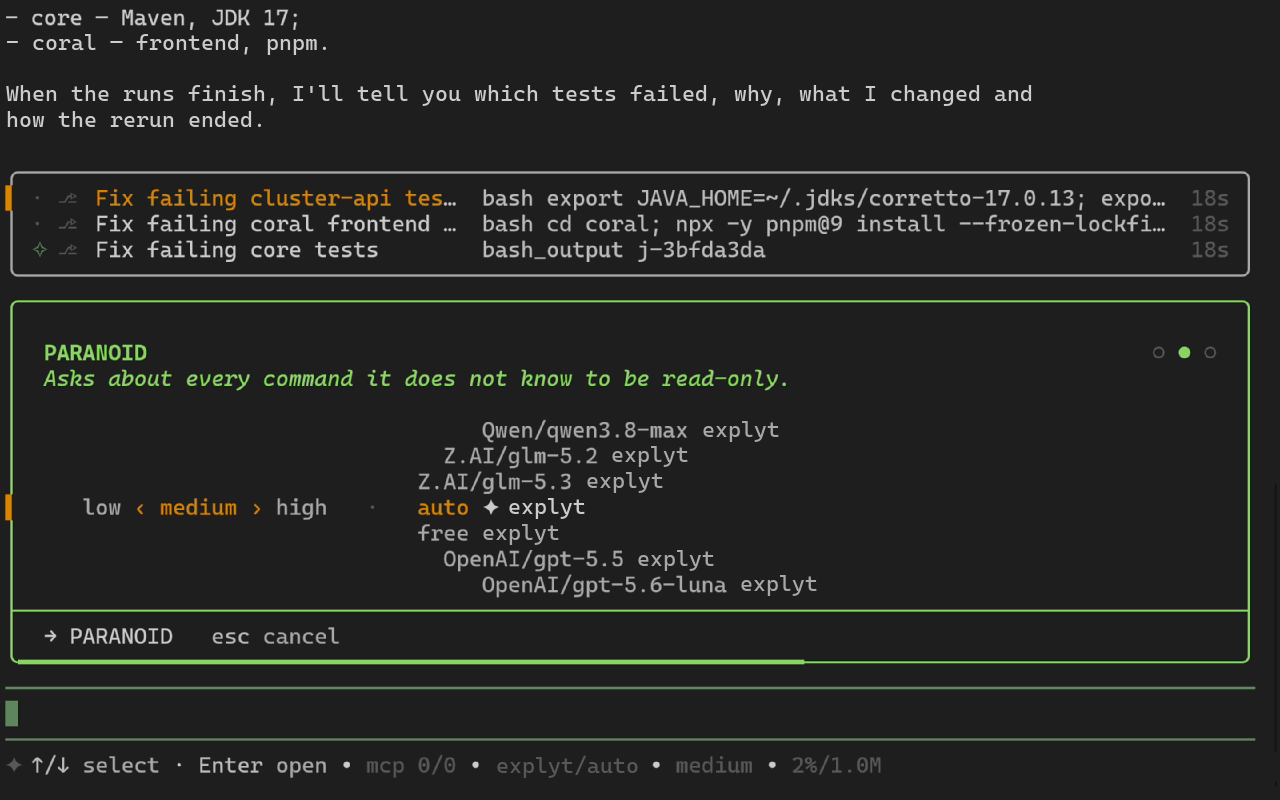
Each session keeps its own mode. Subagents run in the mode of the parent session.
The afk mode
afk is meant for a single task that nobody is watching. After every answer, the agent is told to keep going until it finishes the work itself. By default, there are at most 10 such continuations after your last message; the afk.maxContinuations setting changes the limit. A session saved in afk reopens in bypassPermissions.
The default mode
To have new sessions always start in the mode you want, set permissions.defaultMode in ~/.explyt/settings.json. Allowed values: default, paranoid, and bypassPermissions. This setting is read only from global settings, so a cloned repository can't turn off confirmations. See Settings.
In bypassPermissions and afk modes, the agent runs any command without confirmation. Turn them on only in projects where changes are easy to roll back, for example with Git.
Safety and limitations
The CLI doesn't rely on regular expressions and doesn't use an LLM classifier. It parses the command into a syntax tree and unwraps env, sudo, timeout, xargs, bash -c calls, and $(...) substitutions up to eight levels deep. So a dangerous command hidden behind harmless wrappers, such as env FOO=1 timeout 5 bash -c "rm -rf ~", also triggers a prompt.
The CLI always asks for confirmation if:
- nesting is deeper than eight levels;
- the command contains
eval; - the command name isn't written literally, for example
$CMDor$(which rm); - a script is piped in;
- the command couldn't be parsed.
Limitations:
- There is no OS-level sandbox. The check protects against model mistakes but doesn't isolate processes.
- Protected paths, such as
.git, are checked only for recognized write commands:sed -i, output redirection,tee,cp, andmv. A write frompython -c,node -e, or a script the agent wrote and ran itself passes without a prompt indefaultmode. - Windows without Git Bash. The
bashtool runs commands in PowerShell, and the model writes commands in PowerShell syntax. The permission policy doesn't parse PowerShell yet. - The mode can't be set by a file in the project. Otherwise, someone else's cloned repository could turn off your confirmations.