Using Claude Code on a large codebase while keeping a JetBrains IDE open beside it? Give the agent access to what the IDE already knows. Explyt MCP connects Claude Code, Codex, Cursor, OpenCode, and other MCP clients to IDE navigation, refactorings, run configurations, and the debugger. The agent can retrieve project facts directly instead of reconstructing them from extra file reads, grep results, and terminal logs. That can reduce token spend, shorten tool chains, and leave fewer opportunities to act on the wrong symbol or stale runtime assumptions.
JetBrains also provides an MCP server, but its published tool set does not include several Explyt operations: native Move and Delete, a separate Find Usages command, and debugger access beyond IntelliJ IDEA Ultimate. Explyt MCP adds those capabilities to your existing external agent.
Consider a rename in a multi-module Java project. The agent must identify the intended declaration, find its references, refactor it, and verify the result.
The public AgentLens Java coding-agent leaderboard provides a same-model comparison with Claude Code. With Opus 4.7, Explyt recorded a median run time of 256 seconds and 15,621 generated tokens, compared with 312 seconds and 16,534 generated tokens for Claude Code. Both configurations reached the same 81.2 formal-verification score. This comparison evaluates complete agent configurations, so it does not isolate IDE tools as the only cause. It does show the practical pattern behind this article: an agent with IDE-native operations finished the published Java task set with less time and fewer generated tokens in this comparison.
Start with the symbol, not the string
Suppose the task is to rename PaymentService.process. A text search for process will return comments, configuration values, generated files, and unrelated methods with the same name. An agent can rank those matches, but ranking does not establish which declaration the task refers to.
A JetBrains IDE has indexes and a Program Structure Interface (PSI). With access to those services, an agent can identify PaymentService.process as a code symbol and inspect its containing class, module, type information, and place in the hierarchy.
When several modules define a process method, text search returns candidates; symbol resolution identifies the declaration each reference points to.
Follow resolved references
After resolving PaymentService.process, the agent needs to see what depends on it. Direct calls and test references may span several modules. An interface declaration or an override can widen the change further.
Find Usages in the IDE follows resolved references instead of collecting every occurrence of the identifier. This gives the agent a better basis for estimating the scope of the rename.
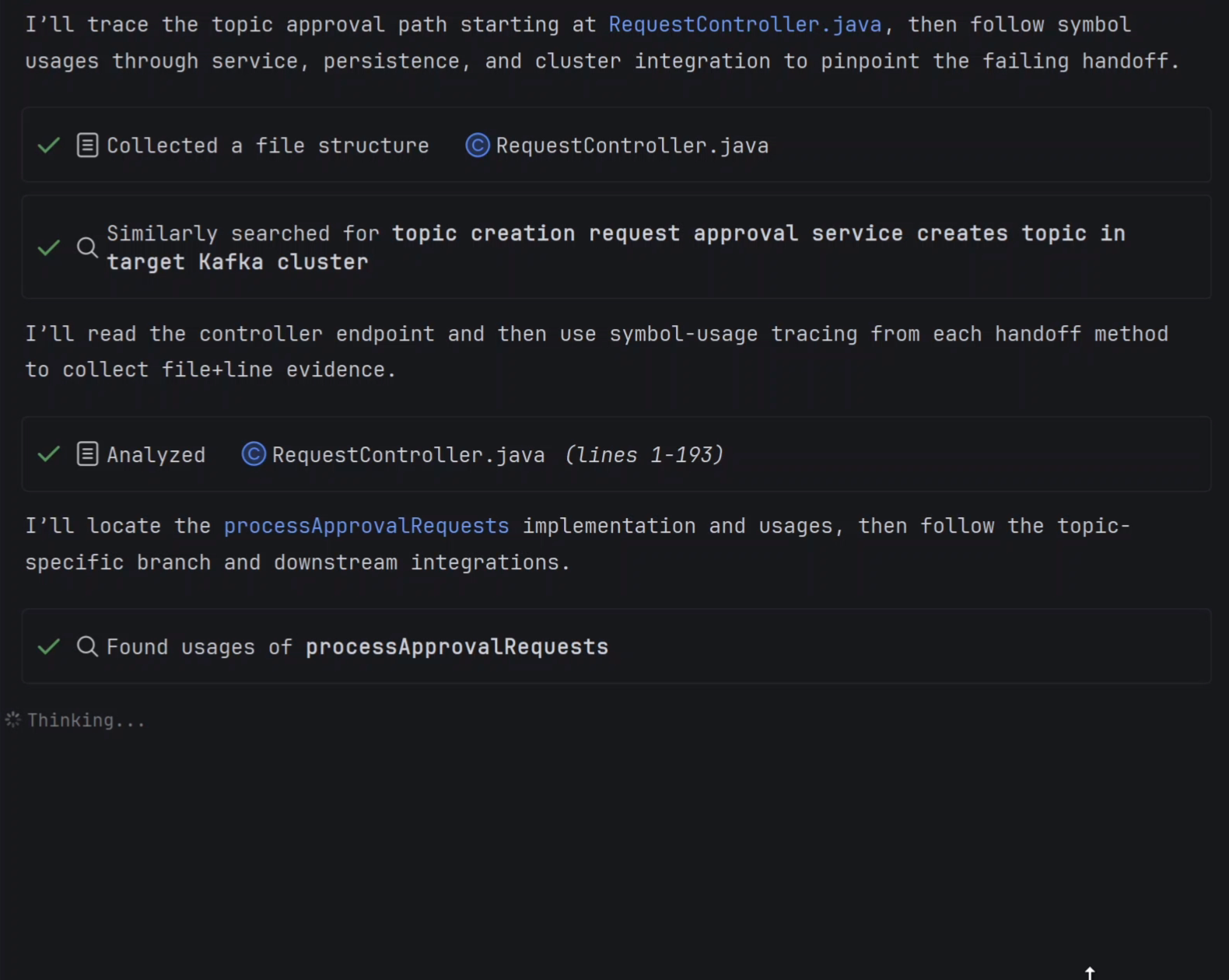
Static analysis still has boundaries. Reflection, string-based lookup, generated code, templates, configuration files, and external systems may refer to the old name without creating a reference the IDE can resolve. The result also depends on completed indexing and language or framework support.
A clean Find Usages result only means that the current IDE project model contains no more resolved references; runtime lookups may still use the old name.
Let the IDE perform the refactoring
Once the scope is known, the agent should call a native JetBrains refactoring for the resolved symbol. Explyt supports three such operations: Rename, Move, and Delete.
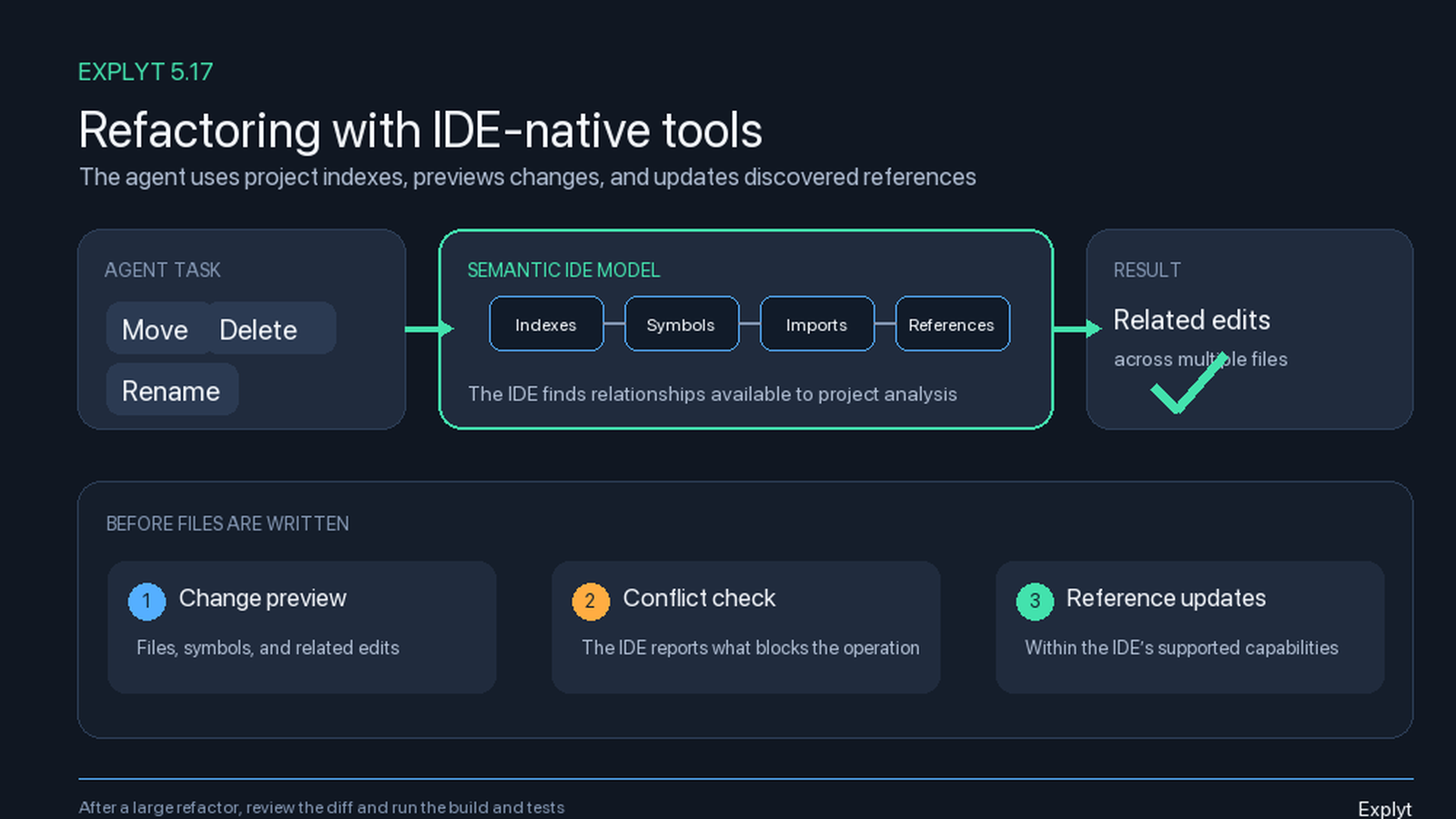
Rename updates references to the selected code symbol and can include related elements recognized by the IDE. Moving a class or file through the refactoring engine can update its package, imports, and resolved references. Before Delete removes an entity, the IDE checks its usages so the agent can see what still depends on it.
Before applying any of these operations, Explyt can show the affected elements, files, references, related changes, and conflicts reported by the IDE. For PaymentService.process, the developer should be able to inspect that scope and reject the operation if it reaches an unexpected module or misses a dependency they know about.
After Rename, the diff should contain edits linked to the selected declaration rather than replacements of every process string. Review Move and Delete results as well: reflection, generated code, configuration references, indexing state, and language support can limit what the IDE detects.
Compile with the project configuration
A rename can pass the refactoring engine and still break the build. Generated sources, module profiles, or framework processors may expose errors only during compilation.
The agent should use the project's build or run configuration rather than invent an approximate shell command. Its report must identify the selected configuration, module, and source location of each compiler error; otherwise, "the build passed" is hard to evaluate.
A successful build does not prove that the renamed method still implements the required behavior.
Run the tests and inspect IDE problems
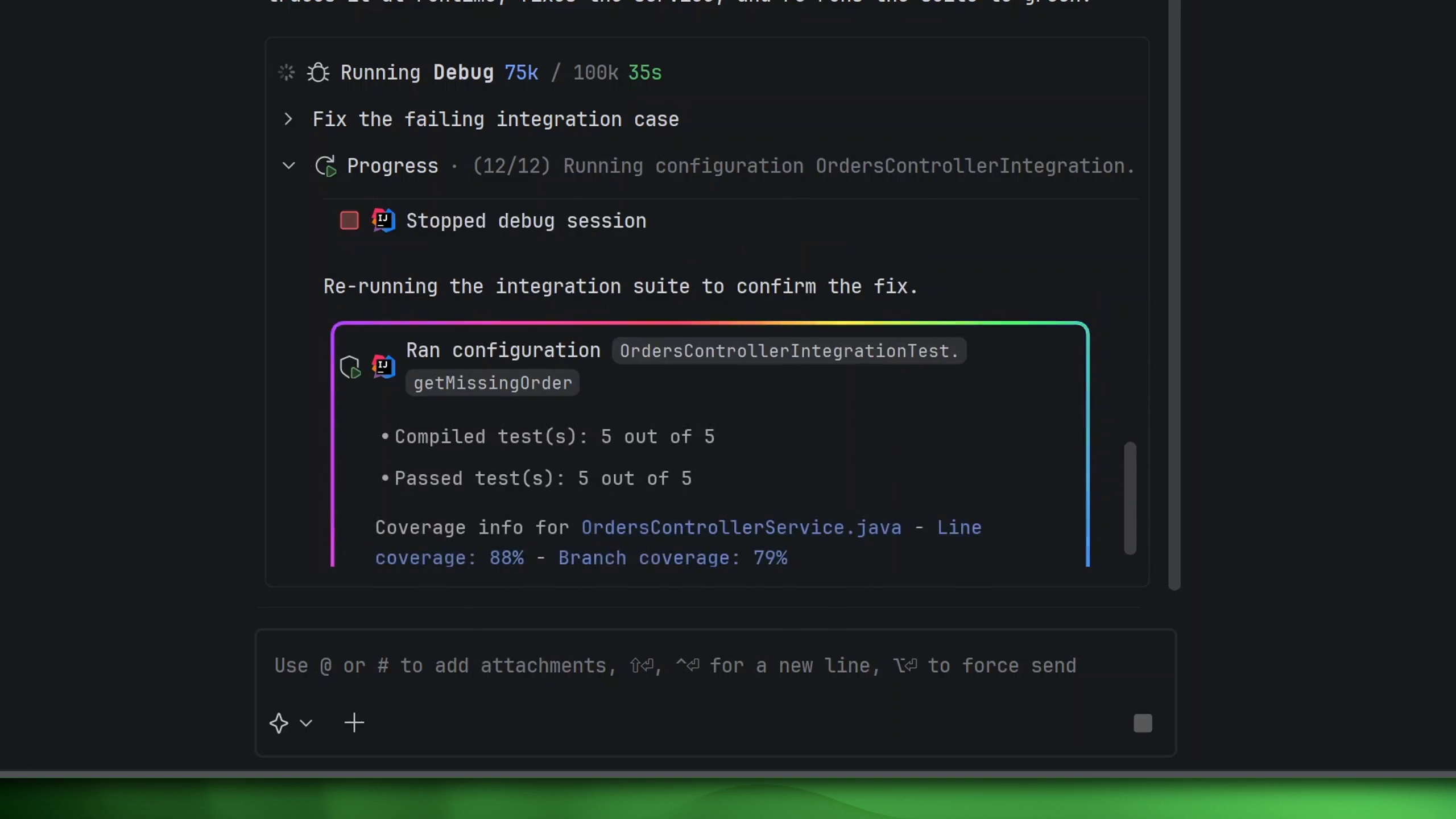
Explyt can work with JetBrains run configurations instead of reconstructing the test command from a terminal session. For the PaymentService.process rename, the agent can launch the relevant test configuration in the IDE and receive the actual results in the project context. The report should name the configuration, executed tests, failures, and skipped checks.
The built-in Explyt agent can also call IDE inspections. They identify unresolved symbols, nullability problems, unreachable code, API misuse, and framework-specific issues, with source locations for every finding.
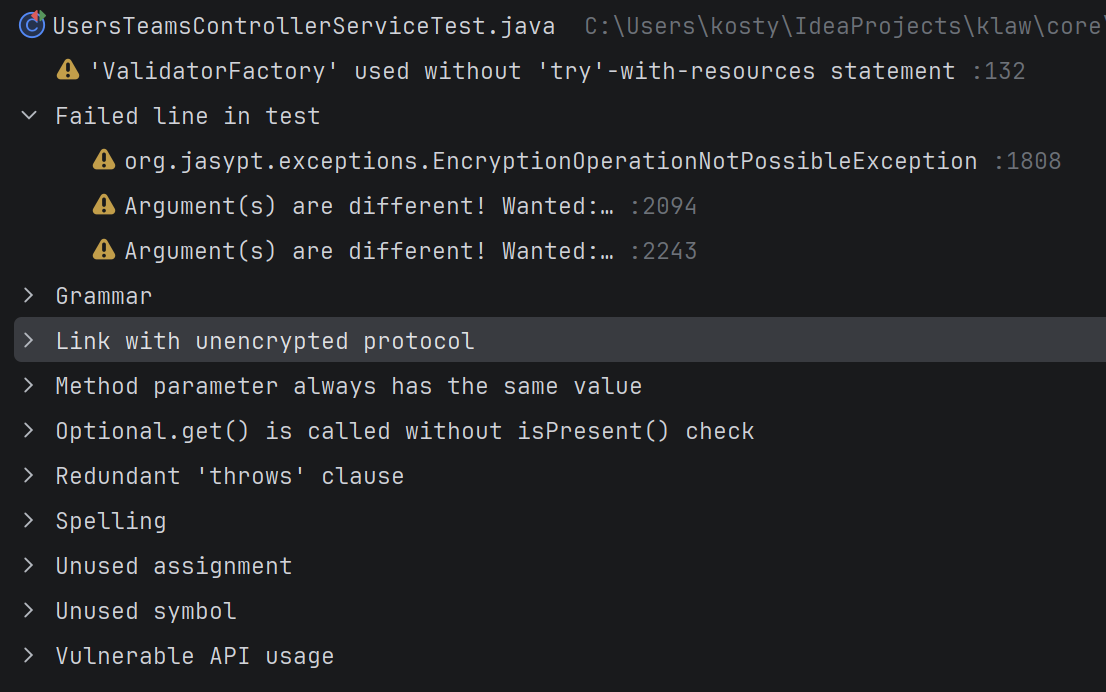
Passing tests cover only the paths and requirements encoded in those tests.
If the change involves runtime state, Explyt can continue through the JetBrains debugger: launch an existing configuration, stop at a breakpoint, and inspect the call stack and variables. That is a separate experiment with a stated hypothesis, not a substitute for compilation and focused tests.
Built-in Explyt agent or external MCP client?
The built-in Explyt agent chooses and sequences IDE operations inside its own action loop. Explyt MCP exposes enabled tool groups to an external client, which keeps its model and conversation context and decides when to call each tool. Check the MCP log, selected run configuration, refactoring preview, and final diff to see what the external agent actually used.
JetBrains MCP vs Explyt MCP
JetBrains documents get_symbol_info, search_symbol, rename_refactoring, build_project, execute_run_configuration, and get_file_problems. Explyt MCP adds:
- Move and Delete: native IDE refactorings alongside Rename.
- Find Usages: resolved references for the selected symbol.
- Broader debugger availability: debugger tools across supported JetBrains IDEs; JetBrains documents its MCP debugger commands for IntelliJ IDEA Ultimate.
Explyt MCP is available for free. You can keep Claude Code or another MCP client, connect it to the open JetBrains project, and test these operations without buying an Explyt subscription.
Try it on a task you already know
Give the agent a refactoring task you already understand, then watch how it works.
- Does it spend minutes assembling
sedcommands, scripts, and text replacements, or invoke the IDE refactoring directly? - Does it resolve the symbol, retrieve its usages, and preview affected files and conflicts before changing code?
- Does it run the configured build or test task and return source-linked errors, or invent a shell command and leave you searching its logs?
- If the failure depends on runtime state, can it set a breakpoint and inspect the actual call stack and variables?
- Can you inspect the MCP calls, arguments, results, and failures after the run?
Record elapsed time, generated tokens, files touched, manual corrections, and the final verification result. Compare them with the AgentLens figures above, then decide whether the difference holds for your repository and IDE.
Sources
- Explyt release: Explyt 5.17: IDE refactoring and an MCP server for external agents.
- Explyt documentation: Explyt 5.17: IDE refactoring and an MCP server for external agents.
- Explyt comparison: Cursor Just Entered JetBrains IDEs. Can It Finally See What the IDE Sees?.
- AgentLens: Java coding-agent leaderboard.
- JetBrains documentation: MCP Server.