What's new in Explyt 5.14
5.14 adds Memory Bank — the agent keeps useful information about the project between chats. The review results window turns findings into a structured report, and model routing profiles send different sub-tasks to different models. MCP services can be project-specific, chats and filters survive a restart, and the reasoning settings now have a "None" option if you want to save credits.
Memory Bank
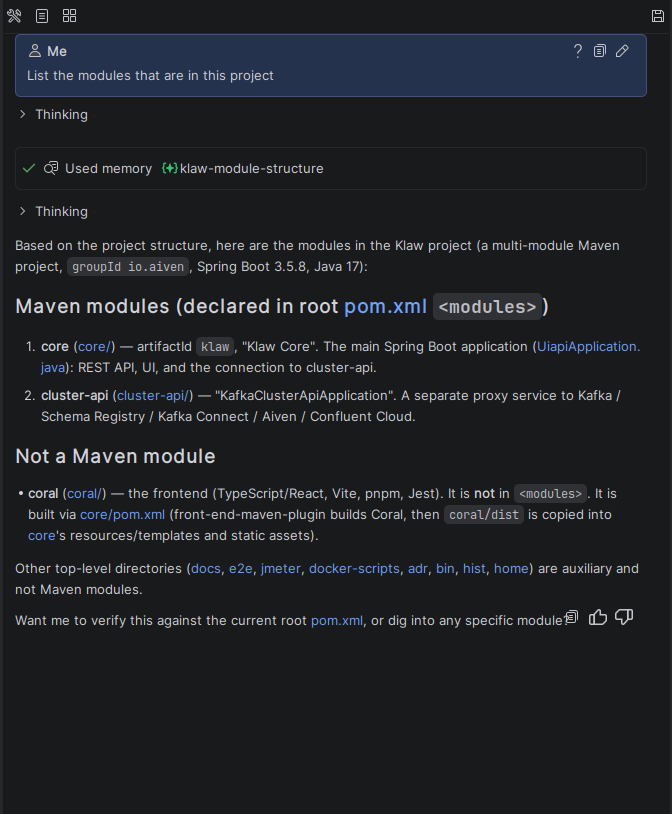
Before, every new chat started from scratch — the agent forgot everything from previous conversations. Memory Bank fixes that: the agent remembers useful things about your project and uses them in later chats.
To try it:
- Enable it in Settings → Tools → Explyt → Memory Bank.
- Work with the agent as usual — it decides what to keep on its own. Or tell it in chat: "Remember that we use xUnit, not NUnit".
- In the next chat, the agent already knows.
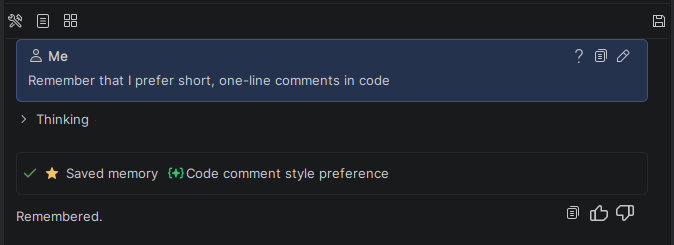
No more re-explaining the project structure, libraries, code style, or team agreements. On complex projects, it saves a lot of time.
Review results window
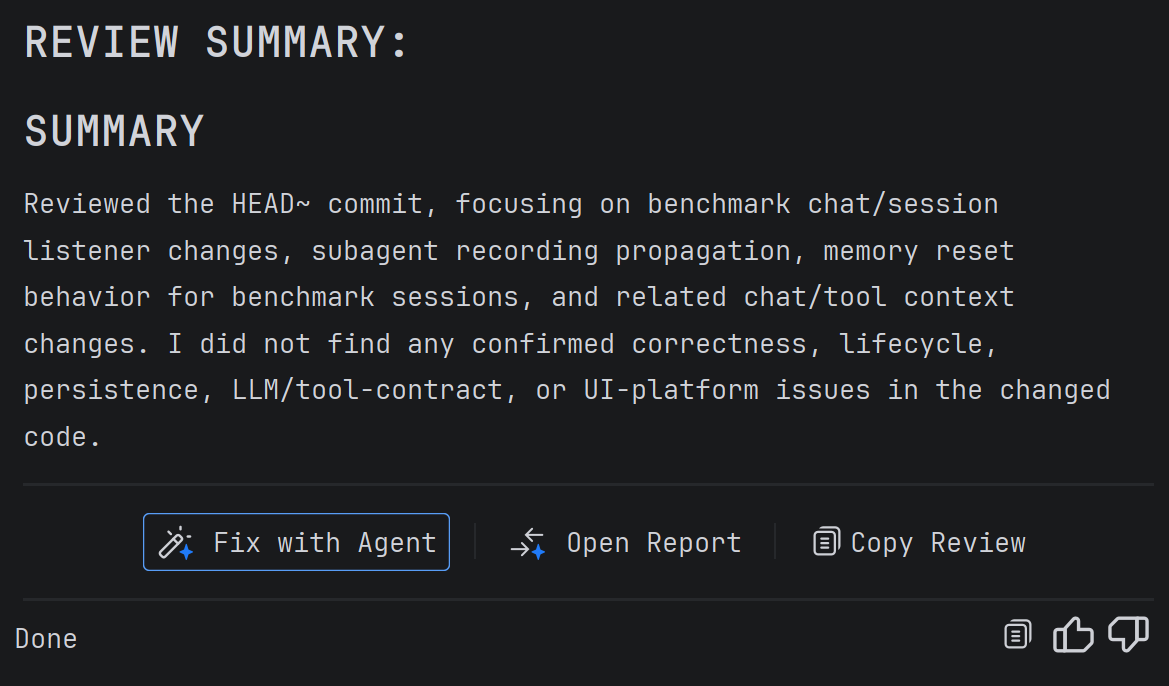
Before, when the agent finished a code review, the findings were stuck in the chat log. Hard to reopen, hard to navigate.
5.14 adds the Review window. Now each issue has a type and severity, links to files and lines. Click and you're at the right spot in the editor.
A panel appears on screen after the review. "Open report" opens a detailed view. Each issue has a "Fix with agent" button — it passes the context back, and the agent applies the fix.
Results survive a restart. The window shares the same foundation as SAST analysis — run list, welcome panel, and view model are shared.
Model routing profiles
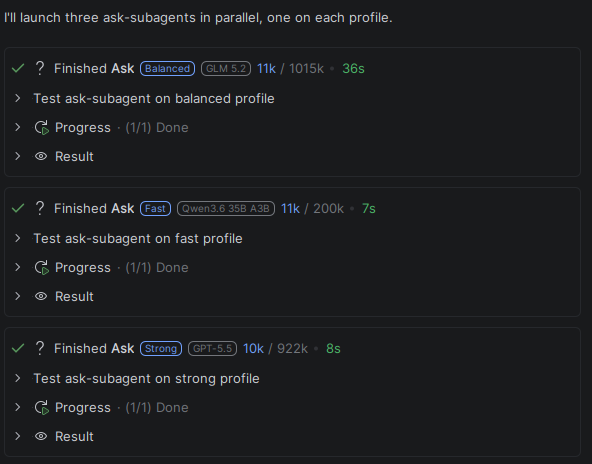
Before, all sub-agents — Code, Ask, Test, Review, Plan, Debug — used the same model as the main chat. Even quick code search would call the expensive model.
Model Routing changes this. Three built-in profiles: fast for quick search and reading, balanced for routine analysis and tests, strong for complex review and debugging. The agent picks a profile by its description. Assign a model to each profile or add your own — through Settings → Tools → Explyt → Model Routing or directly in .explyt/model-routing.yaml (project-level overrides global in ~/.explyt/model-routing.yaml).
If a profile has no model assigned, the sub-agent inherits the parent chat's model. Profile descriptions are natural-language hints for the agent.
MCP improvements
MCP services are now project-bound: each project can have its own MCP servers, independent of global settings. Handy when different projects need different configurations.
MCP environment variables support ${env:VARIABLE_NAME} placeholders — no need to keep tokens in the config file. You can also re-enable all disconnected MCP servers with a single click instead of starting each one manually.
MCP now handles binary data: images, audio, and other non-text responses are saved as separate files and attached to the chat, not dumped into a single base64 block.
Interface improvements
Chats and filters survive an IDE restart — open tabs, the current chat, and sort settings stick around.
When the chat history is empty, a welcome screen with hints replaces the black screen.
Queued messages can be edited: double-click or the edit icon opens the text.
Agent improvements
The reasoning effort settings now include "None" — it explicitly disables thinking for models that support it. Saves credits on simple tasks. Before, "Default" behaved differently across providers, and you couldn't reliably turn reasoning off.
UI bug fixes
Fixed floating panel issues in Rider, incorrect action display in Changes Overview, and an empty-screen error on IDE startup.
Agent and stability fixes
MCP tool responses are handled more accurately, terminal commands are more reliable, and the system prompt is shorter. Also fixed issues with unique LLM request identifiers and provider passing.
Contact us at support@explyt.com to share feedback or submit a feature request.