What's New in Explyt 5.13
Explyt 5.13 brings test coverage increase to WebStorm and PyCharm, adds file access outside the project, introduces agent onboarding, and adds a hotkey for switching between the editor and chat.
Increase test coverage in WebStorm and PyCharm
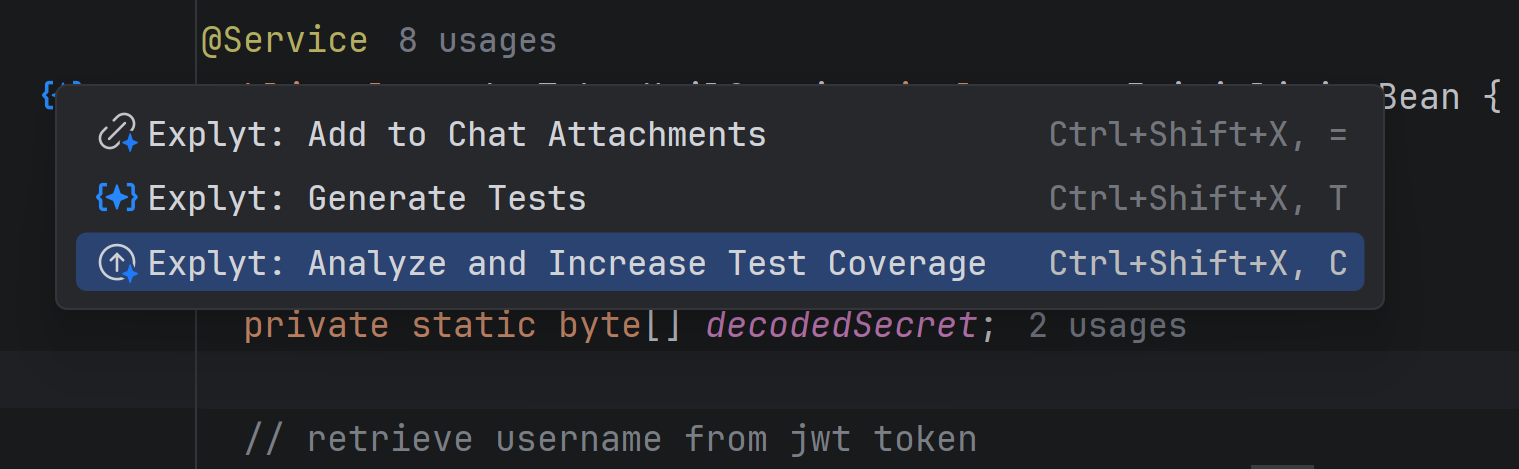
Test generation icons next to methods in the editor now work in WebStorm and PyCharm, not only in IntelliJ IDEA. The feature used to be limited to JVM projects; now it covers JavaScript, TypeScript, and Python as well.
Click the icon next to a method, and Explyt will offer to generate tests for it.
Handy when you write in JavaScript, TypeScript, or Python and want to cover a specific method without telling the agent where to find it.
File access outside the project
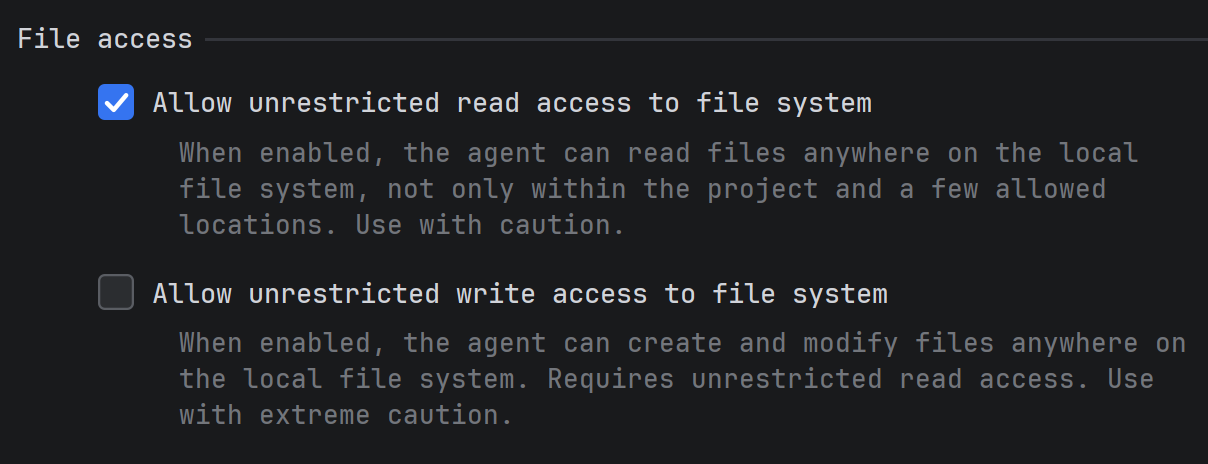
The agent can now read and write files outside the project root. Before this, it was confined to the project directory and a handful of allowed paths, so it could not read a shared config or edit a file in a neighboring repository.
The setting lives at Settings → Tools → Explyt → Agent → File Access.
Useful for projects that reference external files: shared configs, monorepos with sibling projects, or data files kept outside the working directory.
Agent onboarding
You can now set up the agent for a specific project instead of relying on a generic setup. On first launch or from an empty chat, Explyt offers a short onboarding: answer a few questions, and it creates rules, skills, and connects MCP servers based on your answers.
For example, if you mention that the project uses Figma or Chrome for debugging, Explyt will suggest connecting the corresponding MCP servers. Rules and skills are saved to the project's agent files, so future chats already account for your project's specifics.
Go through onboarding when you start working with Explyt on a new project and want the agent to know its specifics from the start.
Hotkey for switching between the editor and chat
Ctrl+Shift+X, Tab moves focus to the Explyt chat; pressing it again returns focus to the editor. Tab also works as a toggle.
If you frequently switch between code and chat, ask a question, check the result, edit code, ask again, this saves you from reaching for the mouse every time.
Performance fixes
The chat lags less in long conversations. Updates are faster, and each message uses less memory. The difference is most visible in chats with hundreds of messages.
Interface bug fixes
We fixed several chat issues: the plugin window no longer closes when a tab is closed, the model shows correctly in the selector, attachments no longer break when the original message is deleted, and popup notifications work again.
In Rider, the floating panel now shows the "add selection to chat" action, and the blank screen on IDE startup is gone.
Agent and stability fixes
The agent handles tools more reliably. DeepSeek no longer crashes on tool calls, MCP tool results are no longer lost, and the agent can use the terminal alongside configuration tools. We also fixed duplicate action registration and the empty chat that appeared when switching agents.
In Rider, file autocompletion at the solution root works correctly. We also fixed a UI freeze during highlighting, a problem with stopping operations, and the progress display for subagent work.
Contact us at support@explyt.com to share feedback or submit a feature request.