Explyt 5.7 focuses on making everyday agent workflows smoother and more reliable. This release reduces friction in the moments that matter most: giving the agent broader project context, switching models more easily, recovering from temporary failures automatically, and staying focused while background commands run.
The update introduces directory attachments in chat, a model picker directly in the input area, automatic retry on agent errors, less intrusive terminal behavior, and faster bug reporting from the chat UI. Together, these changes make working with Explyt feel more seamless, resilient, and comfortable in day-to-day development.
Attaching Directories to Chat
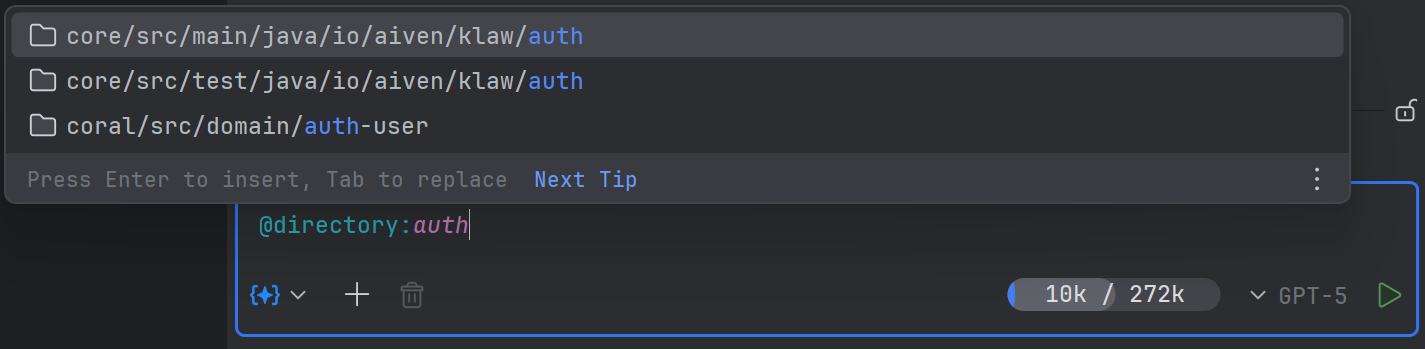
You can now attach entire directories to the chat, not just individual files. Folders are supported via drag-and-drop, in the recent attachments list, and through the "Add to Attachments" action in the project view window. Clicking such an attachment opens the directory in the IDE, and the folder path is passed to the agent as context.
This is useful when you want to give the agent context for an entire module, package, or group of files at once — for example, when analyzing feature architecture, refactoring a subpackage, or navigating a large project catalog.
Model Selection via Dropdown in Chat
The model for the chat can now be selected via a separate dropdown right in the bottom message input panel. This list shows models from different providers in one place. Previously, switching models was less intuitive and required more actions, especially if you regularly compare several models against each other.
This is useful when choosing a model for a specific scenario: a cheaper one for routine tasks or a more powerful one for complex refactoring.
Automatic Retry on Agent Errors
If a request to the agent fails, Explyt now automatically retries instead of stopping the scenario immediately. The error itself is displayed between retries, so you can see exactly what went wrong and that the system is trying to recover automatically.
This is especially useful during temporary AI provider outages or network instability, which is often observed in different regions of our planet.
Terminal No Longer Distracts During Agent Calls
We've improved the behavior of the terminal that the agent uses to run commands. Previously, when the agent called the terminal, it could steal focus from the editor and distract from parallel work. Now it no longer captures focus or opens in the interface unnecessarily. This makes working with the agent noticeably more comfortable: the agent can execute background commands while you continue working in the editor without switching to a suddenly appearing terminal window.
This is useful when the agent runs tests, builds, or service commands while you continue writing code, reading results, or working in other chats.
New Feedback Button in Chat
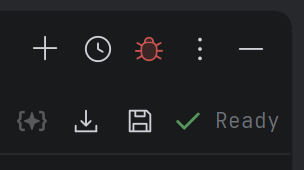
We've added a button for quickly reporting bugs in the plugin.
This is useful when you want to separately mark a successful agent response or, conversely, quickly send a bug report about incorrect behavior of the interface, tool, or model.
Install the update now and see how Explyt transforms the way you build, test, and fix code.
Reproduce, inspect and fix inside JetBrains IDEs, with the debugger, run configurations and IDE facts as evidence.