In Explyt 5.1 common workflows are now available straight from the new chat window!
Solving typical developer and tester tasks
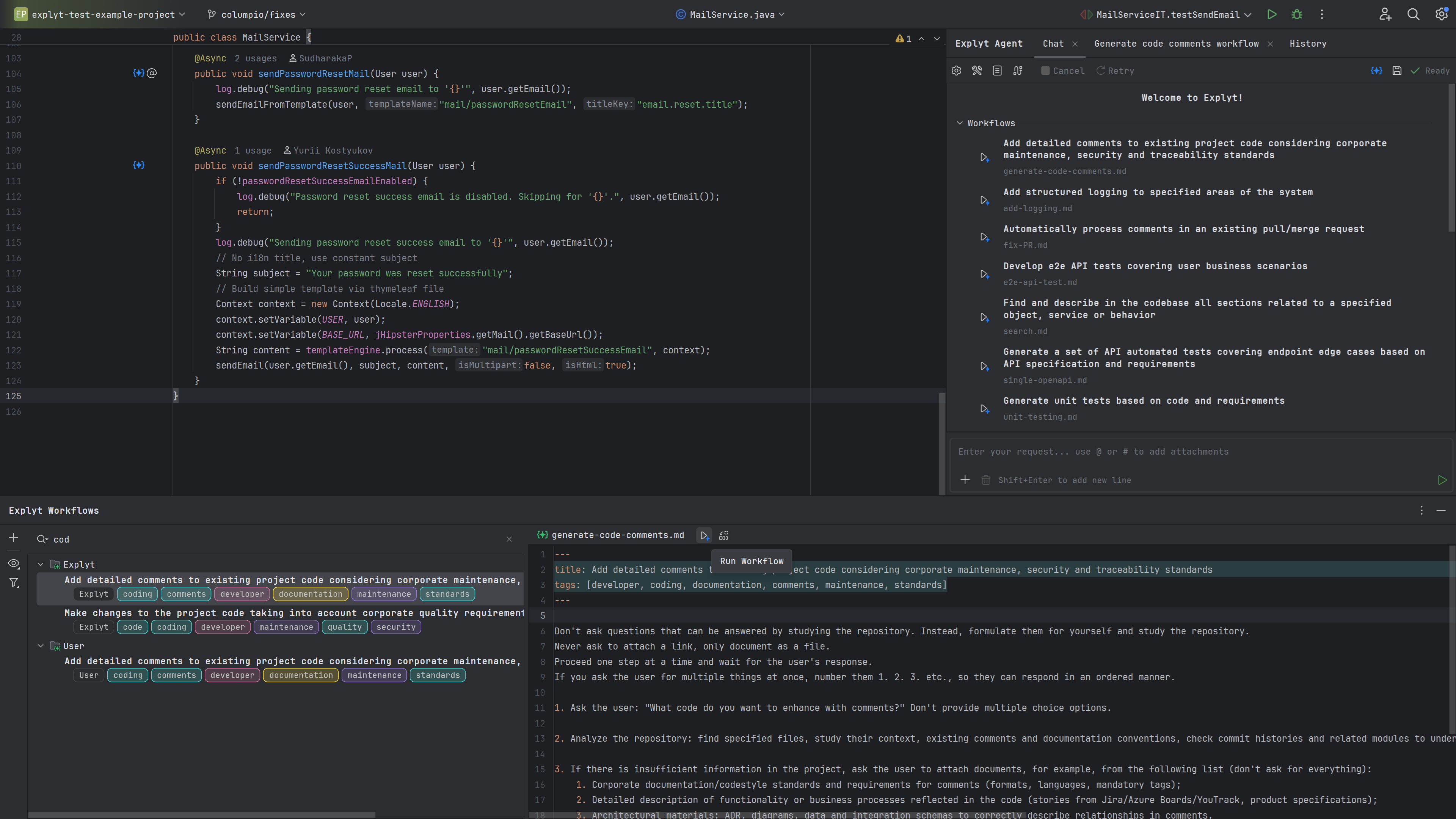
We have redesigned the interface to focus more on developer and tester scenarios. When you open a new chat, you will see a list of common tasks that Explyt can help you with. You can immediately jump into a particular scenario by clicking the run button to the left of it. If you click the scenario name, the full workflows window opens. You can also open it at any time by clicking the Workflows icon at the top of the agent chat.
On the left side of the workflows window you will find standard and custom scenarios with their tags. Use the filter on the left to select scenarios by the tags you need. You can also filter scenarios by name at the top of the panel.
To start a scenario, click the run button on the right side of the panel.
To create your own copy of a scenario and adapt it to your needs, click Copy and Modify Workflow on the right side of the panel.
Learn more about Workflows in the documentation here.
WebStorm support
The cutting-edge features of Explyt agent are now available in WebStorm. Developing and testing TypeScript applications is now even more efficient with Explyt.
Reproduce, inspect and fix inside JetBrains IDEs, with the debugger, run configurations and IDE facts as evidence.