This release is about the problems developers hit when AI starts doing real work inside the IDE: generated code can be unsafe, long chats can run out of context, MCP setups can overload the agent with tools, and test runs can fail because the agent guessed the wrong command.
We worked on those parts.
Check AI-generated code for vulnerabilities before it ships
AI can write code fast. It can also write vulnerable code fast.
Explyt 5.11 adds vulnerability search for JVM projects. You can scan the whole project from the IDE, review findings in a dedicated panel, and send a vulnerability straight to the agent for explanation or fixing.
Explyt first builds the project with Maven or Gradle, then runs its own static analysis engine on the compiled code. When it finds an issue, you can inspect the trace and see how unsafe data moves through the code.
This helps when you want to:
- check AI-generated code before committing it
- review an older codebase for security issues
- understand whether a finding is real or likely a false positive
- ask the agent to explain or fix a vulnerability without switching tools
You can also ask Explyt to estimate a CVSS score for a finding, which helps you understand severity in plain terms: how easy the issue is to exploit and how much damage it could cause.
For now, vulnerability search works for JVM projects in IntelliJ IDEA and Android Studio. Support for more IDEs and languages is planned.
Run tests from the IDE, not a guessed terminal command

When an agent runs tests from the terminal, it often has to guess: which command, which module, which SDK, which working directory.
Explyt can now get and run IDE configurations in Rider and WebStorm, in addition to IntelliJ IDEA and PyCharm. The agent uses the project setup from your IDE instead of inventing a command.
In Rider, Explyt can work with global Run menu configurations and unit tests. Test runs return stdout, stderr, statuses, and stack traces. Current Rider limitations: project builds, run arguments, and coverage are not supported yet.
In WebStorm, Explyt supports npm, Jest, Vitest, Cypress, and Playwright, including coverage where the IDE supports it.
The benefit is simple: when you ask Explyt to run tests, it can use the same IDE context you use.
Connect more MCP servers without breaking the agent
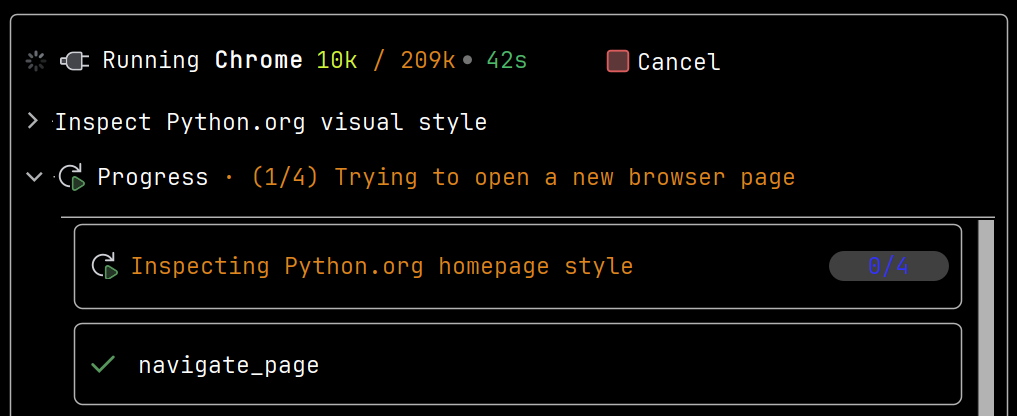
MCP servers are useful, but large toolsets can overwhelm an agent. Previously, a few connected MCP servers could consume the whole tool limit and leave Explyt without access to the tools it needed.
In 5.11, Explyt can run MCP servers as subagents. The main agent sees one entry point for the server, while the subagent works with the server’s full toolset. You do not need to configure anything. Small MCP setups work as before. Larger setups are less likely to break when you connect servers with many tools.
Keep long chats going
Long coding sessions often turn into long agent chats. Eventually, the conversation can hit the model’s context limit.
Before 5.11, Explyt compressed chat history with built-in heuristics. That helped, but not always enough.
Now Explyt can use LLM summarization when the usual compression is not enough. Older parts of the conversation are summarized, the latest request stays intact, and the agent can continue working with a smaller context. This runs automatically. You can still trigger compression manually or turn it off.
Let the agent read real library code
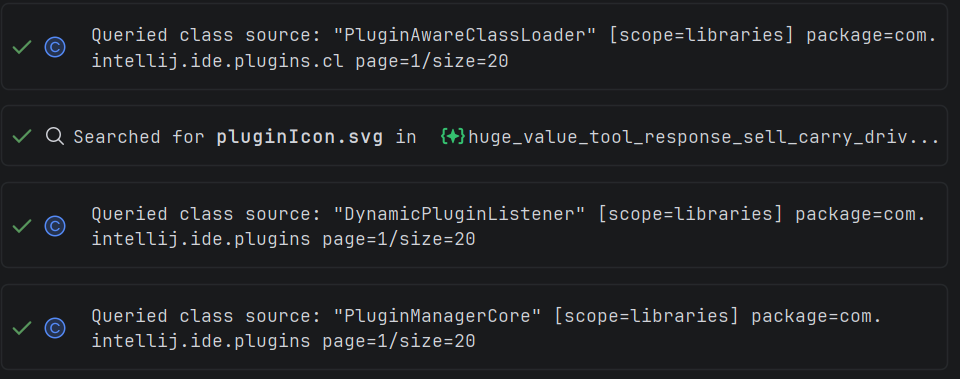
Agents guess less when they can inspect the real code.
Explyt 5.11 adds library code reading for PyCharm, similar to what Explyt already supports in IntelliJ IDEA and Rider. Given a symbol, the agent can find its definition and read the surrounding code in the project or installed libraries.
This is useful when you work with an unfamiliar dependency and want Explyt to use the actual API instead of relying on assumptions.
Reproduce, inspect and fix inside JetBrains IDEs, with the debugger, run configurations and IDE facts as evidence.