Explyt 5.14 is mostly about the day-to-day annoyances that show up when you use an agent often: repeating project context, digging through chat history after a review, or sending every sub-task to the same model even when the task is simple.
The biggest change is Memory Bank. Explyt can carry useful project facts from one chat to the next, so you do not have to keep explaining the same testing setup, libraries, code style, or team habits. The release also adds a Review window, model routing profiles, project-level MCP settings, better handling for binary MCP responses, and a set of UI and stability fixes.
Memory Bank: project context between chats
Until now, a new chat often meant a fresh round of reminders. You might tell the agent that your team uses xUnit, that answers should be short, or that tests should run after a fix. Then, a few chats later, you would have to say it again.
Memory Bank is meant to make that less annoying.
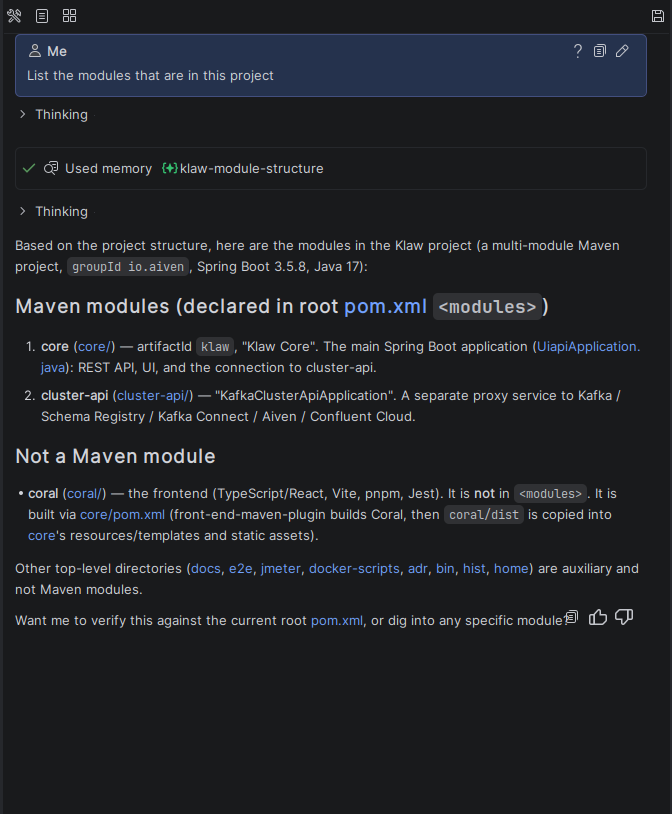
Explyt can save useful facts about your project and bring them back in later chats. That can include:
- project structure;
- libraries and frameworks;
- team conventions;
- preferred response style;
- recurring workflow instructions, such as running tests after a fix.
You can let the agent decide what is worth remembering, or you can be explicit:
Remember that we use xUnit, not NUnit.
After that, the agent can use the saved context instead of asking again or making the same assumption.
For most users, Memory Bank should stay in the background. You work as usual, and the agent gradually picks up more of the project context. If you want more control, the settings include options for maintaining and cleaning up stored memories.
Enable it in Settings → Tools → Explyt → Memory Bank
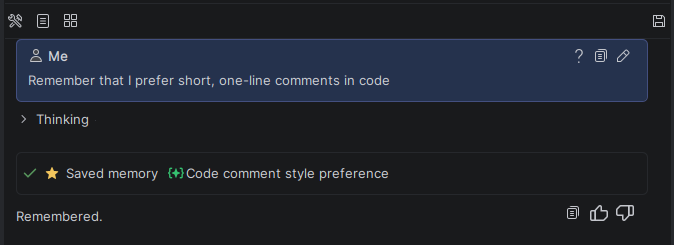
Review results no longer live only in chat
Review mode can inspect pull requests, commits, and local changes. The problem was not the review itself, but what happened afterward: findings were mostly stuck in the chat. That made them easy to lose and awkward to sort through later.
Explyt 5.14 adds a Review window for structured reports.
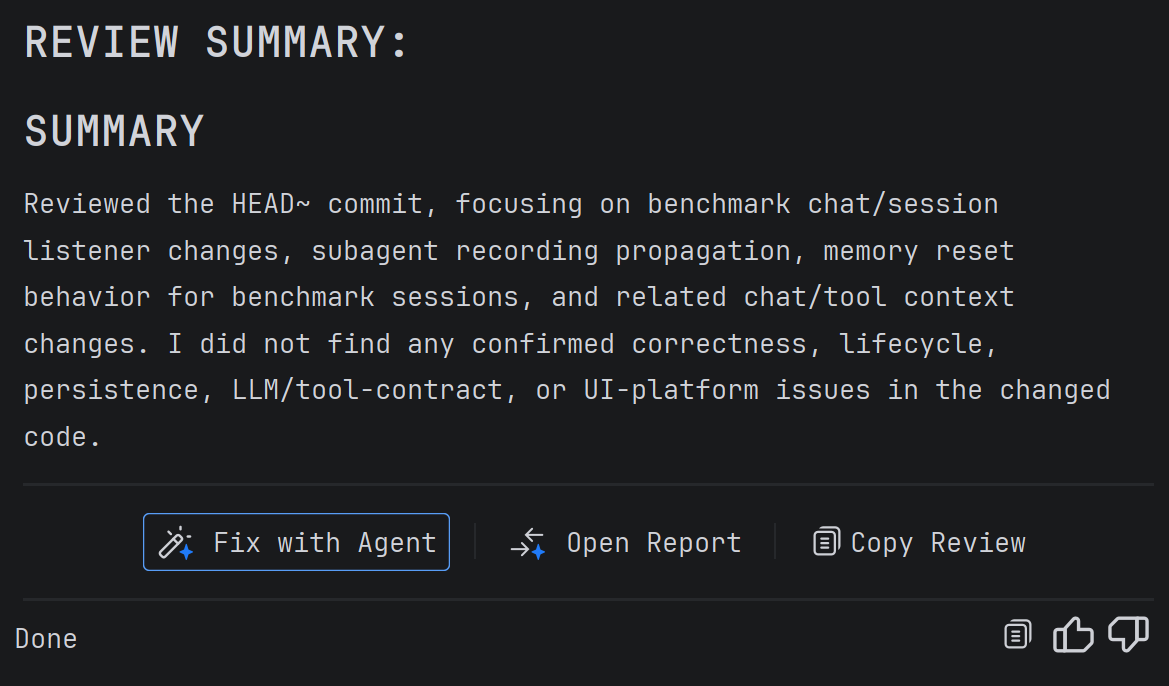
After a review finishes, Explyt can show the findings in a separate report. Issues can include a type, severity, and links to the relevant files and lines. You can jump straight to the code, inspect findings one by one, and decide what needs attention.
There is also a Fix with agent action. It passes the review context back to the agent, so it can work on a selected issue or go through the full list.
That gives you two practical ways to use review:
- run a review, open the report, and ask the agent to fix the findings;
- inspect the findings yourself, then choose exactly what the agent should fix.
Reports survive IDE restarts, so you can come back to them later.
Model Routing: different models for different jobs
Not every agent task needs the same model. Reading files, planning a change, writing tests, and reviewing code have different tradeoffs. Some tasks need speed. Some need stronger reasoning. Some reviews are better when another model checks the work instead of the one that helped write it.
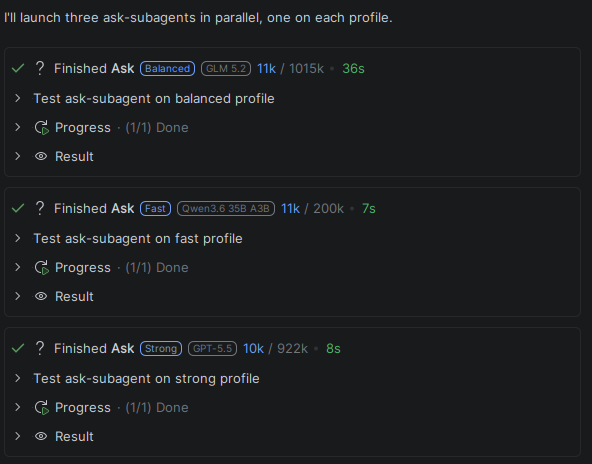
Model Routing lets Explyt send sub-agent tasks to different profiles instead of always inheriting the main chat model.
The built-in profiles are:
- fast: quick search, reading, and lightweight tasks;
- balanced: routine analysis and implementation support;
- strong: complex review, debugging, and tasks that need deeper reasoning.
You can assign models to profiles in Settings → Tools → Explyt → Model Routing. Advanced users can also edit .explyt/model-routing.yaml. Project-level settings override global settings from ~/.explyt/model-routing.yaml.
This gives teams more control over speed, cost, and quality. A lightweight sub-task can use a faster model, while review or debugging can use a stronger one. You can also have code reviewed by a different model from the one that helped produce it, which reduces the chance of the model approving its own output.
If a profile has no assigned model, the sub-agent uses the parent chat model.
MCP improvements
Explyt 5.14 also changes how MCP works in real projects.
Project-specific MCP servers
MCP services can now be configured per project, not only globally.
A frontend project can have one set of MCP servers, while a backend project can use another. The agent gets the tools that make sense for the current workspace instead of seeing every server from every project.
Environment variables in MCP config
MCP configuration now supports environment variable placeholders:
${env:VARIABLE_NAME}
That means API keys and tokens can stay outside the config file and come from the system environment instead.
Binary MCP responses
Explyt can now handle binary data from MCP servers.
Before, images, audio, screenshots, and similar responses could end up as raw encoded data. Now Explyt saves them as separate files and attaches them to the chat. The agent works with file references instead of a wall of encoded text.
This is useful for multimodal workflows: screenshots, generated images, audio files, and other MCP outputs that are easier to inspect as files.
Faster MCP reconnection
Disconnected MCP servers can be re-enabled in one action instead of restarting each one manually.
Interface improvements
Chats and filters now survive an IDE restart. Open chat tabs, the current chat, and sorting or filter settings are restored when you reopen the IDE.
Queued messages can be edited before they are sent. Double-click a queued message or use the edit icon to change it instead of deleting and rewriting it.
When chat history is empty, Explyt shows a welcome screen with hints instead of an empty screen.
Agent improvements
Reasoning effort settings now include None.
This explicitly turns reasoning off for models that support it. It is useful for simple tasks where you want faster responses and lower credit usage. Previously, Default could behave differently depending on the provider, and there was no clear way to disable reasoning.
It also pairs well with Model Routing. For example, lightweight tasks can run on a fast profile with reasoning disabled, while more complex work can still use stronger reasoning.
Fixes and stability updates
This release also includes fixes and reliability improvements across the plugin:
- fixed floating panel issues in Rider;
- fixed incorrect action display in Changes Overview;
- fixed an empty-screen error on IDE startup;
- improved MCP tool response handling;
- improved terminal command reliability;
- shortened the system prompt;
- fixed issues with unique LLM request identifiers and provider passing.
Reproduce, inspect and fix inside JetBrains IDEs, with the debugger, run configurations and IDE facts as evidence.