With Explyt 5.9, AI-assisted development becomes more structured, more transparent, and more effective. The release introduces subagents for complex multi-step tasks, expands built-in skills for planning and review, improves collaboration between the user and the agent, and adds usability updates that make everyday work in chat faster and clearer.
Subagents

The orchestrator agent can now invoke subagents — specialized agents for specific tasks such as coding, test generation, code review, and codebase research. The orchestrator decides on its own when a task should be delegated to a subagent, coordinates their work, and aggregates the results.
Along with subagents, three built-in skills have been added to the main chat screen:
-
Plan
— builds a task plan based on project context. It does not write code, but creates an executable plan with specific tasks, files, and input data;
-
Code with subagents
— takes a task (or an existing plan), sequentially launches subagents for implementation, testing, and review, then triages the issues found and fixes the confirmed ones;
-
Code review orchestrated
— runs three independent review passes from different angles, classifies findings, and produces a consolidated report.
The subagent execution process is shown directly in the chat: you can inspect the prompt sent to each subagent and its result. Subagents work within a shared context — the orchestrator passes relevant information to them so that each subagent does not have to spend tokens rediscovering the same context.
This is useful when a task is too large for a single agent — for example, when a feature touches multiple files and requires review after implementation. It is also useful when high-quality code review is needed: instead of a single pass, the orchestrator launches several independent reviewers with different focuses and then merges the results.
Test Generation from Execution as an Agent Tool for JVM Projects
The Generate Tests From Execution feature, which previously had to be launched manually via the Explyt icon next to a method or from the context menu, is now available to the agent as a separate tool.
It allows the agent to use real program execution scenarios to generate tests, without requiring the user to launch this mode separately through the UI.
This is useful when you need to quickly turn a reproducible user scenario, a stack trace failure, or a specific method call into a set of unit tests.
Agent Notifications About Changed Files
The agent is now notified when you manually edit files or reject changes it suggested. Previously, if you adjusted code after the agent or rejected part of its changes in the diff preview, the agent was not aware of that and could revert your edits in the next step or continue working with an outdated version of the file.
Now the agent sees which files were modified by the user and takes that into account in дальнейшей работе. This makes collaborative code editing with the agent significantly more reliable.
This is useful when you work with the agent iteratively: you ask it to write code, then manually make edits or reject some of its suggestions, and want the agent to continue with your changes in mind instead of overwriting them.
Global Skills and Agents
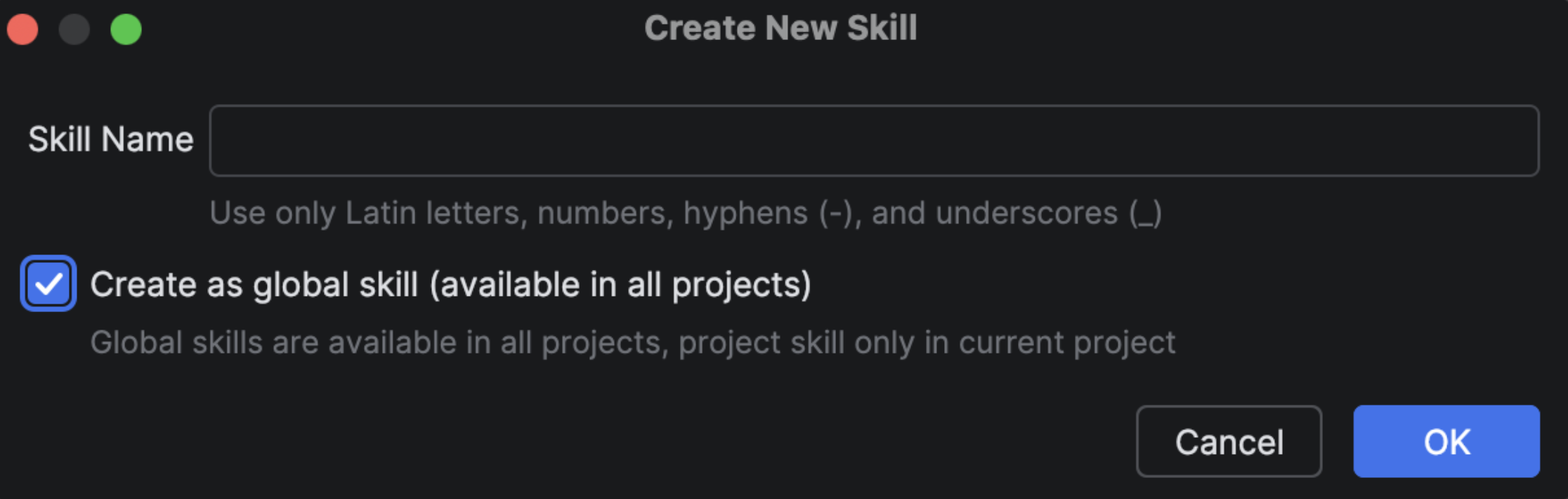
Skills and agents can now be stored not only in the project folder, but also in the global directories ~/.explyt/agents/ and ~/.explyt/skills/.
Global skills and agents are available across all your projects without needing to copy them into each repository.
This is useful when you have reusable skills or agents — for example, your team’s code review standards, commit message templates, code style rules, or a specialized infrastructure agent — that you want to use in every project without duplicating files.
Onboarding: Skills Lesson
A new lesson has been added to the interactive onboarding flow to introduce Skills step by step.
The lesson walks you through creating your first skill: from clicking the Skills button in the chat panel to filling out SKILL.md and invoking the skill through a slash command.
During the lesson, you will learn how to describe a skill so that the agent automatically understands when to use it, how to store additional resources alongside the skill, and how to invoke skills manually through chat autocomplete.
This is useful for new users who want to quickly understand the skills system, and for experienced users who want to make sure they are structuring their SKILL.md files correctly.
Kanban View for Chat History
Chat history is now displayed as a kanban board grouped by statuses such as “In Progress,” “Completed,” and others. Chat statuses have updated icons and visual separators between groups, making navigation through history clearer. You can also pin a chat to the top of the list so that important conversations do not get lost.
This is useful when you have many parallel chats with the agent and need to quickly find unfinished tasks or conversations waiting for your attention.
Inline Chat Settings on First Launch
When you open the chat for the first time, the plugin now shows the current settings directly in the interface: the selected plan, provider, model, and language. Previously, new users had to look for these settings in the menu, which slowed down getting started.
This is useful when you are using the plugin for the first time: you immediately see which model you will be working with and can quickly change the settings without leaving the chat.
Install the update now and see how Explyt transforms the way you build, test, and fix code.
Reproduce, inspect and fix inside JetBrains IDEs, with the debugger, run configurations and IDE facts as evidence.