Rider support
We are happy to introduce Explyt 5.0 with Rider support. Developing and testing C# applications is now even more efficient with Explyt.
Agentic Mode for Test Generation and Test Repair in Java/Kotlin
Previously, when generating tests in Java/Kotlin projects, the Explyt plugin provided only a fixed set of settings (such as choosing the testing and mocking frameworks, and the type of tests). When fixing tests, it followed a rigid pipeline.
With the improvement in model quality, this approach is no longer optimal. Therefore, in this release, we are introducing a new agentic mode for test generation and test repair.
Now, the model independently decides which key decisions need to be coordinated with the user before generating a new test class and how to most effectively fix outdated or failing tests.
How it works?
- Before generating a test class, you are offered several test setup options
- Each option is described in 5–6 short points outlining its key aspects (for example, where mocks will be used and where real dependencies will be invoked)
- You choose the most suitable option (you can also edit it manually or with the help of the agent)
- The agent confirms the test scenarios and generates the tests
- If needed, the agent corrects the tests (while continuing to follow the previously chosen test setup and if necessary confirming test setup changes with you)
If you wish, you can switch back to the previously used mechanism for test generation and test repair
Generate unit test from stacktrace frame for Java/Kotlin

Starting with this version, if a large, long-running test fails, you can debug it much faster.
To do this, click the Explyt: Reproduce button next to the relevant frame in the stack trace.
As a result, you will get an isolated, faster unit test which reproduces the same issue.
With such a test, debugging heavy Java/Kotlin tests becomes much easier.
New agent tooling: Web search & Web fetch
The agent can now fetch web pages and use them in chat.
The agent can also search the web for you on the following websites:
We'll add more testing and development websites to the search soon!
Minor agent improvements
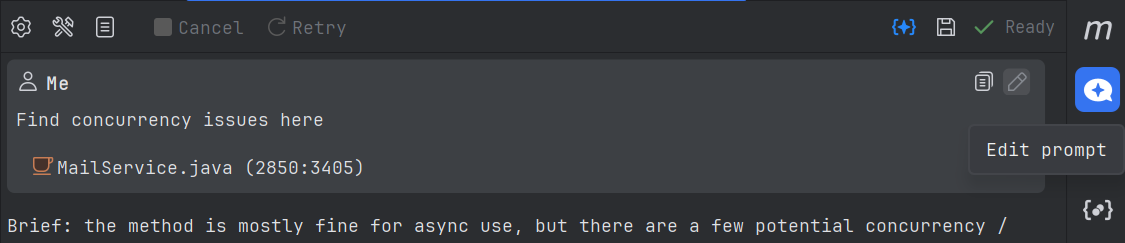
- Control agent chat by editing previous messages
- New types of local search indexes
Reproduce, inspect and fix inside JetBrains IDEs, with the debugger, run configurations and IDE facts as evidence.